
Vertical tabs with workspace metadata
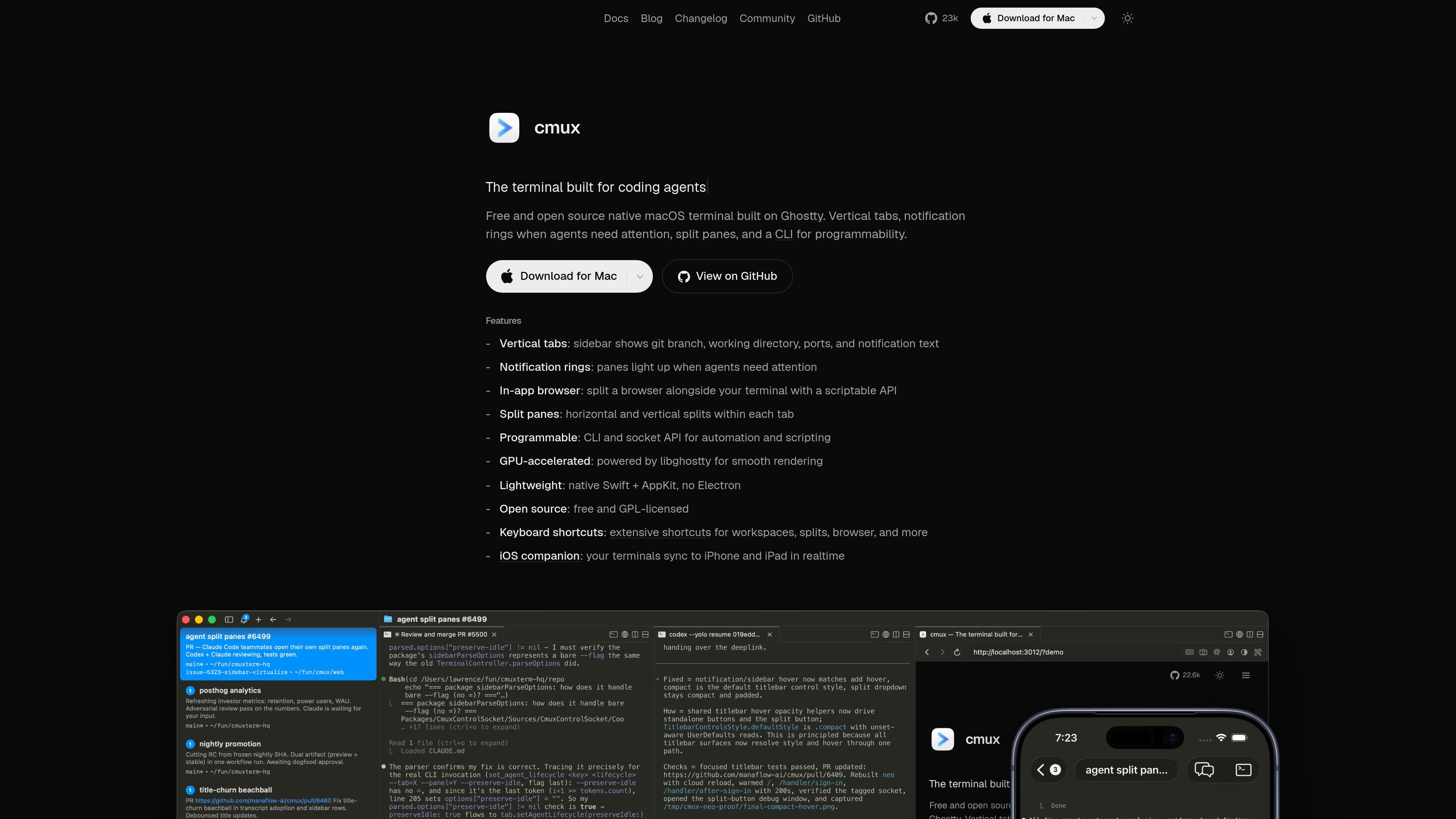
Use a vertical sidebar to keep track of git branch, working directory, ports, and notification text for each workspace.

Native macOS terminal for AI coding agents and CLI workflows
cmux is a native macOS terminal for multitasking, organization, and programmable control. It is built on libghostty for rendering and combines vertical tabs, split panes, attention indicators, and a socket-based API in a single app.
The product is aimed at people running AI coding agents and other terminal-based workflows. It works with any CLI tool, including Claude Code, Codex, OpenCode, Gemini CLI, Kiro, and Aider, and it adds workflow features such as session restore, remote SSH access, and an embedded browser for scripted tasks.
Use a vertical sidebar to keep track of git branch, working directory, ports, and notification text for each workspace.
Highlight panes that need attention with notification rings, unread badges, a notification popover, and macOS desktop notifications.
Open a real browser pane next to the terminal and control it through the socket API for navigation, DOM snapshots, clicks, typing, and JavaScript evaluation.
Divide work into horizontal and vertical panes within each tab so multiple terminals or agents stay visible at once.
Use the CLI and Unix socket API to create workspaces, open splits, send text, read terminal contents, take screenshots, and manage notifications.
Run as a native Swift and AppKit app with libghostty rendering and no Electron layer.
Keep several agent runs visible at once, with each teammate or subagent appearing as its own pane instead of a hidden background process.
Run work on a remote host while driving it locally through SSH or by attaching to existing remote tmux sessions.
Use the embedded browser to navigate pages, inspect the DOM, click through flows, and verify web changes without leaving the terminal.
Surface build progress, notifications, and status updates in the sidebar so long-running jobs are easier to monitor at a glance.
Restore workspaces, panes, scrollback, and supported agent sessions after relaunch so interrupted work can resume with less manual setup.
cmux is a native macOS terminal built on Ghostty’s rendering engine. The docs say it is not a fork of Ghostty; it is a separate app built on libghostty.
The current docs say cmux supports macOS 14.0 or later on Apple Silicon or Intel Macs.
Yes. cmux can restore windows, workspaces, panes, working directories, and scrollback when you relaunch, and supported agent sessions can also resume when hooks capture a native resume token.
cmux includes a CLI and a Unix socket API. You can create workspaces, split panes, send input, read screen contents, trigger notifications, and drive the built-in browser through those interfaces.
Yes. The homepage says cmux is free and open source, and the source code is available on GitHub.
Traffic data is for reference only.