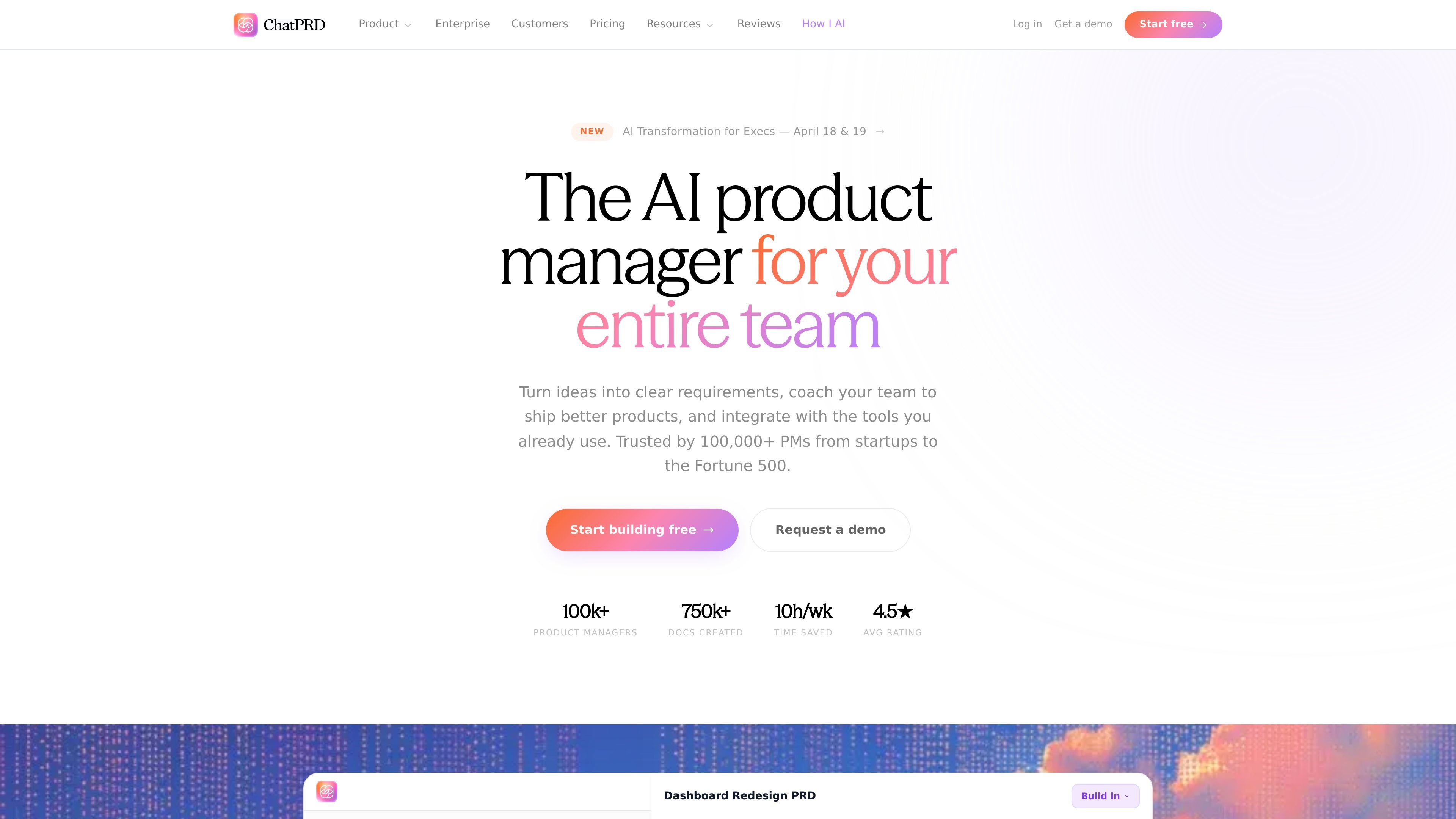
ChatPRD is an AI platform for product managers that helps teams write product documentation, coach product thinking, and connect their work to the tools they already use. The site positions it as an AI product manager for individuals, teams, and enterprises.
Its core workflow starts with an idea, meeting notes, or connected context from tools such as Notion, Linear, and GitHub. From there, ChatPRD can draft PRDs and related docs, provide coaching feedback on the quality of the thinking, and support review and collaboration before the work is exported or shared.
What can ChatPRD do?
01
AI documentation generation
Turn rough ideas, meeting notes, or a prompt into PRDs, user stories, technical specs, GTM briefs, and other structured product documents. The app can pull context from connected sources so the draft is grounded in existing work.
02
AI coaching and document scoring
Review documents with coaching feedback modeled as strategic product guidance. ChatPRD scores work across strategy, structure, clarity, and completeness, then highlights the most important improvements first.
03
Template library and custom formats
Work from templates for common product artifacts, including PRDs, one-pagers, user stories, technical design docs, PR FAQs, competitive analyses, and API documentation. Teams can also build custom templates.
04
Iterative editing and gap analysis
Edit drafts with inline suggestions, section rewrites, before-and-after diffs, and version history. The product also calls out missing sections and edge cases while you iterate.
05
Context-aware research
Pull in context from Notion, Linear, GitHub, and related sources through MCP connections, so product documents reflect real research, tickets, and code instead of manual copy-paste.
06
Team collaboration and integrations
Support team workflows with shared projects, comments, real-time doc collaboration, centralized billing, and admin controls. The site also lists integrations for Slack, Google Drive, Confluence, Linear, and Notion.
Use Cases
“Draft product documents from scratch”
Start with a prompt or a rough set of notes and generate a structured PRD, one-pager, or user story set that you can review with your team. The product is designed to turn unstructured product thinking into a shareable draft quickly.
“Strengthen an in-progress spec”
Paste an existing document into ChatPRD and use the coaching workflow to improve the strategy, structure, clarity, and completeness of the draft. The tool is built to identify the most important gaps and suggest targeted edits.
“Collaborate on product work as a team”
Use shared projects, comments, and real-time collaboration when multiple people need to review or refine the same product work. This fits teams that want a single source of truth for product knowledge and draft history.
“Ground new docs in existing context”
Pull context from Notion, Linear, GitHub, and related tools when writing a new PRD so the draft reflects existing research, open issues, and code context. This reduces manual copy-paste between systems.
“Share outputs where the team works”
Push the finished document to tools such as Notion, Linear, Confluence, Slack, or Google Docs after review. This lets the product work move into the team’s existing execution flow without rebuilding the document elsewhere.
Frequently Asked Questions
Who is ChatPRD for?
ChatPRD is designed for product managers and product teams who need help drafting PRDs, one-pagers, user stories, technical specs, and related product documents. It also supports team collaboration and coaching for people outside the PM role who contribute to product work, such as engineers and designers.
Does ChatPRD have free and paid plans?
The pricing page shows a Free plan, a Pro plan for unlimited AI-powered docs, a Teams plan for shared workspaces, and an Enterprise option with custom plans and dedicated support. The product page also says ChatPRD is free to start and does not require a credit card for the free entry point.
Can ChatPRD be used by teams?
Yes. The pricing page includes a Teams plan, and the product pages describe shared project spaces, real-time doc collaboration, comments, admin controls, and team workspace features.
What tools does ChatPRD connect with?
ChatPRD can export or send work to tools such as Notion, Linear, Confluence, Google Docs, and Slack, and it also mentions context from GitHub and Google Drive. The site also references prototype-generation workflows with tools like v0, Lovable, and bolt.new.
How does ChatPRD fit into the document-writing workflow?
ChatPRD writes product docs from prompts, meeting notes, and connected context, then lets you iterate with inline edits, before-and-after diffs, and AI coaching. The coaching feature also evaluates documents across strategy, structure, clarity, and completeness.
Quick Facts
Category
AI platform for product managers
Primary users
Product managers, product teams, engineers, and designers
Source domain
chatprd.ai
Pricing
Free plan available; paid Pro, Teams, and Enterprise options listed
Common outputs
PRDs, one-pagers, user stories, technical specs, and GTM briefs
Workflow
Draft, coach, collaborate, and export to tools like Notion, Linear, and Confluence
ChatPRD Traffic Analysis
Traffic data is for reference only.
Domain Rating
67
ChatPRD Alternatives
迅
迅捷AI写作
aichat1234.com
迅捷AI写作 is an online AI writing tool for papers, novels, office work, and content creation, with templates, online documents, and multi-format export.
G
Grammarly
www.grammarly.com
Grammarly is an AI writing assistant that helps individuals, teams, and organizations proofread, rewrite, and generate text across apps and websites.
A
AI Perfect Assistant
perfectassistant.ai
A ChatGPT-based productivity add-in for Microsoft Office
讯
讯飞文书
gw.iflydocs.com
讯飞文书 is an AI writing platform for drafting, reviewing, and organizing official documents, reports, speeches, and minutes.
P
Plume Ai
plume-ai.com
Web-based AI writing assistant for editable documents and study workflows
A
AIEditor
aieditor.dev
AIEditor is a Web Component rich text editor for AI writing, Markdown editing, and collaborative documents.