Awakado logo

Awakado

Freemium
Visit

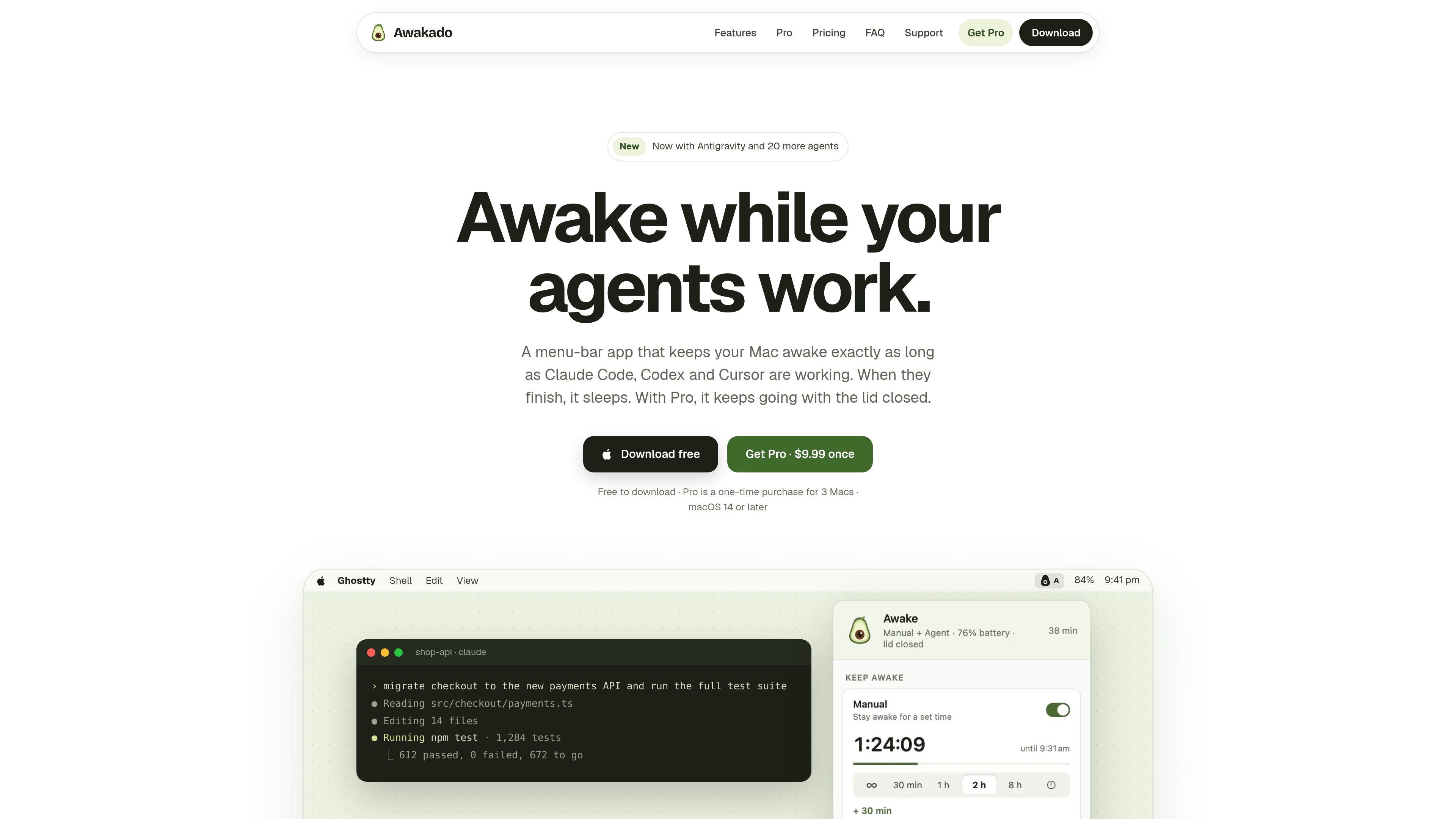
A macOS menu-bar app that keeps your Mac awake while coding agents work.

What is Awakado?

Awakado is a menu-bar app for macOS that keeps a Mac awake while AI coding agents run tasks. It monitors supported agents, shows their current state, and lets the Mac sleep when work is complete. By default, the screen can turn off and the Mac can lock while agents continue working.

The app supports 21 agents. Eight—Claude Code, Codex, Gemini CLI, Cursor, Copilot CLI, Antigravity, Qwen Code, and Factory Droid—can report detailed state through a small hook. Awakado follows 13 additional agents, including OpenCode, Amp, Goose, and Aider, through live activity.

Awakado includes Agent mode, Manual mode, per-agent wake controls, a battery floor, a heat limit, an activity log, and weekly statistics. Pro adds lid-closed operation for MacBook workflows and wake scheduling for a Claude Code usage-limit reset. The free version is available without an account; Pro is a one-time purchase for up to three Macs.

What can Awakado do?

Agent monitoring

Tracks 21 coding agents, including Claude Code, Codex, Gemini CLI, Cursor, Copilot CLI, Antigravity, Qwen Code, Factory Droid, OpenCode, Amp, Goose, and Aider. Eight agents report detailed state through hooks; others are followed through live activity.

Manual mode

Keeps the Mac awake for a selected duration from 30 minutes to 8 hours, until a chosen time, or without a limit. It runs alongside Agent mode and turns itself off when the selected period ends.

Needs-you alerts and controls

Shows when an agent is working, waiting for input, at a usage limit, stalled, or done. Individual agents can be tracked without allowing them to keep the Mac awake.

Safety controls and activity history

A battery floor and heat limit apply in every mode. Activity records explain why the Mac stayed awake or entered a safety stop, while weekly statistics summarize usage.

Pro lid-closed support

Pro keeps a MacBook running with the lid closed and screen off. Opening the lid shows a run summary with agent activity, battery, and temperature; Pro can also wake for a Claude Code usage-limit reset.

Use Cases

“Long coding runs”

Leave a test suite, migration, build, or other agent task running without preventing the Mac from sleeping after the final run is finished.

“Working away from the desk”

Use Pro lid-closed mode for a MacBook run when the screen does not need to remain visible. The Mac continues on power or battery subject to its safety limits.

“Scheduled or timed availability”

Use Manual mode when the Mac needs to stay available for a defined period, including a chosen end time or an unlimited session.

“Multiple-agent development”

Monitor several connected or activity-followed agents in one place, while disabling wake control for an individual agent that should remain visible but not hold the Mac awake.

Frequently Asked Questions

Which AI agents does Awakado support?

Awakado supports 21 agents. Hook-connected agents include Claude Code, Codex, Gemini CLI, Cursor, Copilot CLI, Qwen Code, Factory Droid, and Antigravity. It follows OpenCode, Amp, Goose, Crush, Kimi, Auggie, Grok, Continue, OpenHands, Kilo Code, Devin CLI, Cline, and Aider from live activity.

How are agents connected?

Turn on Agent mode and choose Connect. Awakado adds a small hook to supported agents that use hooks; some, including Codex, require a one-time approval or restart. Agents followed from activity do not require setup.

Will the screen stay on while the Mac is awake?

Not by default. The screen turns off and the Mac locks as usual. You can enable Keep the screen on in the menu or Settings if you want the screen to remain on.

Why can the Mac stay awake after an agent finishes?

Awakado uses a cool-down so a follow-up prompt can arrive before the Mac sleeps. The default is five minutes, and it can be changed to two or 15 minutes or disabled in Settings.

What does Pro add, and how is it licensed?

Pro adds lid-closed mode and waking for a Claude Code usage-limit reset. It costs $9.99 as a one-time purchase for up to three Macs, includes free updates for life, and has a 14-day refund period. The free version is available without an account.

Quick Facts

Category
Developer Tool
Platform
macOS 14 or later
Format
Menu-bar app
Primary users
People running AI coding agents on a Mac
Supported agents
21, including Claude Code, Codex, Gemini CLI, Cursor, and Antigravity
Pricing
Free version; Pro is $9.99 once for up to 3 Macs

Awakado Traffic Analysis

Traffic data is for reference only.

Domain Rating
0