
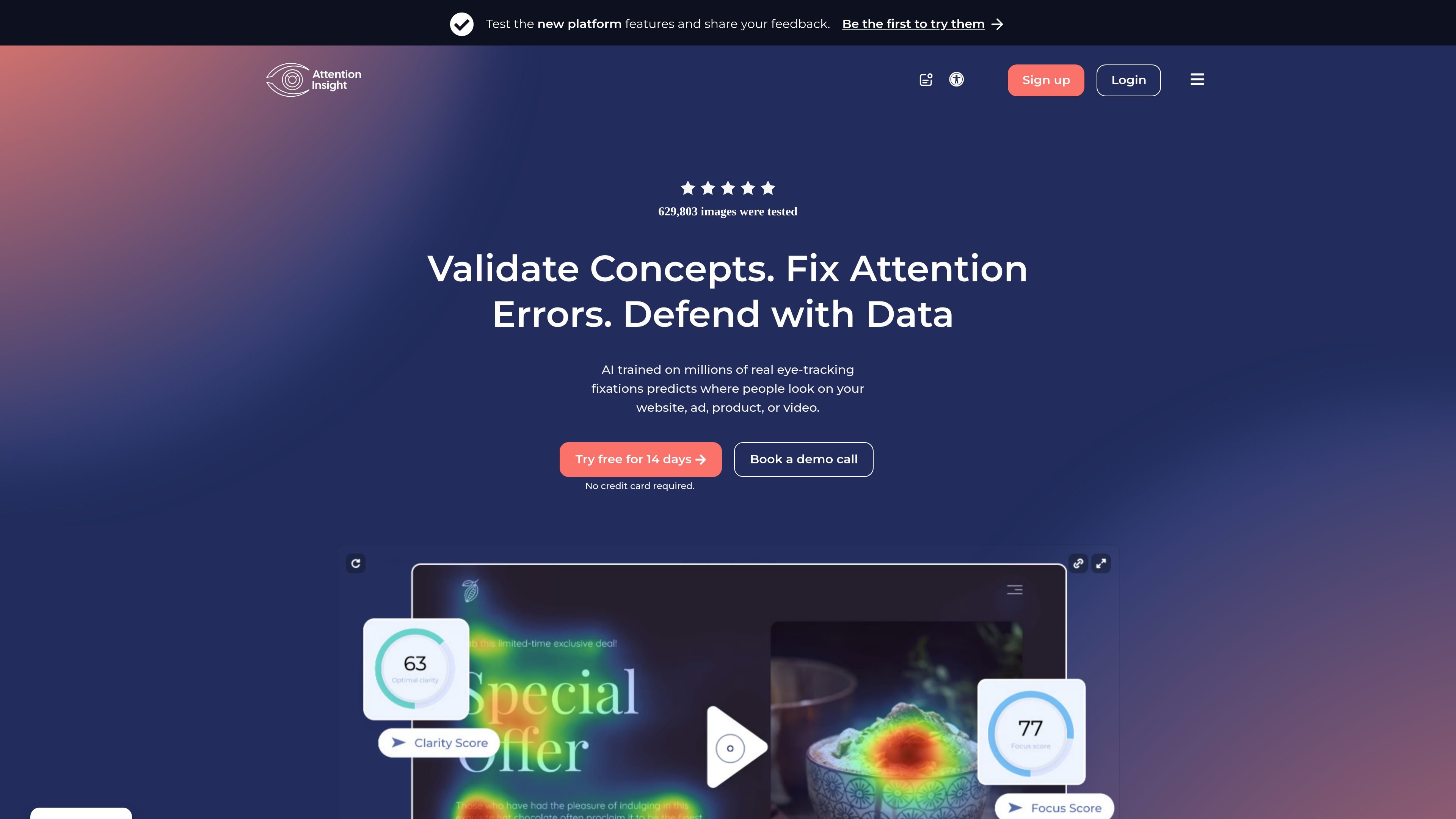
Attention Heatmaps
Generate warm-to-cold attention maps that show which parts of a design are likely to draw the most focus. The product uses these maps to help evaluate hierarchy and visual emphasis before launch.

AI attention analytics that predicts where users look across designs, ads, and videos
Attention Insight is an AI attention analytics platform that generates predicted heatmaps and related visual attention metrics for designs, landing pages, ads, and short videos. It is positioned as a way to review what users are likely to notice before launch, without running an eye-tracking lab or recruiting participants.
The site describes the model as trained on eye-tracking fixation data and used to produce attention heatmaps, focus and clarity scores, percentage-of-attention measurements, and AI recommendations. The product is presented for designers, UX teams, marketers, and agencies that want a faster way to validate visual hierarchy, compare design variants, and prepare reports for clients or stakeholders.
Generate warm-to-cold attention maps that show which parts of a design are likely to draw the most focus. The product uses these maps to help evaluate hierarchy and visual emphasis before launch.
Draw an area of interest around a button, object, or other element to measure how much attention it receives. The site also notes automatic recognition for CTA buttons.
See which parts of a design are noticed or missed in the first few seconds. This helps teams check whether the main message, product value, and next step are visible quickly.
Score how clear or cluttered a design appears to a new user on a 1-100 scale. The product compares clarity across designs and references competitor benchmarks on the features page.
Create downloadable reports in PDF or PPT, with analysis-level, project-level, and comparison-level reporting. The site also mentions customizable themes and English or Spanish outputs.
Use the Attention Insight API to bring attention heatmap generation into other workflows. The pricing page also notes API transactions on higher plans, and the features page frames this as a way to add the capability to user workflows.
Check whether a landing page, homepage, or ad creative makes the main message and call to action visible quickly enough before the work is published.
Compare two or more design variants and use attention maps, focus maps, and clarity scores to decide which layout is easier to scan.
Create client-facing or stakeholder-ready reports that explain why a layout was chosen, using exported analysis and shareable outputs.
Give marketing teams a faster way to evaluate how banners, social graphics, and short videos are likely to draw attention.
Embed attention analysis into a product or design workflow through the API, especially when teams need repeatable analysis at scale.
Yes. The pricing page shows a free 14-day trial with no credit card required. Paid plans are also available if you need more seats, credits, or reporting options.
It appears designed for design, UX, marketing, and agency workflows. The site shows support for analyzing images, short clips, web pages, and API-based use through higher tiers and developer documentation.
You upload a design or provide a URL, then the platform generates attention heatmaps, percentage-of-attention measurements, focus and clarity scores, and report outputs. The site also mentions AI recommendations and shareable reports.
The source does not describe a fully detailed setup flow, but it does show quick analysis from uploads or URLs, report generation, and an API for embedding attention analysis into other workflows.
The site states that the platform predicts where people look using AI trained on eye-tracking fixations, but it should be treated as a pre-launch analysis tool rather than a replacement for testing with real users.
Traffic data is for reference only.
| May | 56122 |
|---|---|
| Jun | 50134 |
| Jul | 59824 |
Traffic analytics are not available yet.
Traffic analytics are not available yet.

datarc.cn
Enterprise AI data insights through natural-language queries

usequanta.com
Quanta provides SaaS accounting with traceable, current financial data.

anyclip.com
Visual intelligence for video enrichment, discovery, engagement, and monetization

arcwise.app
AI that detects meaningful metric changes and explains them with data-grounded analysis.

usermaven.com
Marketing attribution and analytics connecting activity to revenue, conversions, and retention.

fullstory.com
Fullstory captures behavioral context for analytics, guidance, and AI-assisted insights.