
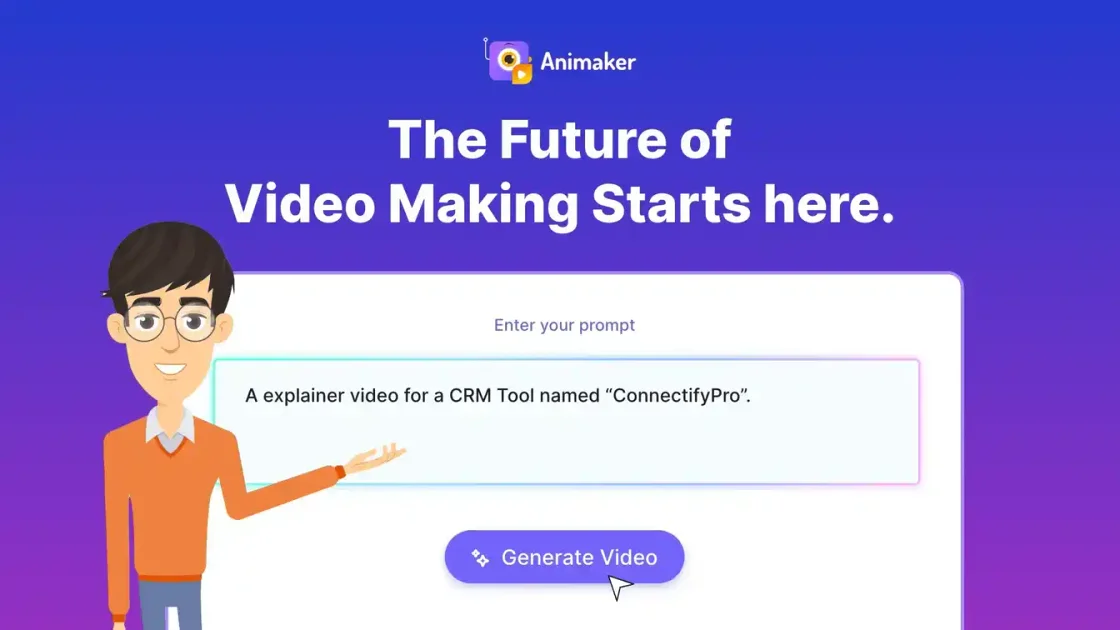
Prompt-based video generation
Generate animated videos from a text prompt and refine the result with Advanced Edit when you need to adjust characters, text, music, or scene details.

Animaker is an AI-powered animation and video platform that turns prompts into animated videos for explainers, training, marketing, and team workflows.
Animaker is an online animation and AI video creation platform for turning prompts or ideas into animated videos. The source pages position it as a tool for marketers, L&D teams, HR teams, internal communications, and individual creators who need explainers, training content, promos, onboarding videos, and other short-form video assets.
The platform combines AI generation with manual editing tools. Its pages highlight prompt-based video creation, an Advanced Edit workflow, custom character building, voiceovers, subtitles, translation, templates, and export options up to 4K, making it suitable for teams that want a fast starting point without giving up project-level control.
Generate animated videos from a text prompt and refine the result with Advanced Edit when you need to adjust characters, text, music, or scene details.
Use the character builder to create branded animated characters, including photo-to-character workflows described on the product pages.
Access large built-in content libraries, including 100M+ stock media, 70K+ icons, and 30K+ music tracks and stickers, to assemble scenes faster.
Start from 1,000s of templates and create videos for explainer, training, promo, onboarding, social, and product-demo workflows.
Generate AI voiceovers, subtitles, and translations, including voice support in 180+ languages and subtitles in 130+ languages.
Export finished projects in HD, FHD, or 4K and collaborate with live collaboration tools mentioned on the homepage.
Turn a product concept, feature list, or service explanation into a short animated explainer with AI-generated scenes, voiceovers, and subtitles.
Create training, onboarding, orientation, and compliance videos for HR or learning teams that need visually clearer content than slides alone.
Produce marketing and sales videos for campaigns, product demos, and social channels, using templates and AI generation to move from idea to publishable draft quickly.
Make internal updates, announcements, and other company communications easier to follow with animated characters, icons, and narration.
Build personal videos such as invitations, greetings, birthday wishes, or even a resume-style presentation for one-off use cases.
Animaker is an AI-powered animation platform for creating animated videos from a text prompt. The source pages say you can log in, enter an idea as a prompt, let the AI generate a video, and then refine it in Advanced Edit if needed.
The homepage positions Animaker for marketers, trainers, HR teams, internal communications, and other creators. The explainer and AI video pages add that it is useful for pitching, teaching, selling, training, product demos, social content, and invitations or greetings.
Animaker’s free plan lets you create and download animated videos with basic animation tools, limited premium assets, and watermarked exports. The pricing page says paid plans are also available, including Basic, Starter, Pro, and Enterprise.
Yes. The source says you can customize generated videos with Advanced Edit, including characters, text, music, and other elements. It also says finished videos can be downloaded in HD, FHD, or 4K.
Animaker’s voice and subtitle pages say the platform supports AI voiceovers, AI subtitles, and AI translation, with subtitles in 130+ languages and translation into 100+ languages. The explainer and AI video pages also mention output in multiple styles and prompt-based generation.
Traffic data is for reference only.

jitter.video
Jitter is a browser-based motion design tool for creating and editing animations with templates, AI generation, and manual controls.

cascadeur.com
Standalone 3D keyframe animation for characters with AI posing and physics-based motion.
oiioii.art
OiiOii is an AI animation creation agent for turning story ideas and scripts into animated productions. It organizes creative work through specialized roles including writing, scene design, character design, storyboarding, art direction, and music direction.

deepmotion.com
Browser-based AI motion capture and 3D animation platform

alson.ai
AlsonAI is an AI storytelling and illustrated book creation platform for turning ideas, manuscripts, poems, and memories into editable illustrated books, with optional narrated animation and publishing workflows.
bringthemtolife.xyz
Bring Them to Life turns an existing character, illustration, or mascot into motion for websites and apps. Users can upload artwork or create a mascot, choose a reaction, and download animation assets for supported web and app workflows.