
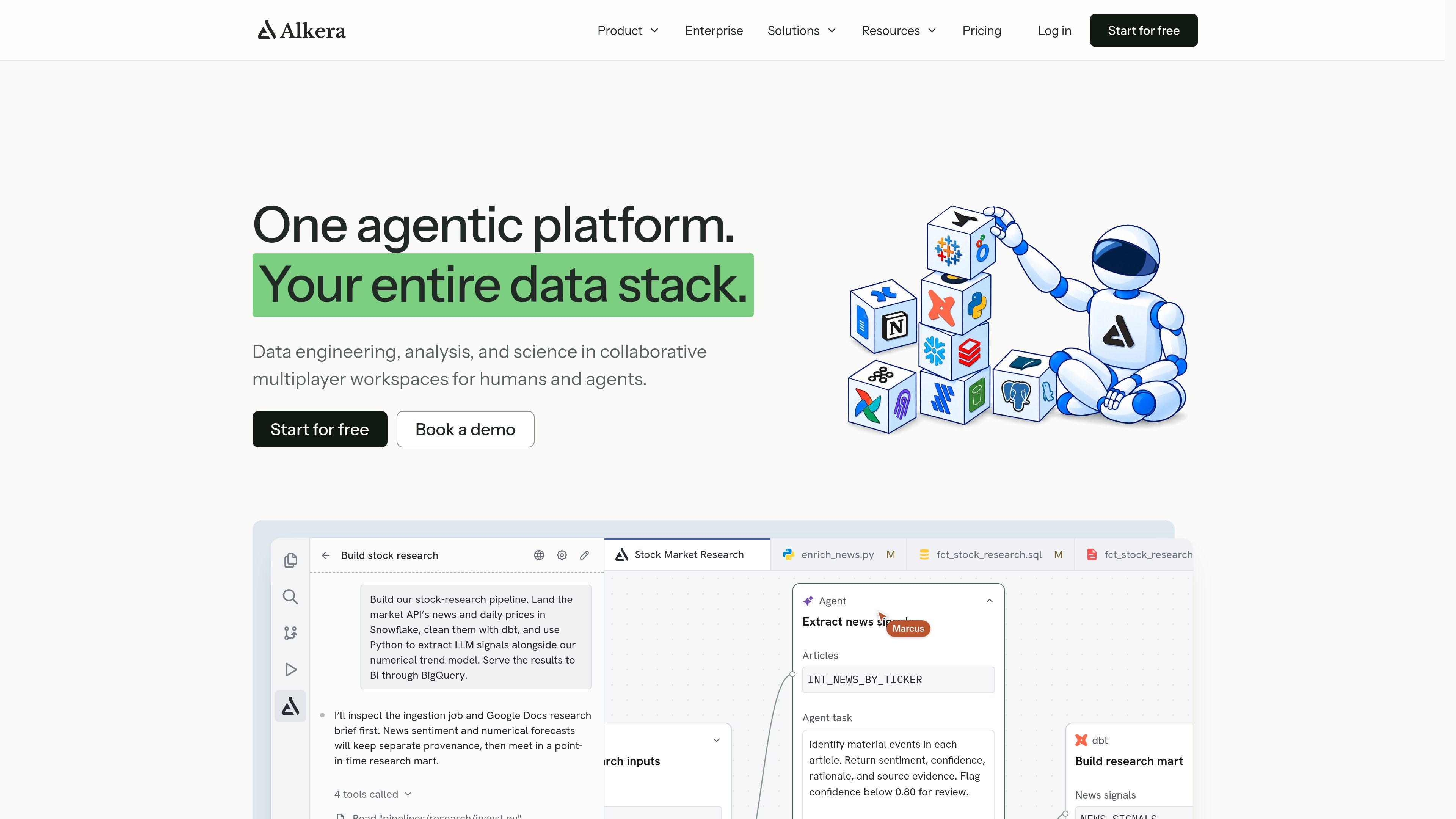
SQL and Python notebooks
Combine SQL cells that query connected warehouses with Python cells that work with Polars or pandas dataframes. Notebook results can feed subsequent analysis and charts.

An agentic data platform for collaborative engineering, analysis, and data science.
Alkera is an agentic data platform for data engineering, analysis, and data science. It provides collaborative workspaces where people and agents can work with connected data systems, knowledge sources, notebooks, dashboards, and maintenance workflows. The platform is designed to bring analysis and operational data work into the same environment while preserving context from the wider data stack.
Teams can query connected systems with SQL, transform results with Python, join data across warehouses, and publish notebook-based analyses as interactive dashboards. Alkera also monitors data jobs and warehouses, helps investigate failures and quality issues, and tests proposed pipeline changes in isolated environments before production deployment.
The platform supports organization-wide administration and can be deployed in a VPC or on premises. Enterprise controls include identity and access management, team-level permissions and budgets, audit logs, and options for using customer-managed model keys or managed inference.
Combine SQL cells that query connected warehouses with Python cells that work with Polars or pandas dataframes. Notebook results can feed subsequent analysis and charts.
Query different warehouses in separate cells and join the returned data inside the notebook, supporting analyses that span systems such as Snowflake and BigQuery.
Turn notebooks into interactive dashboards by sharing selected charts, markdown, and inputs. Dependent cells recalculate when an input or query changes.
Monitor warehouse and job failures, inspect data-quality issues such as stale or incorrect data, and let agents prepare fixes using lineage, execution history, knowledge, and code history.
Test proposed pipeline changes without touching production, then publish check results through GitHub pull requests and use required merge gates or Slack approvals.
Deploy in a VPC or on premises, including air-gapped installations, and manage teams, roles, connections, budgets, audit logs, SSO/SAML, SCIM, and IAM.
An analyst can query orders from one warehouse and account attributes from another, join the results in a notebook, and create charts or dashboard controls for revenue by month, segment, and region.
A team can hide notebook code and expose the relevant charts, markdown, and inputs as an interactive dashboard that remains powered by the live notebook.
A data team can review warehouse and job history, monitoring alerts, lineage, knowledge entries, and code history while an agent proposes a repair for review.
Engineers can run proposed changes in an isolated sandbox, review the checks, and send the fix through a GitHub pull request or a required CI/CD merge gate.
An organization can give teams separate permissions, connections, and spending controls, provision members through SCIM, and retain an audit record of administrative actions.
Alkera provides shared workspaces for chats, SQL and Python notebooks, dashboards, and collaboration between people and agents. Teams can share dashboards and other artifacts, which update from the live notebook.
Yes. Its notebooks can query different connected warehouses in separate cells and join the returned results inside the notebook. The site shows Snowflake and BigQuery in this workflow.
Notebook cells track what they read and what reads them. When an input changes or a query is moved or modified, dependent cells can automatically rerun.
Agents investigate incidents and propose repairs using operational context such as execution logs, lineage, knowledge-base items, and code history. Changes are tested in isolated sandbox environments before production, with GitHub and Slack workflow options.
Enterprise deployments can run in a VPC or on premises, including air-gapped installations. Available controls include SSO/SAML, SCIM, IAM, team and role permissions, budgets, audit logs, and bring-your-own model keys.
Traffic data is for reference only.

datawyse.app
Datawyse is an agentic financial analysis tool for mid-market finance teams. It connects to business data to answer questions about variances, cash flow, scenarios, budgets, and other FP&A topics with traceable calculations.

pandas-ai.com
PandasAI is an AI business intelligence dashboard for no-code data questions, charts, dashboards, and analysis.
rose.ai
Rose is an agentic platform for discovering, analyzing, and visualizing financial data.

betteranalyst.com
Better Analyst is an all-in-one analytics application for individuals, small businesses, and growing teams. It connects data sources, supports analysis and enrichment, creates dashboards and reports, and automates recurring workflows.