
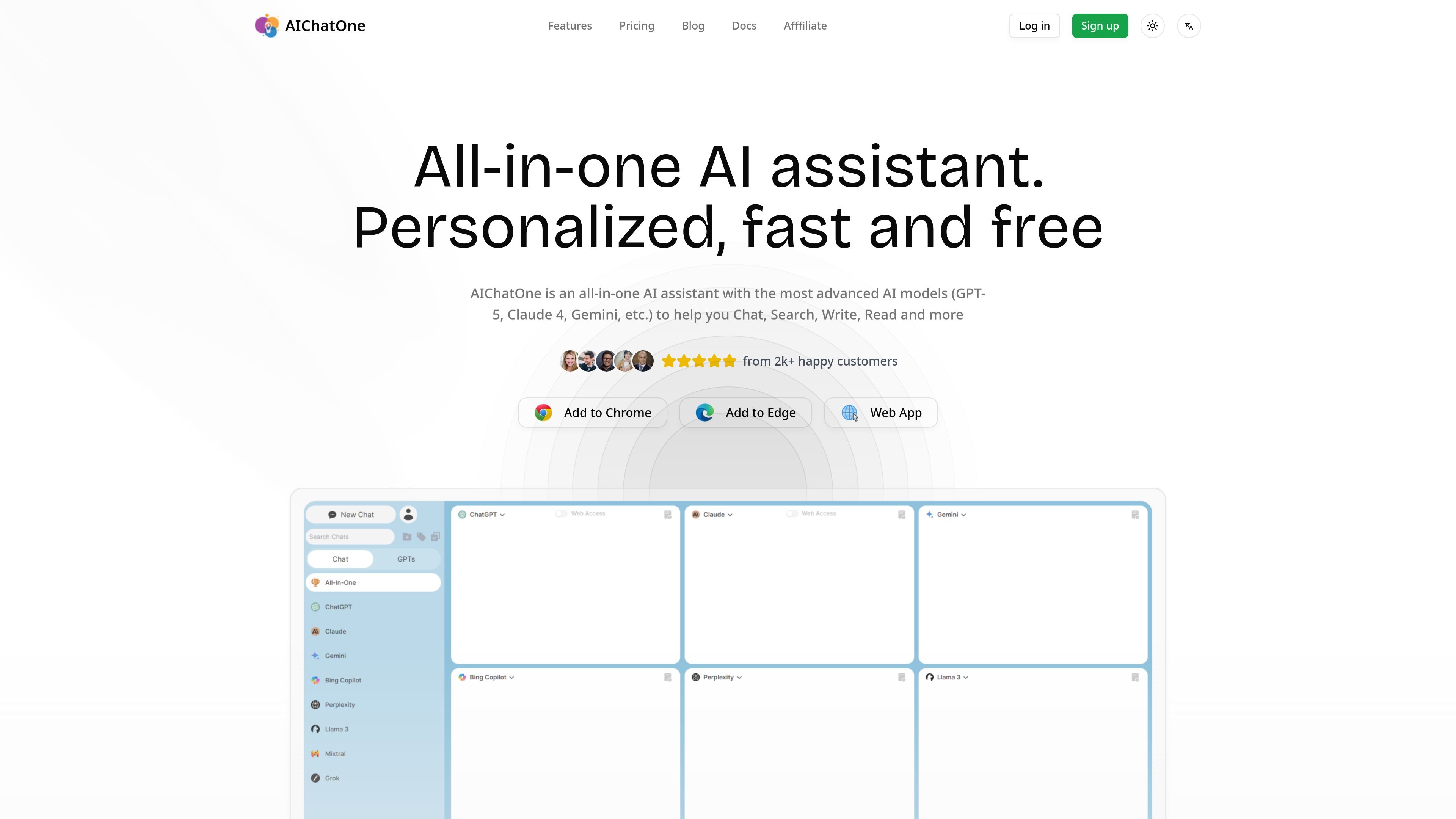
Multiple AI models
Use the product with multiple AI models and compare outputs across different assistants in one place.

Browser-based AI assistant combining models, web access, chat organization, and file input
AIChatOne is an all-in-one AI assistant that brings multiple AI models together in one interface for chat, search, writing, reading, and related tasks. The site positions it as a browser-based assistant with access to models such as GPT, Claude, Gemini, Llama, Perplexity, and DeepSeek, depending on plan and model tier.
It is designed for people who want to work across conversations, documents, web content, and saved prompts without switching between separate tools. The product also emphasizes browser workflows, including a Chrome extension, web access, page summaries, sidebar assistance, and tools for organizing chats and prompts.
Use the product with multiple AI models and compare outputs across different assistants in one place.
Pull in current web information while chatting, including real-time web access and chat with web pages.
Organize conversations in folders and search past chats with full-text search and search/filter tools.
Upload documents, images, and files to give the assistant more context during a conversation.
Use voice input, text-to-speech, and speech-to-text for hands-free or accessibility-friendly workflows.
Create custom AI characters, save prompts in a library, and adjust model parameters and theme settings.
Compare responses from different models in one session when you want a second opinion or need to see how outputs vary by model.
Use web access, chat with web pages, and page summaries to work from current information instead of relying only on stored model knowledge.
Upload docs or files to ask questions against source material, summarize content, or add context to a conversation.
Keep long-running work organized with folders, saved prompts, and searchable chat history when you manage many projects or topics.
Use the browser extension and sidebar-style workflows to interact with AI while browsing websites, writing social posts, or summarizing pages and videos.
The pricing page shows a free plan with 2,000 AI credits per month, paid AI Credits plans, and a Lifetime Premium option that requires a separate AI Credits package for model usage.
The site does not explain the token system in detail in the provided text, so the relationship between AI Credits and Tokens is not clear from this source.
Yes. The pricing page says the free plan includes 2,000 AI credits per month, which can be used with the basic feature set.
The pricing page says you receive 5,000 AI credits for 30 days when you sign up. It also lists a free plan, but the source does not spell out all eligibility details beyond that.
The pricing page includes a refund policy question in its FAQ list, but the provided text does not include the policy details.
Traffic data is for reference only.

namewith.ai
AI baby-name assistant with personalized suggestions, name facts, swiping, and shortlist sharing across Android, iOS, and web.

neobrowser.ai
Norton Neo is an AI-native browser combining search, conversational assistance, and Norton security, with local history control and optional Gmail and Calendar connections.

xiaoyi.huawei.com
小艺 is Huawei’s AI assistant for Q&A, writing, documents, coding, and image recognition.

nily.ai
Browser-based AI assistant with 20+ models and tools for chat, writing, PDFs, email, images, and web analysis.

www.read.ai
Read AI is an AI meeting assistant and enterprise search tool that turns meetings, emails, and messages into summaries, transcripts, and searchable answers.

tensol.ai
Tensol is a managed OpenClaw product with tiered plans for individuals and teams seeking AI employees and integrations, plus a 3-day free trial and advanced security and admin controls.