
Voice dictation with refinement
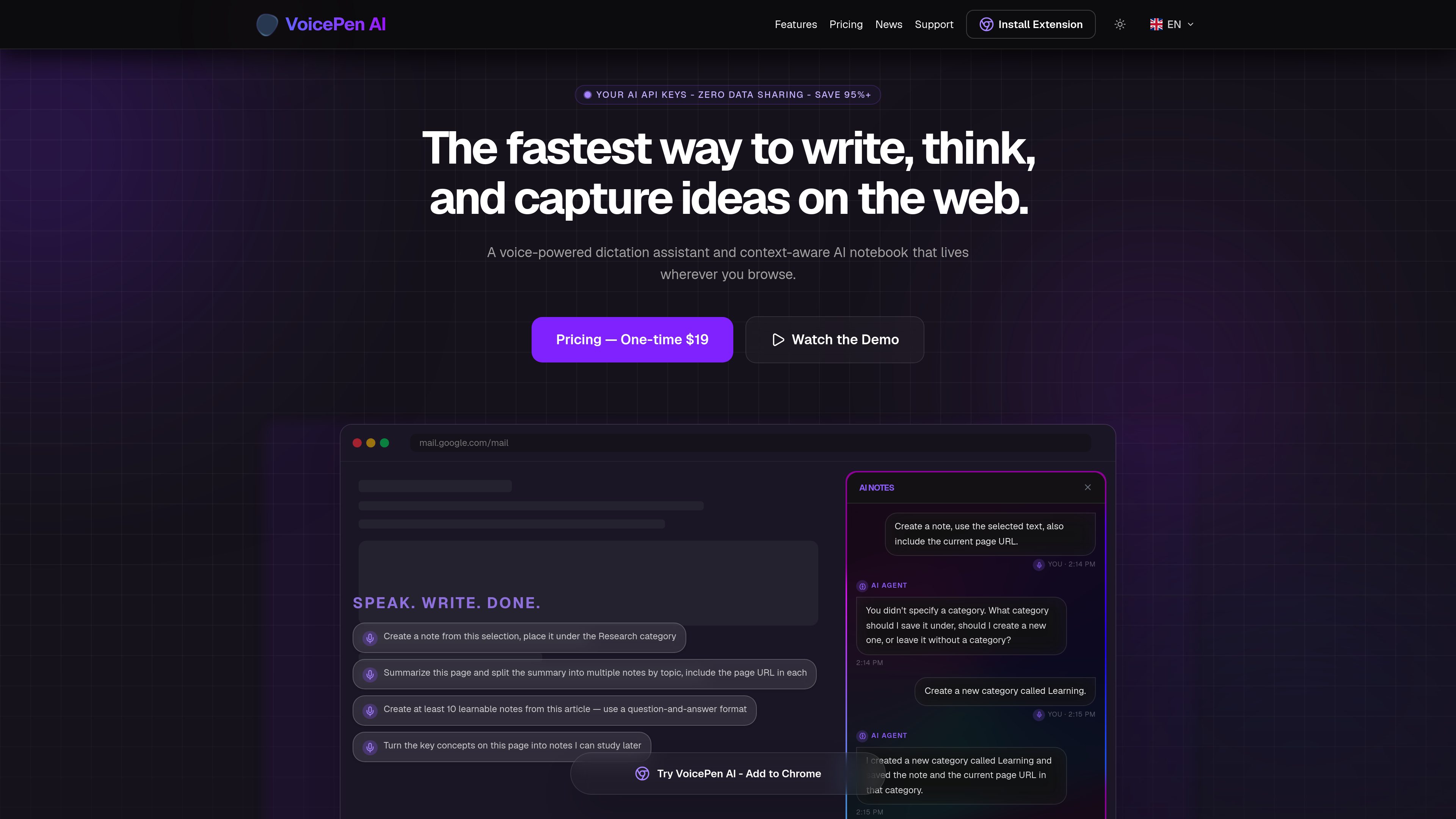
Users can speak into a global shortcut and have VoicePen AI transcribe and refine the draft in the active tab.

VoicePen AI는 음성 기반 받아쓰기 도우미이자 맥락을 이해하는 AI 노트북으로, 브라우저에서 글을 쓰고 메모를 남길 수 있습니다. 웹페이지와 웹 앱에서 바로 말하고, 텍스트로 변환하고, 다듬고, 요약하고, 정리하세요.
VoicePen AI is a voice-powered dictation assistant and context-aware AI notebook that works inside the browser. It is built for users who want to speak drafts, refine text, and save notes without moving between separate writing and capture tools.
The homepage positions the product around two main jobs: turning spoken input into polished prose and turning web content into organized notes. It can work from selections, full-page summaries, and page-aware prompts that include a URL, which makes it useful for research, study, and everyday writing in browser apps.
Users can speak into a global shortcut and have VoicePen AI transcribe and refine the draft in the active tab.
The homepage shows modes for Email, Notes, Casual, and Professional writing, letting users shape output for different contexts.
VoicePen AI can create notes from spoken input or selected text and save them in a note workflow without leaving the page.
The product can summarize an article and break a long page into multiple notes organized by topic.
When saving notes, VoicePen AI can ask for a category or create a new one if needed.
The site says users can connect their own OpenAI API key instead of using a subscription-based model.
A user can speak a rough message and have it rewritten into a more polished email response in the browser.
Readers can summarize a page, capture a selection, or split the content into separate notes for later reference.
The product can convert a page into learnable notes or question-and-answer items for review and memorization.
When a note needs to be filed, VoicePen AI can prompt for a category or create one so the content stays organized.
The extension is positioned to work directly in browser-based tools such as mail, chat, and web CMS editors, reducing context switching.
The support page includes installation as a help topic, indicating setup guidance is available in the product’s support area.
Browser support is listed in the support FAQs, but the provided source text does not include the actual supported browser list.
Yes. The homepage says users can connect their own OpenAI API key, and a news post includes setup guidance for API keys.
Offline use is asked about in support, but the provided source does not include a confirmed answer.
It can create a note from selected text, summarize a page, split a long article into topic-based notes, and include the page URL in each note.
트래픽 데이터는 참고용으로만 확인하세요.