

Idea-to-story generation
Generate stories from a written idea by filling in prompt-style inputs instead of starting from a blank page.
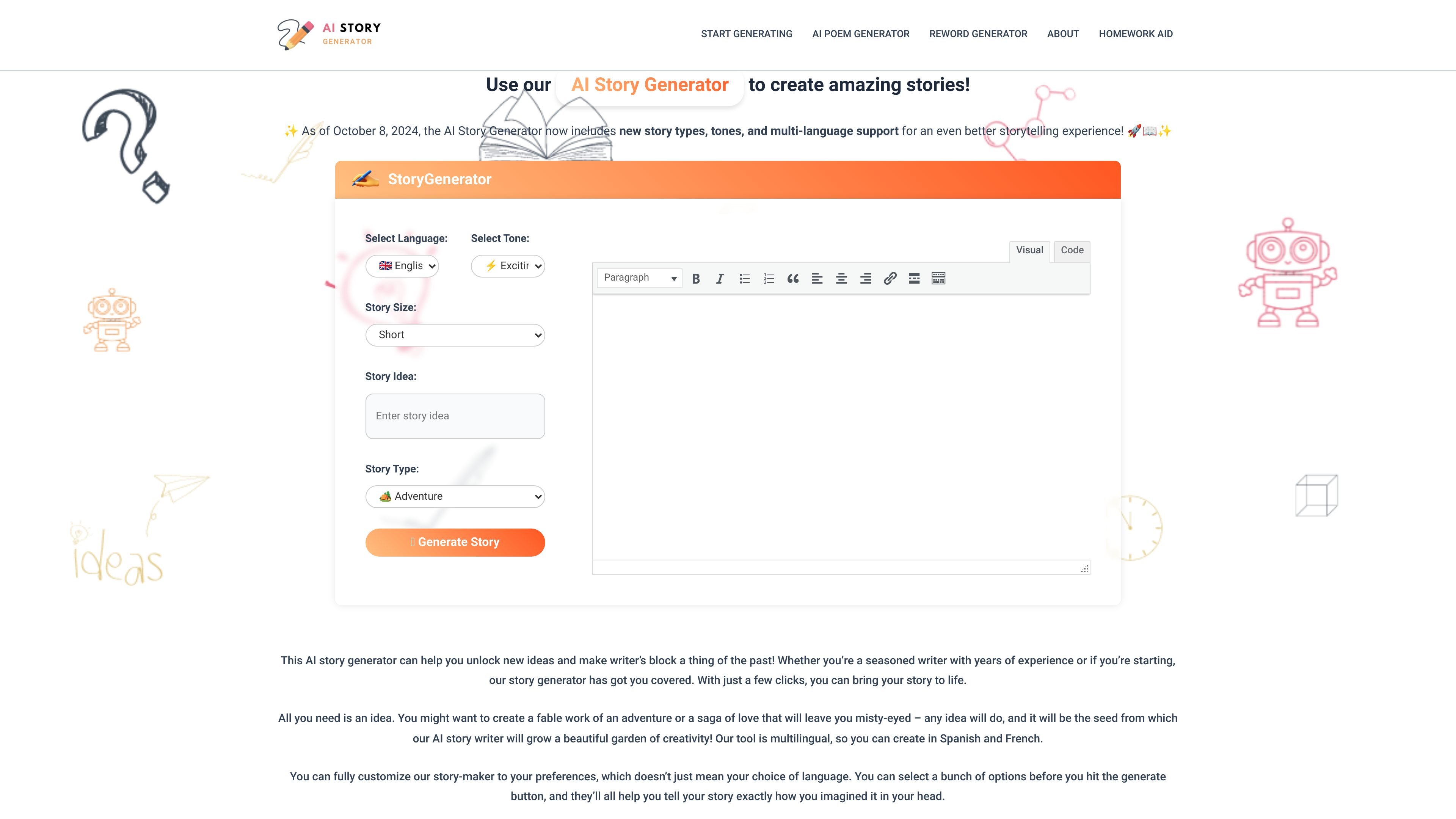
StoryGenerate is an AI story generator that turns a user’s idea into a story through a guided set of inputs. The homepage describes a workflow where you choose a language, tone, story size, and genre, then generate the result in seconds.
The site positions the tool as a way to overcome writer’s block, brainstorm new ideas, or produce a complete fiction draft that can be edited further. It also says the product supports multiple languages and updated story types and tones, with a free-to-use model stated in the FAQ.
Generate stories from a written idea by filling in prompt-style inputs instead of starting from a blank page.
Adjust the output length with Short, Medium, and Large options so the result fits a brief sketch or a fuller draft.
Choose from a wide set of languages shown on the homepage, including English, Spanish, French, Hindi, Arabic, Japanese, and more.
Select from multiple tones such as Exciting, Suspenseful, Dramatic, Serious, Emotional, Reflective, and Humorous.
Pick from 9 story genres, including Adventure, Fantasy, Horror, Science Fiction, Drama, Historical Fiction, and Flash Fiction.
Use the built-in Copy, Reset, and Download Visual Code controls after generating a story.
Draft a story from a short premise when you already have a seed idea but need help turning it into a fuller narrative.
Try different languages and tones to shape the same story idea for different audiences or practice writing in another language.
Use the generator as a brainstorming aid when you want story openings, character setups, or genre directions before writing manually.
Create short-form fiction such as flash fiction or compact genre pieces when you want a concise output rather than a long draft.
Generate stories for children, classroom activities, or general creative exercises by selecting a tone and genre that match the intended audience.
Yes. The homepage says the tool is 100% free to use, and the FAQ notes that generated stories can be used commercially as long as you follow the site’s terms and conditions.
You enter a story idea, choose the language, tone, story size, and genre, then press generate to create a story within seconds.
It is meant to help with brainstorming, overcoming writer’s block, or turning a prompt into a fuller fiction draft that you can edit further.
The homepage lists 9 genres, including Adventure, Fantasy, Myth & Mystery, Horror, Science Fiction, Comedy, Drama, Historical Fiction, Children’s Stories, and Flash Fiction.
The page shows language options including English, Mandarin Chinese, Spanish, Hindi, Arabic, Bengali, French, Russian, Portuguese, Urdu, Japanese, and German, and tone options including Exciting, Optimistic, Suspenseful, Dramatic, Serious, Emotional, Reflective, and Humorous.
트래픽 데이터는 참고용으로만 확인하세요.