
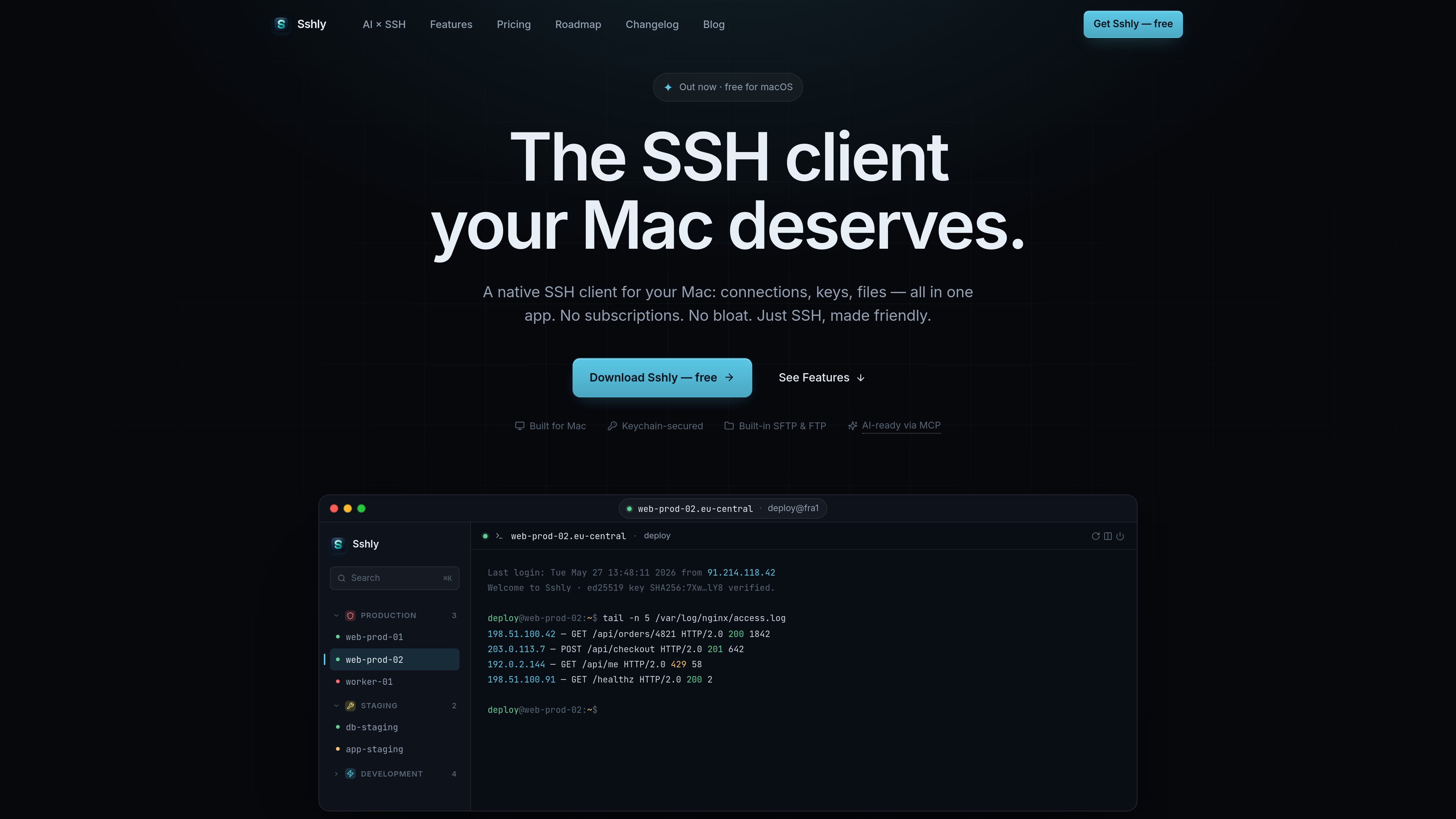
GPU-accelerated terminal
The terminal uses xterm.js with WebGL rendering and is described as capable of smooth scrolling and instant keystrokes.

Sshly는 연결, SSH 키, 파일 관리, 포트 포워딩을 하나의 앱에 통합한 Mac 네이티브 SSH 클라이언트입니다. 로컬 SSH 워크플로를 지원하며 구독 대신 일회성 라이선스를 제공합니다.
Sshly is a native SSH client for Mac that combines terminal access, SSH key handling, file transfer, and port forwarding in one application. It is aimed at users who want to work with remote servers from a local desktop app rather than switching between separate tools.
The product is centered on practical server workflows: connecting to hosts, browsing and editing files over SFTP, managing keys in the macOS Keychain, and keeping sessions available from the menu bar. A free tier supports up to 3 connections, and a one-time license unlocks unlimited use according to the site’s shipped roadmap and release notes.
The terminal uses xterm.js with WebGL rendering and is described as capable of smooth scrolling and instant keystrokes.
Browse files over SFTP, drag and drop them, and edit files inline next to the terminal.
Import and manage SSH keys, with passphrases stored in the macOS Keychain for future connections.
Set up local, remote, and dynamic tunnels from a single interface, with auto-start support noted on the roadmap.
Keep Sshly running from the menu bar so sessions stay alive even after the main window is closed.
Let AI tools run commands on your servers through Sshly while credentials stay in the app and each command is approved by the user.
Use Sshly as a daily SSH client for connecting to servers, running commands, and keeping a terminal session open in a native desktop app.
Open remote files over SFTP, make inline changes, and move files with drag and drop instead of using a separate file transfer tool.
Store SSH key passphrases in the macOS Keychain and reuse them for future logins on the same Mac.
Create local, remote, or dynamic tunnels when a server workflow depends on port forwarding rather than only shell access.
Use the MCP bridge when an AI tool needs to run commands on a server, with per-command approval and credentials kept inside Sshly.
Sshly is a native app for Mac. The download page says it requires macOS 12 Monterey or later and supports Apple Silicon.
Download the .dmg, drag Sshly into the Applications folder, and launch it. If you have a license key, paste it in Settings → License after installation.
Yes. The shipped feature set includes an SFTP file manager with browsing, drag-and-drop, and inline editing.
Yes. The site describes an MCP bridge that lets tools such as Claude Code run commands through Sshly, with user approval for each command and credentials kept inside the app.
No. The site indicates a free tier and a one-time license, but the pricing page returned a 404 during collection, so exact pricing details were not available.
트래픽 데이터는 참고용으로만 확인하세요.