
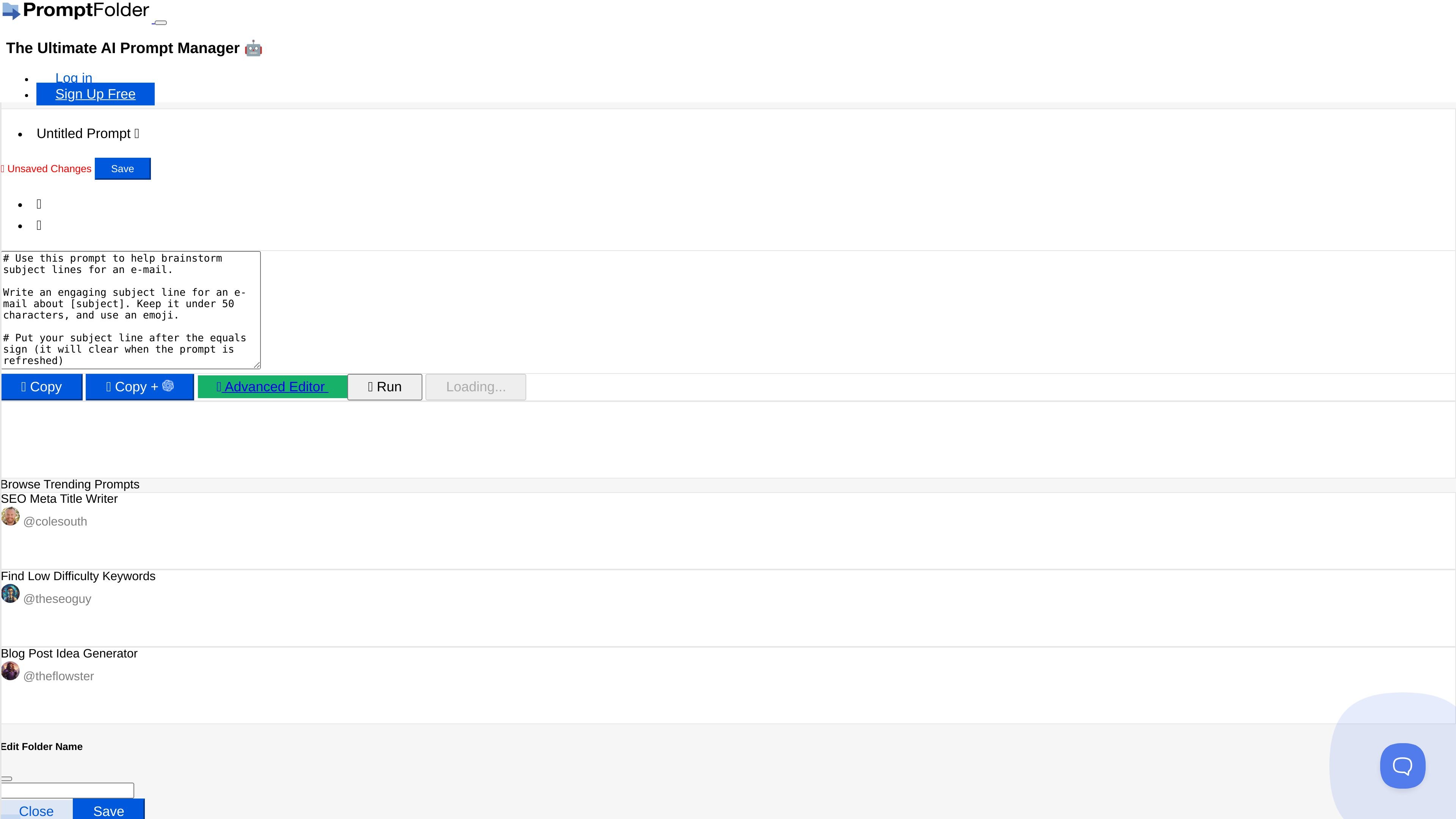
Prompt editing and saving
Create and edit named prompts, then save them to your collection for later reuse.

PromptFolder keeps reusable prompts in folders and provides a Chrome extension for ChatGPT, plus AI summaries of YouTube video transcripts.
PromptFolder is an AI prompt manager for building, saving, and discovering prompts for ChatGPT, Midjourney, and other AI tools. It brings a personal prompt collection, folder organization, and a browser of trending prompts into one interface.
Users can edit a prompt, save it, and copy its text for use in an AI tool. A Chrome extension also makes PromptFolder available directly in ChatGPT. Its YouTube summarizer takes a video link, retrieves the transcript and sends it to an OpenAI API to generate a summary.
Create and edit named prompts, then save them to your collection for later reuse.
Create and rename folders, and move prompts between them to keep your collection organized. Individual prompts can also be renamed or deleted.
Copy a prompt from the editor for use in your chosen AI tool.
Browse prompts credited to their creators. Listed examples include SEO Meta Title Writer, Find Low Difficulty Keywords, and Blog Post Idea Generator.
Install the Chrome extension to use PromptFolder directly in ChatGPT.
Provide a YouTube link to generate a summary from its transcript. Account settings let you customize the default summary prompt, or use Advanced Settings for a one-off override.
Save prompts for tasks you return to and group them in folders, so you can find and copy the relevant instructions when needed.
Browse the listed title-writing, keyword-research, and blog-idea prompts when preparing instructions for content-related AI tasks.
Build a collection of text prompts intended for tools such as ChatGPT and Midjourney, then copy the appropriate prompt into the tool you are using.
Get a transcript-based summary as a starting point for notes, then check important details against the video.
Yes. PromptFolder advertises a Chrome extension that lets you use it directly in ChatGPT.
No. PromptFolder describes its prompt manager as supporting prompts for ChatGPT, Midjourney, and other AI tools.
The interface includes a Browse Trending Prompts section with named prompts and creator handles, including examples for SEO titles, keyword research, and blog ideas.
It retrieves the video’s transcript and sends it to an OpenAI API with a summary prompt. It summarizes transcript text; check important details against the original video.
The tools can be used once per day without an account. A free account adds one more use per day. The site offers PromptFolder Pro for additional use.
트래픽 데이터는 참고용으로만 확인하세요.

thinkvelocity.ai
Refine AI prompts, reuse context, and organize instructions across a web workspace and Chrome extension.

prompts.chat
prompts.chat은 ChatGPT, Claude, Gemini를 지원하며 셀프 호스팅이 가능한 무료 오픈소스 AI 프롬프트 라이브러리입니다.

promptmatic.ai
프롬프트 저장, GPT 북마크, 재사용 가능한 ChatGPT 워크플로 정리를 지원하는 무료 Chrome 확장 프로그램입니다.