
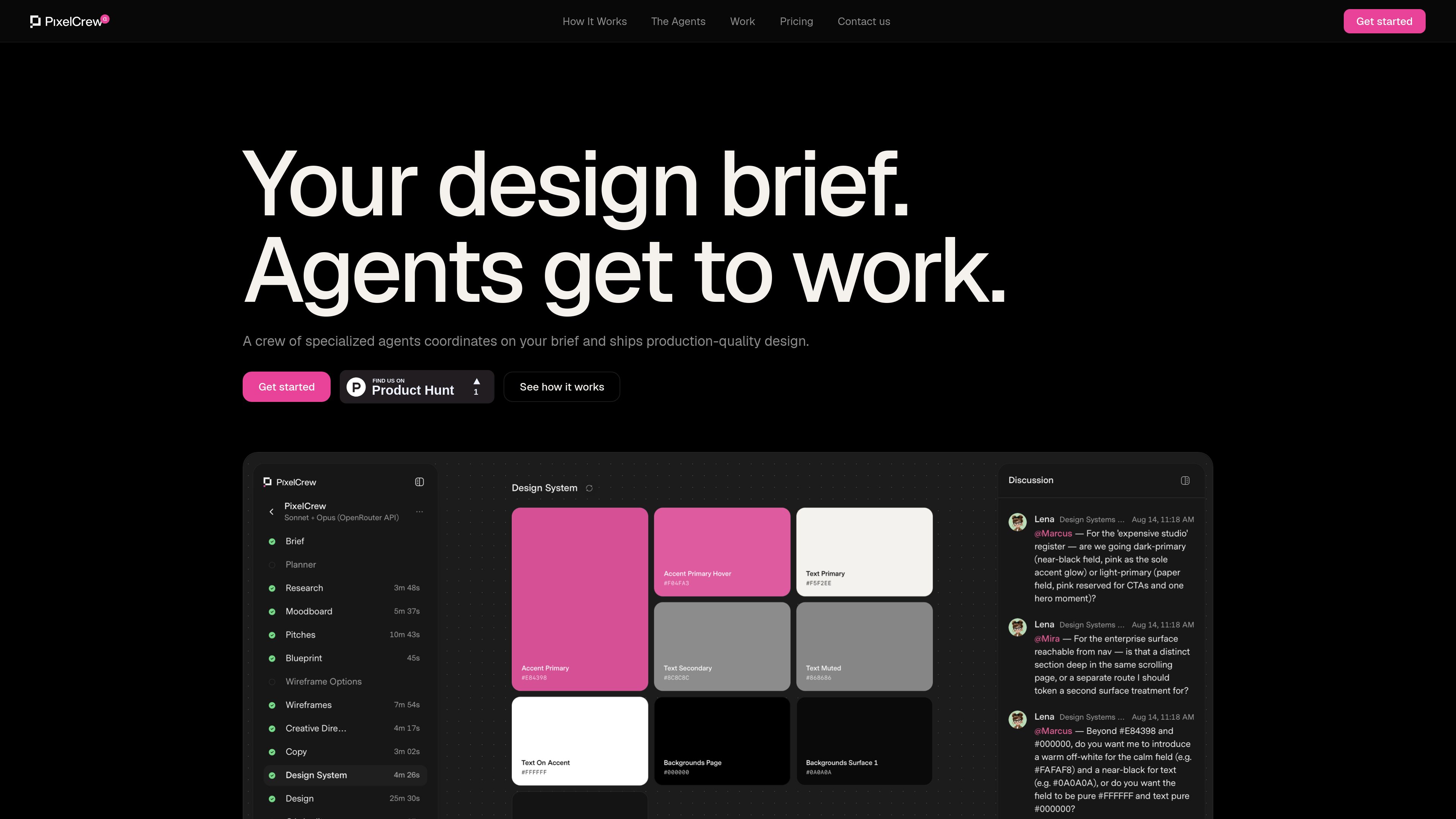
Sequential specialist agents
Elena handles research and strategy, Marcus develops creative direction, and Mira defines UX architecture before the build crew produces the final materials.

PixelCrew는 전문 에이전트를 조율해 작성된 브리프를 리서치, 크리에이티브 방향, UX 와이어프레임, 카피, 디자인 시스템 에셋, QA 문서, 프로덕션용 HTML/Tailwind로 구현하는 AI 디자인 워크플로입니다. 경직된 템플릿에서 시작하지 않고 웹사이트, 대시보드, 랜딩 페이지 또는 디자인 시스템을 만들고 싶은 개인과 팀을 위한 도구입니다.
PixelCrew is an AI-assisted design production workflow built around a crew of specialized agents. A user submits a free-form brief, and the agents work sequentially: research establishes audience and information architecture, art direction defines the visual approach, and UX architecture turns that direction into flows, wireframes, and screen specifications.
The workflow continues through copy, design-system assembly, QA, and final review. The stated outputs include production HTML and Tailwind, design-system files, documentation, and supporting artifacts that can be shipped directly or handed to a developer. PixelCrew reports an average delivery time of 25–45 minutes, although the site does not define how that average varies by brief complexity.
Elena handles research and strategy, Marcus develops creative direction, and Mira defines UX architecture before the build crew produces the final materials.
Users describe needs in free text rather than completing a predefined template. The site lists landing pages, product dashboards, design systems, and pitch decks as examples.
The research stage can cover audience personas, competitive analysis, jobs-to-be-done mapping, and information architecture recommendations.
The workflow produces three visual pitches, a moodboard, a creative brief, wireframes, user flows, navigation specifications, and section-by-section composition guidance.
Later stages assemble copy, tokens, type scale, colors, components, production HTML, Tailwind output, and documentation.
Screens go through a QA audit and final review, with issues flagged, revised, and rechecked before delivery.
A founder or marketing team can submit a brief for a new landing page and receive a researched structure, visual direction, wireframes, copy, and production HTML.
A product team can use the workflow to develop dashboard architecture, navigation, interaction states, and a component set before engineering implementation.
Teams starting a new interface can request tokens, type scale, colors, components, and documentation as part of a broader design deliverable.
A business with a specific atmosphere or content structure can describe that intent in a brief and receive a tailored site concept with production-oriented outputs.
A team that already knows what it wants but lacks design-production capacity can use the generated HTML, Tailwind, documentation, and design-system files as implementation material.
The site describes outputs including research briefs, personas, information-architecture specifications, moodboards, creative briefs, wireframes, UX flows, navigation specifications, copy, design tokens, components, QA reports, production HTML, Tailwind, design-system files, and documentation.
Users submit a free-text description of what they need. The agents then work in sequence, beginning with research and strategy, followed by creative direction, UX architecture, build work, copy and design-system assembly, QA, and final review.
The site names landing pages, product dashboards, design systems, and pitch decks as examples. Demonstration projects also include a coffee-shop website, an automotive landing page, a task manager web app, and a retail coffee-roastery site.
During alpha, users bring their own key. The site recommends OpenRouter and says Anthropic and Google Gemini keys also work. It states that users paste the key into PixelCrew once and set their own spend limit.
PixelCrew states that it charges nothing during alpha, with no subscription, markup, or card on file. Users are responsible for model costs billed by their key provider; the site says a typical brief costs a few dollars in model usage, without defining a fixed price.
트래픽 데이터는 참고용으로만 확인하세요.