
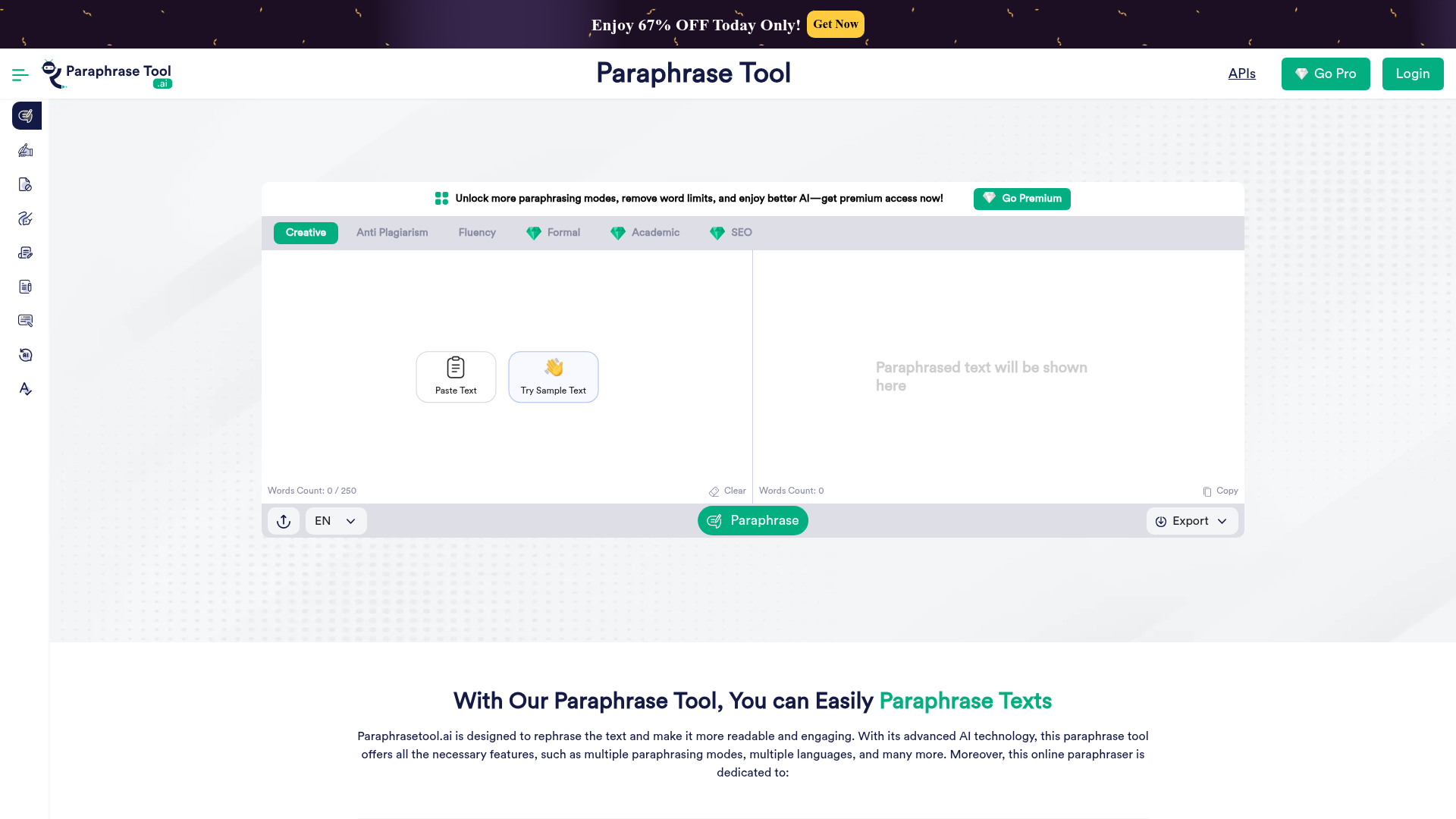
Text input with file upload
Paste text directly into the web app or upload a file in supported formats. The page shows a 250-word input counter in the interface and also notes that files can be rejected when they are too large.

Paraphrase Tool은 붙여 넣은 텍스트나 업로드한 파일을 의미는 유지하면서 다시 작성하는 브라우저 기반 AI 패러프레이징 서비스입니다. 모드별 변환, 내보내기 옵션과 API를 제공합니다.
Paraphrase Tool is a web-based AI paraphrasing service that rewrites pasted text or uploaded files while aiming to preserve the original meaning. The homepage positions it as a free paraphrasing tool for rewriting sentences, paragraphs, and longer text with modes for different writing needs.
The product centers on practical rewriting workflows: users can choose a paraphrasing mode, freeze terms they want to keep, and copy or export the output after generation. The site also presents premium access for removing limits and unlocking additional modes, and it offers a separate API product for developers who want to add paraphrasing and related text tools to their own applications.
Paste text directly into the web app or upload a file in supported formats. The page shows a 250-word input counter in the interface and also notes that files can be rejected when they are too large.
Choose from Creative, Anti Plagiarism, Fluency, Formal, Academic, and SEO modes to shape how the text is rewritten. The site describes these modes as serving different goals such as preserving keywords, improving fluency, or producing more formal output.
The interface includes a Freeze Words option and says premium users can freeze unlimited words and phrases. This is positioned for cases where specific terms or keywords need to stay unchanged.
After paraphrasing, the result panel supports copying the text and exporting it as Word, PDF, or TXT. That makes it usable for editing or downstream document workflows.
The site presents the product as a freemium tool with premium access for features such as removing word limits and unlocking additional modes. The FAQ and API pages also describe paid plans for premium and API usage.
A separate API page says the platform provides paraphrasing, plagiarism remover, summarizer, grammar checker, humanizer, and article rewriter APIs. That suggests the service extends beyond the web paraphraser into developer-facing text tools.
Rewrite essays, assignments, or notes into a new form while keeping the original idea intact. The Academic mode is presented for more formal, logically ordered writing.
Turn rough drafts or repetitive copy into clearer prose that reads more smoothly. The Fluency mode is specifically described as making text easier to understand.
Create alternate versions of marketing or SEO copy while preserving important keywords and their placement. The SEO mode and Freeze Words feature are the main tools the site highlights for this workflow.
Generate cleaner, more formal wording for internal messages, client communication, or official text. The Formal mode is presented as a way to replace informal language with more presentable expressions.
Use the API to embed paraphrasing, summarization, grammar checking, humanizing, or article rewriting into your own product or workflow. The API page frames this as a developer integration use case.
It is an online paraphrasing tool that takes pasted text and rewrites it into a new version while keeping the central meaning intact. The site also says it can be used from anywhere on any device, and that it does not require sign-up or installation.
The site says the tool is used to paraphrase text for clarity, readability, uniqueness, and plagiarism reduction. It is positioned for students, writers, researchers, marketers, and bloggers who need to rephrase essays, articles, or other text.
The homepage and FAQ mention Creative, Anti Plagiarism, Fluency, Formal, Academic, and SEO modes. Some modes are free, while others such as SEO, Academic, and Formal are tied to premium access.
The FAQ page states that users can request a refund within two days of the first purchase, while renewals are treated as new purchases and are not refundable. It also says renewals can be canceled at any time.
The API page says the service offers paraphrasing-related APIs with monthly and annual plans, and the FAQ page says plan limits apply to requests. The public pages do not show a separate pricing page with a full product-by-product comparison.
트래픽 데이터는 참고용으로만 확인하세요.