

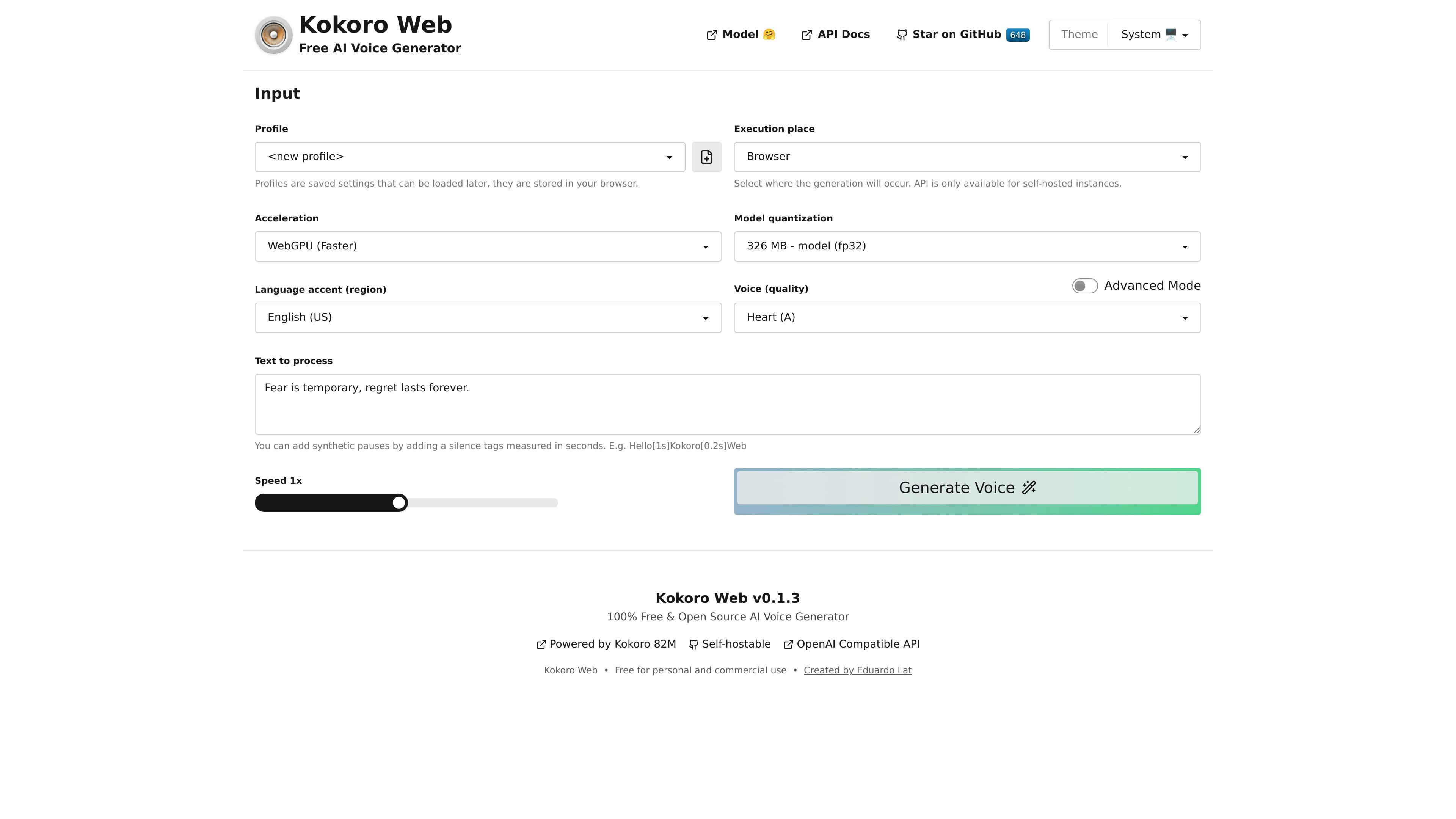
Browser-based text-to-speech
Generate speech by entering text directly in the browser and selecting a voice before starting synthesis.
Kokoro Web is a free, open-source AI voice generator for turning text into speech in the browser. The site presents it as a self-hostable product with an OpenAI-compatible API for instances that run the model themselves.
The interface lets users choose an execution place, configure API settings for self-hosted setups, pick a language accent and voice, and then generate speech from pasted text. The page also exposes timing controls such as speed and inline pause tags, which makes it suitable for simple narration, testing, and voice-output experimentation.
Generate speech by entering text directly in the browser and selecting a voice before starting synthesis.
Choose where generation happens, with a browser option and a self-hosted API option for instances that expose it.
Configure an OpenAI-compatible API base URL and API key when using self-hosted API settings.
Switch between CPU and WebGPU acceleration, with WebGPU labeled as the faster option.
Select from multiple model quantization options with different reported model sizes on the page.
Use supported language accents and a long list of voices, with an advanced mode for voice selection.
Create spoken versions of short scripts, drafts, or notes directly in the browser by selecting a voice and generating audio from pasted text.
Try different voices, accents, and speed settings to compare how a line sounds before settling on a final readout.
Use inline pause tags and the speed control to shape pacing for narration-style output or pronunciation checks.
Run the model in a self-hosted setup and point the app at an OpenAI-compatible base URL and API key when you need API-based generation.
Explore the available API endpoints and supported languages or voices through the included Swagger UI documentation.
Kokoro Web provides an online text-to-speech workflow: enter text, choose a language accent, select a voice, and generate audio in the browser. The source also notes an API for self-hosted instances.
The home page says the API is only available for self-hosted instances, and the pricing page mentions an OpenAI-compatible API in that context.
The site describes Kokoro Web as 100% free and open source, and the pricing page says it is free for personal and commercial use.
The interface supports multiple language accents, including English (US), English (UK), Japanese, Chinese, Spanish, Hindi, Italian, and Portuguese (Brazil).
The page includes a speed control and supports synthetic pauses in text using tags such as [1s] and [0.2s].
트래픽 데이터는 참고용으로만 확인하세요.
| 7월 | 12764 |
|---|---|
| 8월 | 7063 |
| 9월 | 9261 |
아직 트래픽 분석 데이터가 없습니다.