
One API for multiple harnesses
Integrate once and select the harness for each task. HarnessRouter presents a shared contract for Codex, Claude Code, and Hermes so teams can switch harnesses without rebuilding their backend integration.

HarnessRouter는 팀이 자체 인프라에서 단일 API를 통해 Codex, Claude Code, Hermes를 제품에 연결할 수 있도록 하는 에이전트 백엔드 레이어입니다. 에이전트 런타임을 직접 운영하고 싶지 않은 팀을 위한 관리형 클라우드 옵션도 제공합니다.
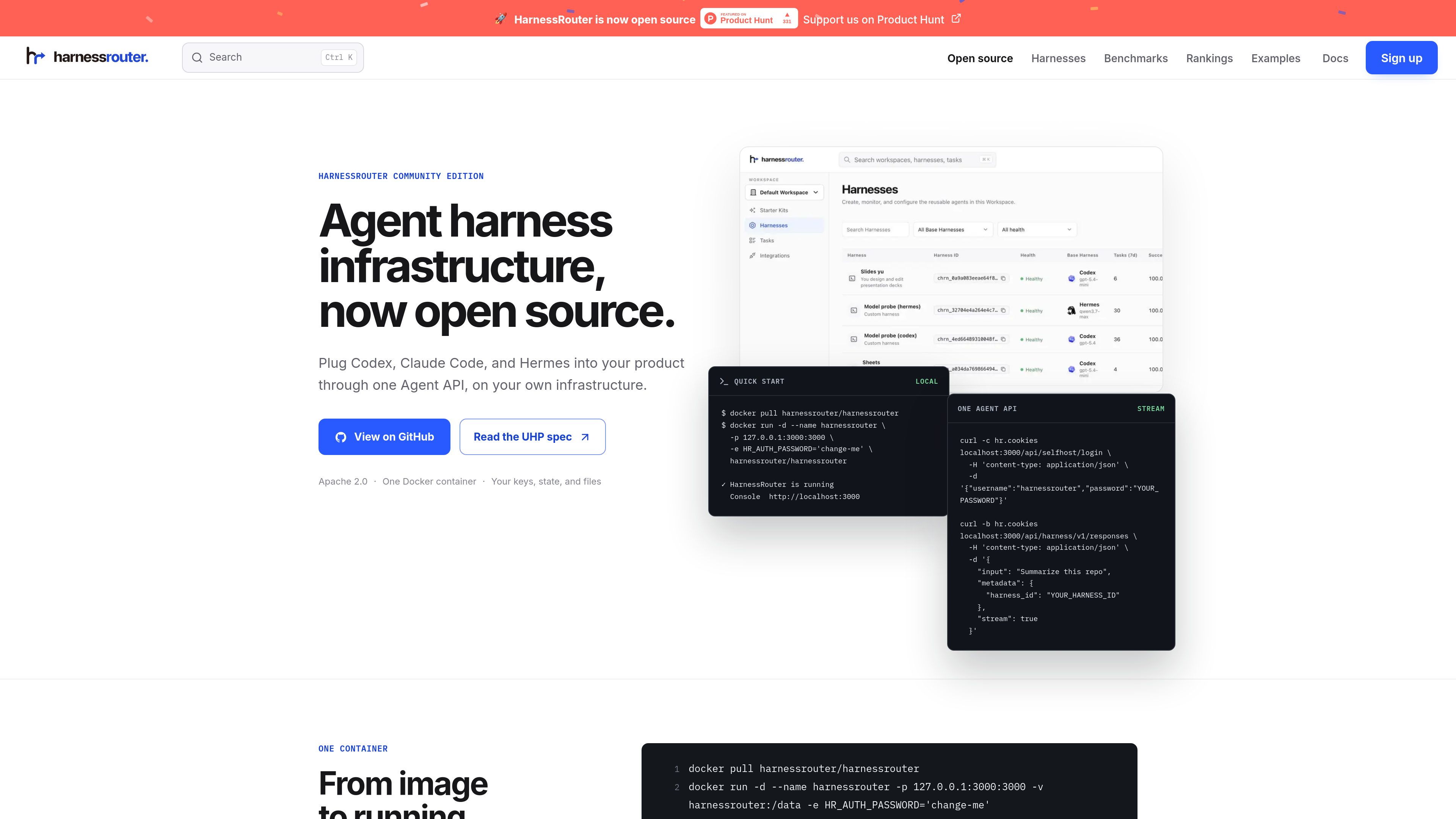
HarnessRouter is an agent infrastructure product for teams building AI features into software products. It provides one Agent API for running supported harnesses such as Codex, Claude Code, and Hermes, while keeping the product’s own UI, authentication, and data model in the customer’s application.
The open-source Community Edition runs on infrastructure you control and packages the Gateway, Runner, and Console in one Docker container. The same product line also includes HarnessRouter Cloud for teams that want the API without operating the backend themselves. The homepage and docs emphasize production agent workflows such as sessions, streaming, files, artifacts, cancellation, and structured failure handling.
The product is positioned as a backend layer for completed work rather than a simple model router. The docs and guides focus on product integration patterns, server-side authorization, multi-tenant behavior, and the workflow needed when users expect agents to return finished outputs instead of only model responses.
Integrate once and select the harness for each task. HarnessRouter presents a shared contract for Codex, Claude Code, and Hermes so teams can switch harnesses without rebuilding their backend integration.
The open-source edition runs in a single Docker container on infrastructure you control. The page says no managed database, external vault, or cloud account is required, and that the API, console, SQLite state, and workspace files stay on your own infrastructure.
The docs list sessions, response streaming, continuing a session, and canceling a session as core API capabilities. This supports long-running agent work where users need progress updates and the ability to resume or stop tasks.
HarnessRouter supports uploading files, persisting workspace files, and returning finished artifacts. That makes it suitable for product flows that need input documents, generated outputs, and downloadable results.
UHP is the public, versioned contract behind the platform. The homepage describes it as an open protocol with OpenAPI 3.1, JSON Schema 2020-12, versioned API definitions, and runnable checks that can be verified locally.
The Starter Kit provides complete examples that show how sessions, streaming, files, and finished work fit into real product experiences. The site also highlights a Cursor-style coding app, a family-care demo, and a Slides Kit production example.
Use HarnessRouter when your product needs to launch harnessed agents behind the scenes while keeping the product UI and user experience in your own app. The docs and examples frame it as a server-side agent backend layer.
Use the session model for work that unfolds over time, such as coding tasks, document work, or other jobs that need streaming progress, follow-up actions, and later inspection.
Use the files and artifacts flow when users need to upload source material and receive generated outputs back from the agent. The homepage explicitly calls out workspace files and finished outputs as part of the lifecycle.
Use the Starter Kit when you want a concrete starting point instead of an empty repository. The site shows reference demos and production kits for teams that want to adapt an existing agent product pattern.
Use Community Edition if you want to control infrastructure yourself, or move to HarnessRouter Cloud if you want the same API without running the agent backend. The pricing page and homepage both present this split clearly.
No. The site presents Community Edition as the open-source, self-hosted option and also offers HarnessRouter Cloud for teams that want a fully managed service.
The homepage says Community Edition includes the Gateway, Runner, and Console in one container, along with local SQLite state and workspace files on infrastructure you control.
The public pages mention Codex, Claude Code, and Hermes as supported examples. The docs and guides also discuss how to run Claude Code and Hermes through an API.
The product is built for session-based agent work with streaming, file handling, artifacts, cancellation, and error handling. The examples page shows a Cursor-style coding workflow, and the Starter Kit includes other product patterns.
The pricing page says you can build and integrate for free, and that 500 launch credits are available for a limited time after adding a card. It also lists a Developer plan starting at $20 per month.
트래픽 데이터는 참고용으로만 확인하세요.

dragoncode.codes
하나의 계정으로 Claude Code, Codex, Gemini CLI를 연결하는 엔터프라이즈 AI 코딩 릴레이 플랫폼

conductor.build
Conductor는 격리된 워크스페이스에서 Claude Code, Codex, Cursor 에이전트를 동시에 실행하는 Mac 앱으로, 개발자가 작업을 위임하고 변경 사항을 검토한 뒤 로컬에서 병합하도록 돕습니다.

oomol.com
OOMOL은 Gmail, GitHub, Notion을 AI 에이전트에 연결해 Codex, Claude Code, Cursor에서 인증된 도구를 재사용하도록 하며, 무료·유료·사용량 기반 요금을 제공합니다.

apps.mergeable.io
Diffsmith는 Claude Code, Cursor, Codex, Copilot 같은 AI 코딩 에이전트가 만든 로컬 git 변경 사항을 검토하는 macOS 네이티브 앱입니다. 인라인 댓글을 달고 프롬프트로 보내거나 로컬 MCP 서버를 통해 에이전트에 전달할 수 있습니다.

1code.dev
1Code는 코딩 에이전트를 위한 오픈 소스 비주얼 클라이언트로, Claude Code와 Codex를 통합하고 데스크톱·웹 작업, Git 검토·병합, 클라우드 샌드박스 백그라운드 실행을 지원합니다.

www.agentconnect.md
AgentConnect를 사용하면 Claude Code, Codex, Gemini CLI와 같은 ACP 에이전트를 Slack, Telegram, Discord, GitHub에 연결해 팀이 평소 협업하는 채널에서 업무를 맡길 수 있습니다. 오픈 소스이며 자체 호스팅이 가능하고, 에이전트 워크플로를 위한 역할, 도구, 메모리, 설정 가능한 트리거를 제공합니다.