
Automatic transcription
Guidesnap transcribes spoken narration from a screen recording into structured text, using Whisper-class speech recognition according to the site copy.

Guidesnap은 화면 녹화를 편집 가능한 PDF 문서로 변환하는 웹 앱입니다. 녹화된 데모나 소프트웨어 화면을 바탕으로 온보딩 가이드, 내부 프로세스 문서, 사용 안내서를 만들 수 있습니다.
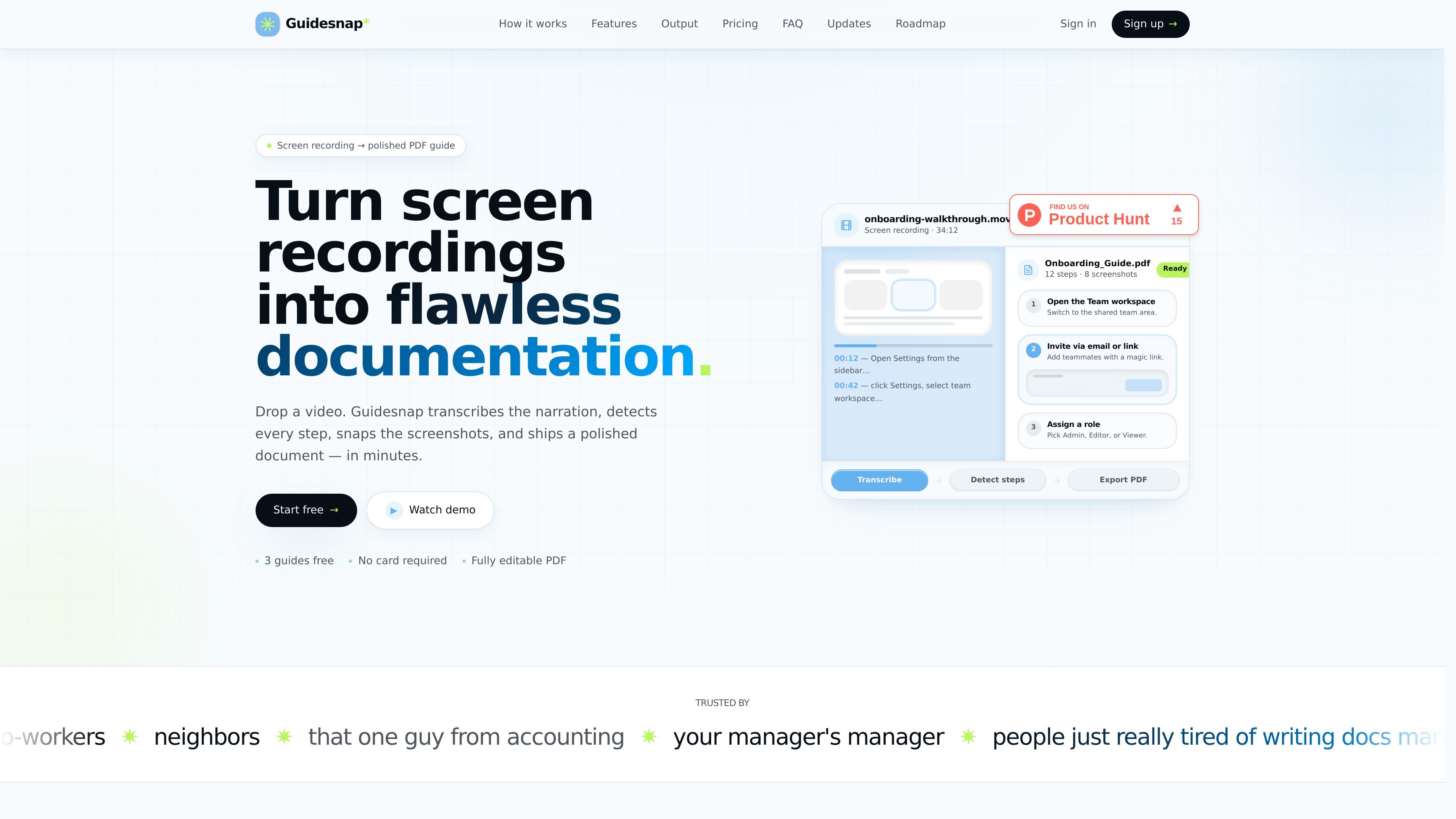
Guidesnap is a web app that turns screen recordings into documentation. The main workflow is simple: upload a recording, let the system transcribe the narration and detect the steps, then export a polished PDF guide.
The site positions the output as a ready-to-share document for walkthroughs such as onboarding or internal process guides. It also emphasizes that the guide can be refined in the browser after generation, which makes it useful when a recording needs editing before distribution.
Guidesnap transcribes spoken narration from a screen recording into structured text, using Whisper-class speech recognition according to the site copy.
Vision models watch the cursor, clicks, and scene changes to split a walkthrough into numbered steps.
The app captures a screenshot for each step at the right moment, with an option to turn screenshots off for text-only guides.
You can edit titles, steps, and copy in the browser and rebuild the PDF without uploading the video again.
Exports include a polished PDF with a cover, table of contents, callouts, checklist-style sections, and optional branding such as logo and company name.
The upload flow supports long walkthroughs of up to 90 minutes and multiple common video formats.
Record a software walkthrough and turn it into a step-by-step onboarding PDF for a new hire or teammate.
Capture a repeatable internal workflow, then convert it into a shareable process document with screenshots and callouts.
Create a polished guide for a customer-facing tutorial or help article when you already have a screen recording of the flow.
Draft a document from a long recorded demo or walkthrough, then refine the steps and regenerate the PDF before sharing.
Guidesnap is designed to turn a screen recording into a polished PDF guide. The page shows a workflow where you upload a recording, it transcribes the narration, detects steps, captures screenshots, and exports a document.
The source says you can upload .mp4, .mov, .webm, or .mkv files, and recordings can be up to 90 minutes long.
Yes. The product page says the generated PDF is fully editable, and you can tweak titles, steps, and copy in the browser before rebuilding the PDF.
The pricing section shows a free tier with 3 guides included, a pay-as-you-go option after that, and monthly Pro and Team plans.
The login page says new users get 3 free guides instantly, so you can try the product before paying.
트래픽 데이터는 참고용으로만 확인하세요.
| 4월 | 0 |
|---|---|
| 5월 | 0 |
| 6월 | 0 |
아직 트래픽 분석 데이터가 없습니다.