
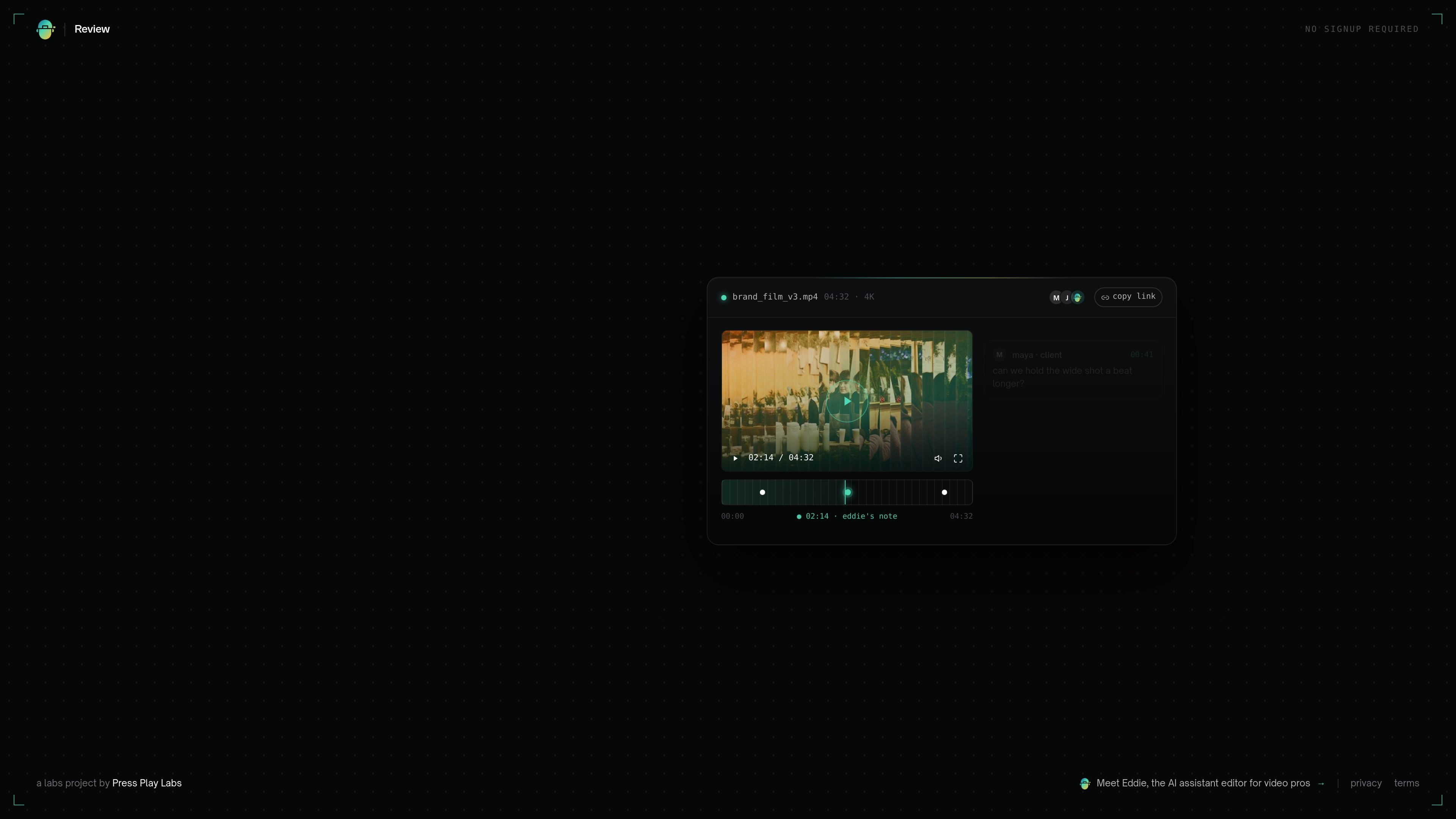
File upload and Drive-link review
Upload a video file or paste a Google Drive link to start a review session from a single shareable link.

Eddie Review는 업로드한 동영상이나 Drive 링크에 프레임 단위로 댓글을 남길 수 있는 웹 기반 동영상 리뷰 도구입니다. Eddie의 타임스탬프 AI 메모도 제공하며, 리뷰어는 로그인 없이 참여할 수 있습니다.
Eddie Review is a web-based video review tool for sharing one link and collecting feedback directly on the video timeline. It is designed so teammates or clients can leave comments on the exact frame they are discussing, without creating an account.
The product also includes AI-generated notes from Eddie, described on the site as an assistant editor for video pros. Users can upload a file or paste a Drive link, then review playback with timestamped comments layered onto the same session.
Upload a video file or paste a Google Drive link to start a review session from a single shareable link.
Comments are tied to the exact frame, which helps reviewers point to a specific moment instead of leaving vague feedback.
Reviewers can comment without creating an account, and the page states that no logins are required.
Eddie adds its own timestamped notes alongside human comments, giving the review an AI layer of feedback.
The page shows a prompt that lets users drop a note at the current timestamp, supporting time-based discussion during playback.
The upload area accepts videos up to 2 GB, which sets a clear size boundary for reviews started from the site.
Share a rough cut with clients or collaborators who need to leave precise comments without creating an account first.
Collect notes on specific shots, cuts, or pacing issues where exact frame references reduce ambiguity for editors.
Send a single link to a distributed team so multiple people can review the same video session and leave comments in context.
Use the built-in AI notes as an additional pass for pacing or scene-level feedback before making edits.
Review a file stored in Drive instead of uploading a new copy, when the source media already lives in shared cloud storage.
No. The home page says you can upload a video or paste a Drive link, then share one link so others can review without logging in.
The page shows file uploads up to 2 GB and also supports pasting a Drive link. Beyond that, no additional source details about supported sources are provided.
Yes. The page says notes pin to the exact frame, and the interface shows timestamped comments on the timeline.
Yes. The page states that Eddie leaves its own timestamped notes in addition to human comments.
The pricing page does not show a live pricing table. It currently returns a not-found message saying the review link has expired or the page does not exist, so no pricing details are available from the provided sources.
트래픽 데이터는 참고용으로만 확인하세요.