

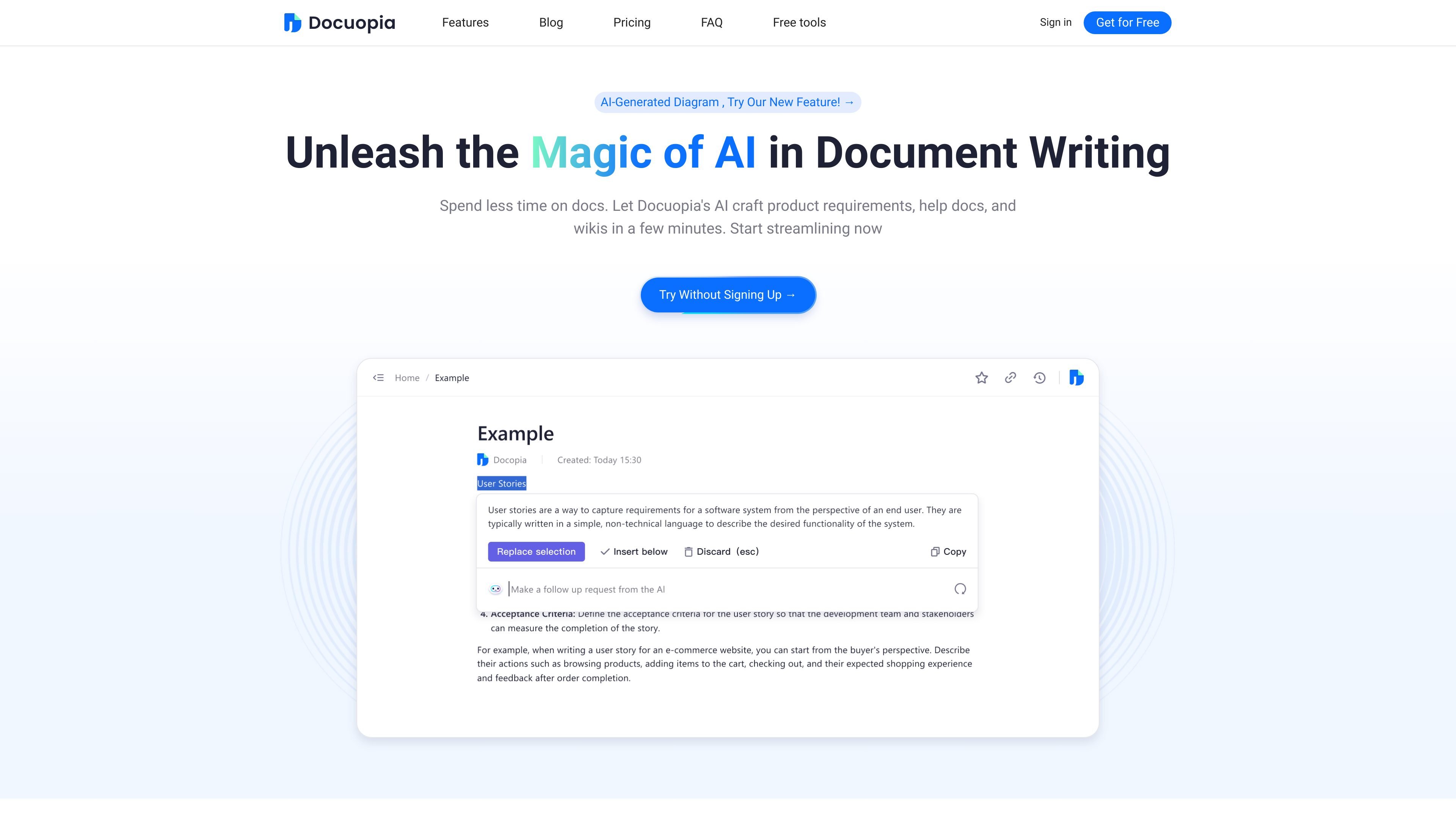
AI editing suggestions
Use AI to select a section and receive suggestions that help expand, restructure, or refine content. The site highlights PRD Review as one example of this workflow.
Docuopia is an AI-powered document writing tool focused on product and technical content. The site positions it as a way to spend less time drafting PRDs, help docs, wiki pages, and related documents by turning short prompts into structured first drafts and revisions.
Beyond drafting, the product also supports collaborative editing, version history, markdown-oriented editing, and AI-assisted diagram generation. It is presented as a document workflow tool for people who need to create, refine, and share documentation more efficiently.
Use AI to select a section and receive suggestions that help expand, restructure, or refine content. The site highlights PRD Review as one example of this workflow.
Share documents, track edit history, and collaborate online without relying on email threads. The product also mentions flexible hierarchical document control for SaaS document management.
Write and format documents with keyboard shortcuts for inserting images, creating lists, and other common actions.
Ask the system questions or provide instructions so the AI can tailor content to the specific document and user needs.
Turn text prompts into diagrams such as flowcharts, sequence diagrams, and Gantt charts within seconds.
Generate a first draft PRD from a problem description and feature input, then adapt it to your own framework.
A product manager can describe a problem and feature and get a structured first PRD that can be adapted to the team’s preferred format.
A team can collaborate on shared documents, track changes, and reduce version confusion when multiple people edit the same file.
A writer or editor can select a section and ask for suggestions to expand, reorganize, or polish the text.
A product or operations team can turn plain text into diagrams such as flowcharts or Gantt charts without drawing them manually.
A business user can start with the free version to try the workflow before deciding whether to upgrade for larger storage and team-oriented features.
Docuopia is an AI-powered document assistant that helps users draft product requirements, help documents, and wiki pages from a short prompt or issue description.
Yes. The site states that there is a free version, and the homepage also offers a "Try Without Signing Up" path.
The source says the free version is better suited to individual users or people testing the product, while the paid version is aimed at teams or business users that need more collaboration, storage, and support.
After registering, users can click a purchase page to upgrade and buy credits.
트래픽 데이터는 참고용으로만 확인하세요.