

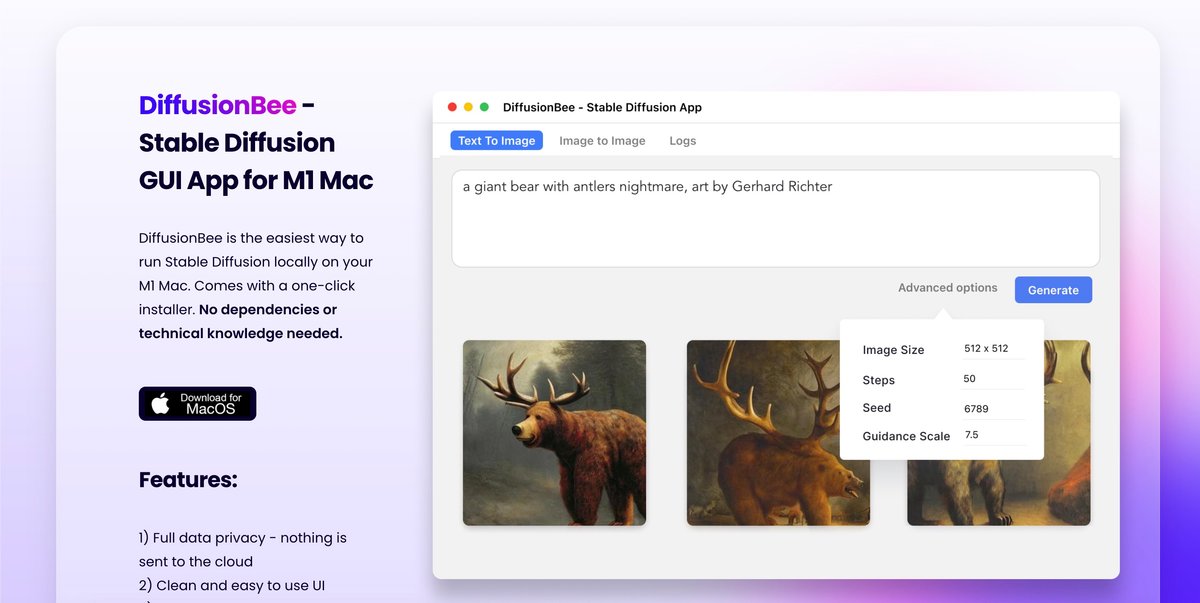
Text to Image
Generate images from text prompts using Stable Diffusion on your own computer, without sending prompts or outputs to a cloud service.
DiffusionBee is a Stable Diffusion app for generating AI art locally on a Mac. It packages several image-generation and editing tools into a single desktop workflow, with support for text-to-image, image-to-image, generative fill, upscaling, model training, control images, variants, and video-related tools.
The product emphasizes local processing: prompts, models, and generated images stay on your device, and the site describes the app as running 100% offline. The download page shows macOS builds for Apple silicon and Intel 64-bit Macs, plus a Windows 64-bit waitlist.
Generate images from text prompts using Stable Diffusion on your own computer, without sending prompts or outputs to a cloud service.
Edit existing images by adding or removing objects in selected areas with prompt-guided generative fill.
Transform one image into another using text prompts, which is useful for restyling or iterating on an existing composition.
Increase image sharpness and resolution with an AI upscaler for cleaner outputs or larger exports.
Create custom image generation models from your own images and use them locally on-device.
Generate animations, videos, image variants, control-image outputs, and AI illusions from the same local app.
Use text prompts to create new images locally when you want Stable Diffusion output without sending data to a cloud service.
Start from an existing image and adjust it with prompts, whether you want to restyle the image or change specific regions.
Improve resolution or sharpness before sharing or reusing an image in another workflow.
Train a custom model from your own images when you need outputs tied to a specific object, person, or style.
Use the app’s control-image, variants, and video-related tools when you need multiple local creative workflows in one desktop tool.
Images are generated locally on your computer. The source states that nothing is sent to the cloud.
The source says an 8GB M1 MacBook Air takes around 30 seconds per image, and faster computers can generate images more quickly.
Yes. The source says you can freely use generated images as long as you comply with the CreativeML Open RAIL-M license.
DiffusionBee needs macOS 13.1 or later. Apple silicon is recommended, and the source also says it works on Intel-based Macs, though more slowly without a dedicated graphics chip.
The download page lists separate macOS builds for Apple silicon and Intel 64-bit Macs, and a Windows 64-bit option that is currently a waitlist.
트래픽 데이터는 참고용으로만 확인하세요.