
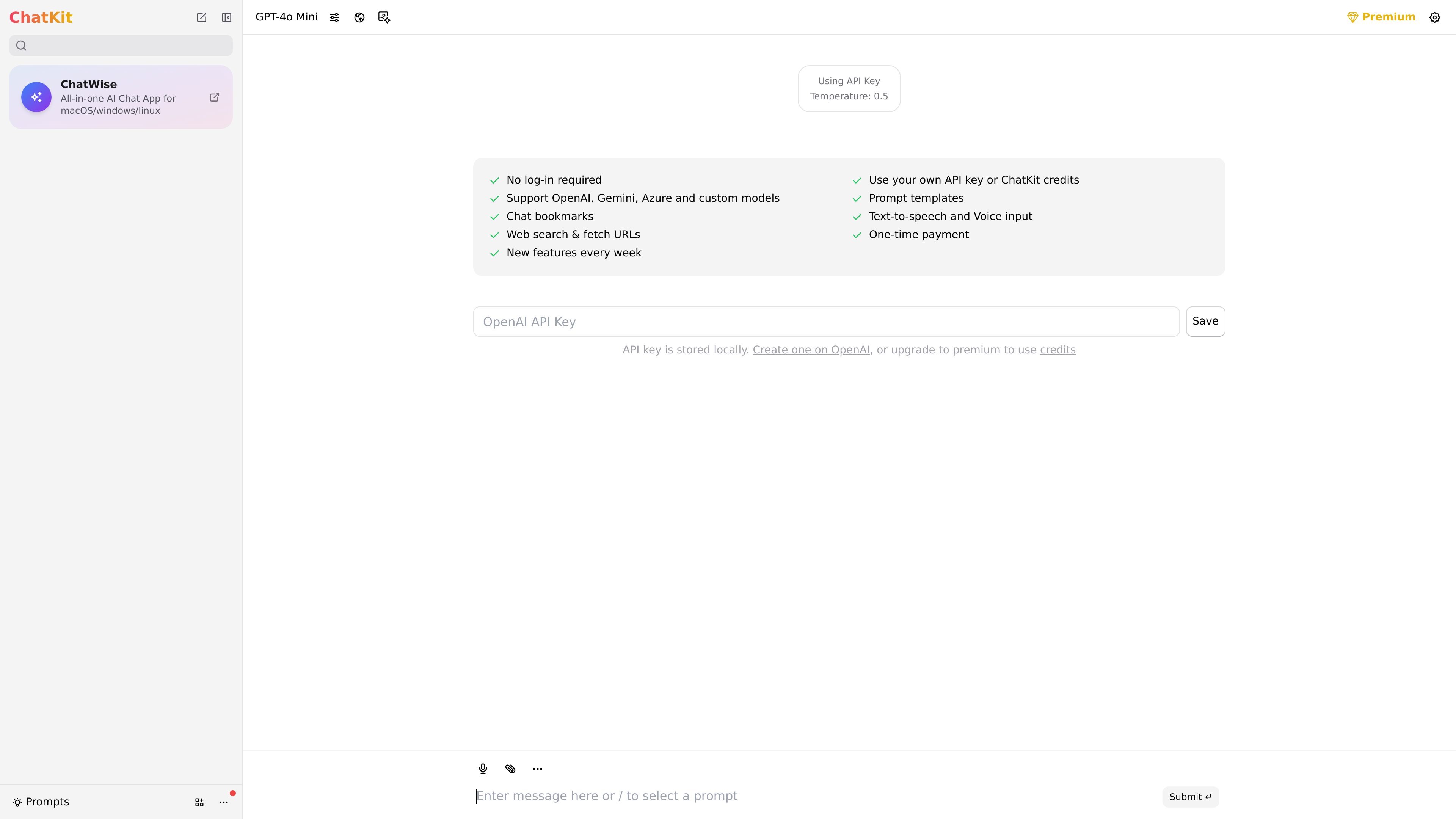
Desktop app across major operating systems
ChatKit is described as an all-in-one AI chat app, with desktop support for macOS, Windows, and Linux.
ChatKit is an AI chat application positioned as a refined ChatGPT-style interface for desktop use. The homepage presents it as an all-in-one AI chat app for macOS, Windows, and Linux.
The product is designed for people who want to chat with AI models using their own API key or ChatKit credits, without creating a login. It also exposes model support for OpenAI, Gemini, Azure, and custom models, along with prompt templates, bookmarks, speech input and output, web search, and URL fetching.
ChatKit is described as an all-in-one AI chat app, with desktop support for macOS, Windows, and Linux.
The homepage says you can use your own API key or ChatKit credits, giving users a choice between self-managed API access and the product’s credit model.
Supported model providers shown on the homepage include OpenAI, Gemini, Azure, and custom models.
The product lists prompt templates and chat bookmarks, which point to reusable prompts and saved conversations or references.
The homepage highlights text-to-speech, voice input, web search, and URL fetching for working with both typed and spoken interactions and external web content.
The page says API keys are stored locally and that no log-in is required, reducing account setup for local use.
Use ChatKit as a desktop AI workspace when you want a ChatGPT-style interface on macOS, Windows, or Linux without creating another account.
Use it when you already manage your own OpenAI or other supported API keys and want a client that keeps the key stored locally.
Use the prompt templates and bookmarks to reuse frequent prompts or keep important chat references accessible over time.
Use the speech and web tools to ask questions by voice, read responses aloud, search the web, or pull content from a URL while chatting.
ChatKit is presented as an all-in-one AI chat app that runs on macOS, Windows, and Linux. The homepage also says there is no log-in required and that you can use your own API key or ChatKit credits.
The homepage states that ChatKit supports OpenAI, Gemini, Azure, and custom models. It also mentions prompt templates, chat bookmarks, text-to-speech, voice input, and web search with URL fetching.
ChatKit’s homepage says you can use your own API key or ChatKit credits, and that the API key is stored locally. The pricing page at /pricing currently returns a 404, so no pricing details are available there.
The source does not provide documentation on team features, admin controls, or shared workspaces. Based on the available evidence, ChatKit is described as a personal desktop chat app rather than a documented team platform.
트래픽 데이터는 참고용으로만 확인하세요.