
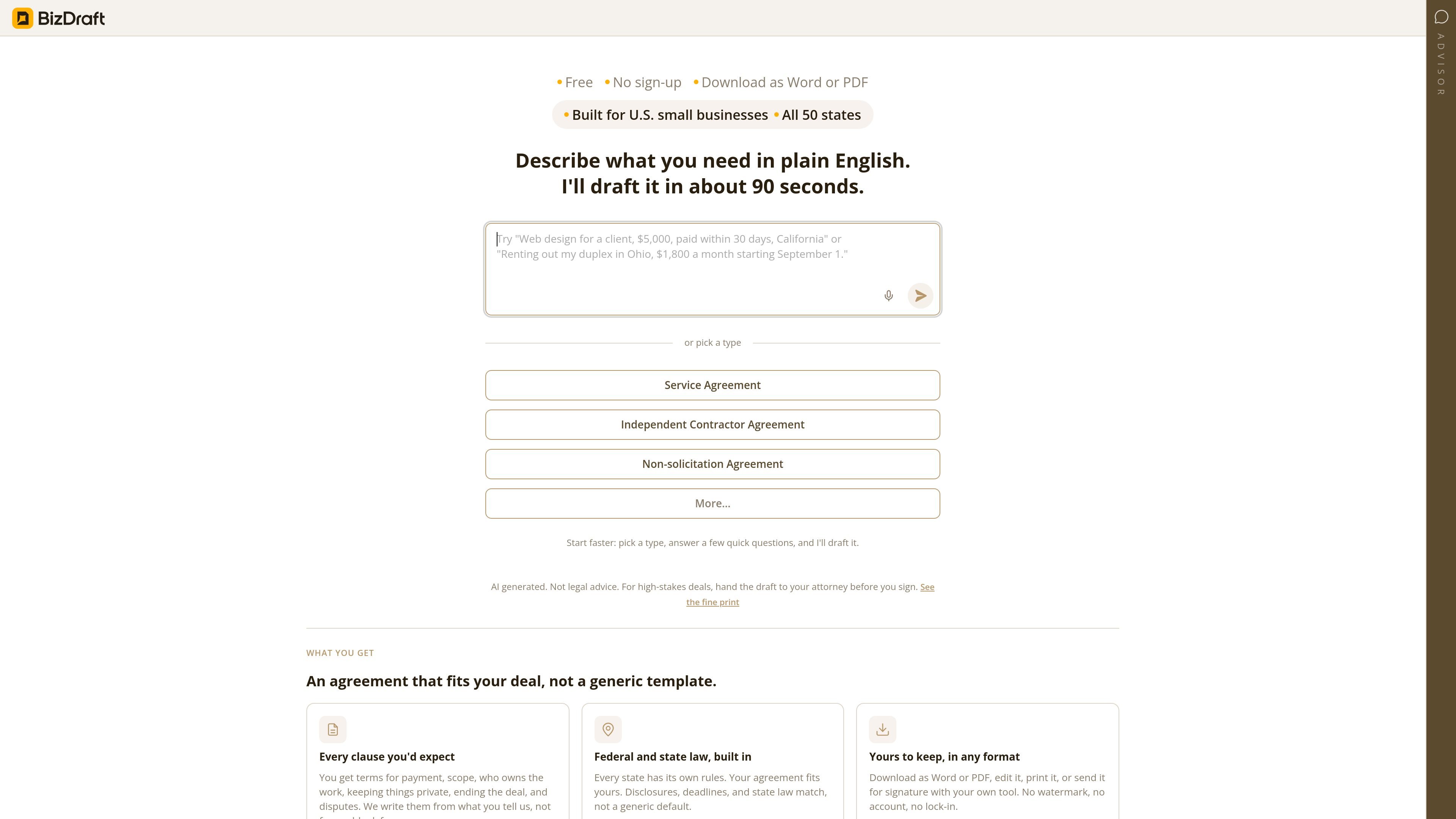
Plain-English drafting
Describe the agreement you need in plain English and the product drafts it in about 90 seconds, according to the site. The intake also uses amounts, dates, and the state involved to ask fewer follow-up questions.

BizDraft는 미국 소규모 기업을 위한 AI 지원 계약서 작성 도구입니다. 쉬운 영어로 작성한 프롬프트나 일반적인 계약 유형을 바탕으로 계약서 초안을 만들고 Word 또는 PDF 파일로 내보낼 수 있습니다.
BizDraft is an AI-assisted contract drafting tool for U.S. small businesses. It helps users create agreements by describing the deal in plain English or by starting from a common contract type, then answering a few questions to produce a draft tailored to the situation and the state involved.
The site says the product is free, requires no sign-up, and supports downloading the result as a Word or PDF file. It is positioned for agreements that need standard business terms such as payment, scope, ownership, confidentiality, termination, and disputes, with output that can be edited or passed to another tool for signature.
Describe the agreement you need in plain English and the product drafts it in about 90 seconds, according to the site. The intake also uses amounts, dates, and the state involved to ask fewer follow-up questions.
You can begin with a common contract type such as a Service Agreement, Independent Contractor Agreement, or Non-solicitation Agreement, then refine the draft with a short question flow.
The source says the draft includes core clauses for payment, scope, ownership of work, confidentiality, termination, and disputes.
BizDraft says every state has its own rules and the agreement reflects the state you choose, including relevant disclosures, deadlines, and state law.
Finished drafts can be downloaded as Word or PDF, then edited, printed, or sent for signature with the user's own tool.
The page says there is no watermark, no account requirement, and no lock-in, so users keep the file in a format they can store and share themselves.
A small business owner can describe the deal terms in plain English and get a first draft without starting from a blank document.
Someone preparing a service relationship can start with a Service Agreement, answer a short set of questions, and generate a working draft faster than manual drafting.
An independent contractor or hiring business can use the contract-type flow to assemble core terms like scope, payment, and ownership before review.
A user working on a restrictive-covenant document can choose the Non-solicitation Agreement path and tailor the draft to the state involved.
After drafting, the file can be exported to Word or PDF for internal editing, printing, or sending to a separate e-signature tool.
BizDraft is designed to start from a plain-English description of the agreement you need. You can also choose a common agreement type first and then answer a few questions to refine the draft.
The source content shows Service Agreement, Independent Contractor Agreement, and Non-solicitation Agreement as starting points, with a “More…” option for additional types.
BizDraft generates an agreement that can be downloaded as a Word or PDF file. The page also says you can edit the file, print it, or send it for signature with your own tool.
The site states that the service is free and requires no sign-up. It does not provide any pricing tiers or usage limits in the provided source material.
BizDraft says it is built for U.S. small businesses and that agreements are adjusted for all 50 states. It also notes that the output is AI generated and not legal advice.
트래픽 데이터는 참고용으로만 확인하세요.