
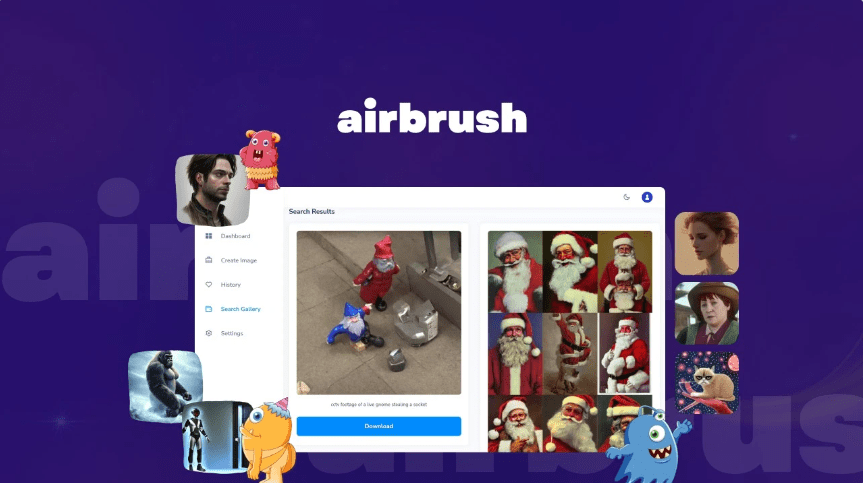
AI image creation
Generate images from a text description using Airbrush's AI image creator, which is positioned as the core entry point for creating original visuals.

Airbrush는 텍스트 프롬프트로 스톡 사진, 아트워크, NFT 및 기타 비주얼을 만드는 AI 이미지 생성기입니다. 이미지 업스케일링, 블로그 커버, 이미지 변형, 이미지-텍스트 변환 도구와 무료 및 유료 프리미엄 요금제를 제공하며, 상업적 사용 권한은 FAQ에 안내되어 있습니다.
Airbrush is an AI image-generation product for creating stock photos, artwork, NFTs, and other visuals from text prompts. The site positions it as a personal AI image generator with a simple workflow: create an account, choose a use case, enter a short description, and download the result.
The product site also shows supporting tools for image upscaling, blog cover creation, image variants, and image-to-text conversion. Pricing information indicates a free plan and a premium plan, and the FAQ states that generated images can be used commercially under the stated usage rights.
Generate images from a text description using Airbrush's AI image creator, which is positioned as the core entry point for creating original visuals.
Browse the image gallery to find examples and prompt inspiration before generating your own images.
Upscale images to preserve content and key details while increasing clarity and sharpness, with support for up to 4x enlargement.
Create blog cover images with the one-click blog cover workflow shown on the features page.
Generate variations from an existing image using Airbrush's image-variant tools.
Convert an image into text using the image-to-text tool listed on the site.
Create original visuals from a short text prompt when you need stock-like imagery, artwork, or concept visuals without starting from scratch.
Produce blog cover art quickly using the dedicated blog cover workflow for articles and content marketing assets.
Upscale older or lower-resolution images when you need more clarity or a larger usable file for publishing or reuse.
Generate prompt variations or alternate looks from an existing image when you want more options from a single starting point.
Convert a visual into text cues with the image-to-text tool when you want a quick description or prompt starting point.
Yes. The pricing and FAQ pages state that users get full usage rights to commercialize the images they create with Airbrush.ai, including reprinting, selling, and merchandising them.
Airbrush lists support for multiple image-generation engines, including Stable Diffusion, Stable Diffusion XL, DALL·E 2, Anything, Wifu, Redshift, Analog, Protogen, Realistic Vision, Disney Pixar, Pixel Art, Anime Diffusion, T-shirt Diffusion, Inkpunk, Oscavatar, GraffityMidjourney, Edge of Realism, Double Exposure, Manga, Coloring Pages, and All-In-One-Pixel-Model, with more being added over time.
The site says you can generate images at 256x256, 512x512, and 1024x1024 pixels, and upscale any image up to 4x for a maximum size of 4096x4096 pixels.
The site says Airbrush has an Android app on Google Play and that an iPhone and iPad app is in development.
The workflow shown on the site is straightforward: create an account, choose a use case, provide a short description of the image you want, and download the result to your device.
트래픽 데이터는 참고용으로만 확인하세요.