
Conversation and thought capture
Record a meeting with everyone’s consent, or save a quick thought while it is still fresh.

Kairn은 대화와 문득 떠오른 생각을 검토할 수 있는 사람, 할 일, 날짜로 정리해 주는 iPhone 앱입니다. AI 제안을 수정한 뒤 승인한 연락처, 미리 알림, 캘린더 일정을 iPhone에 저장해 후속 조치를 이어갈 수 있습니다.
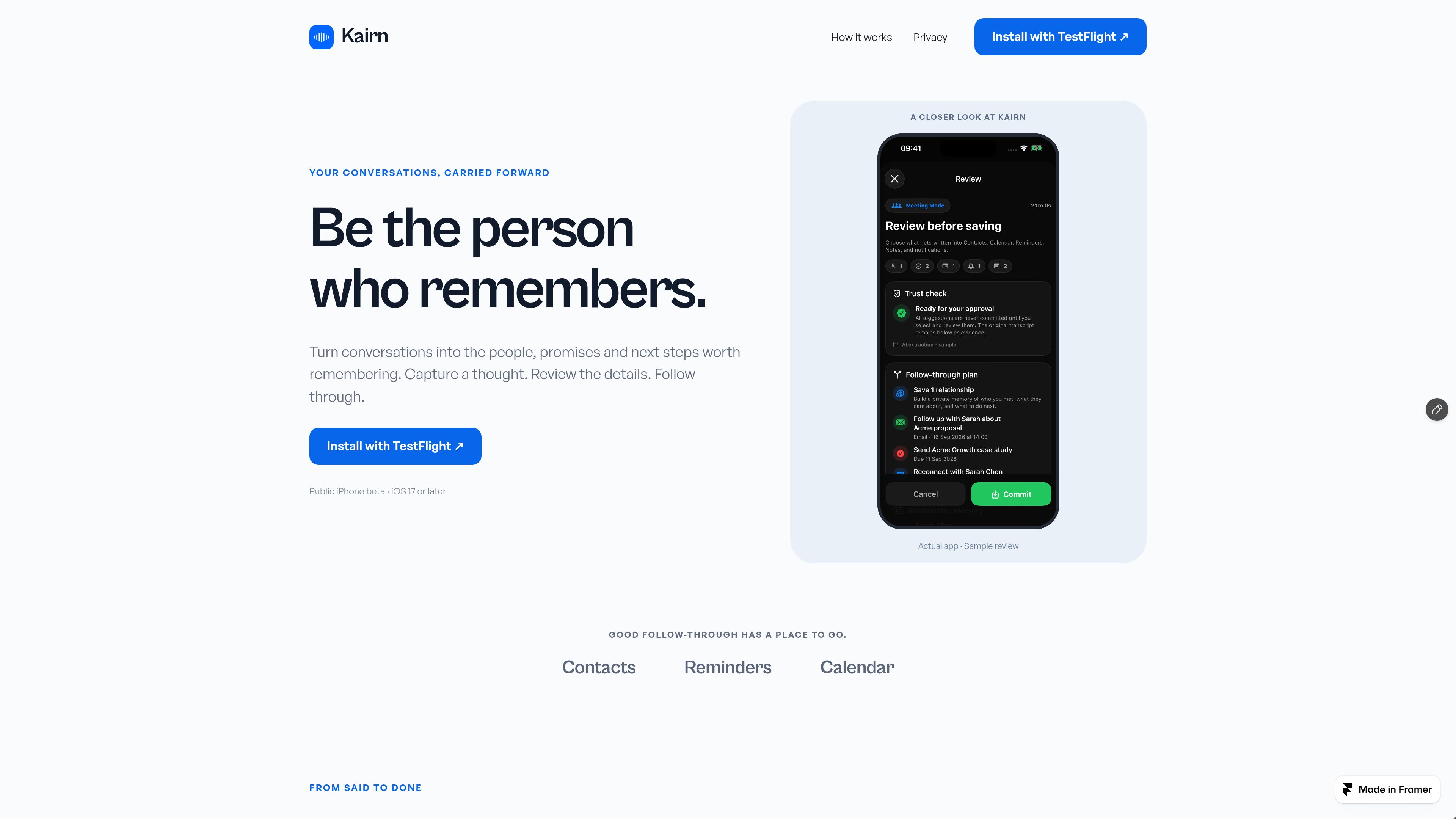
Kairn is an iPhone app that turns recorded conversations and quick thoughts into suggested people, tasks, and dates. Its purpose is to help users retain the details that lead to follow-up, rather than relying on memory after a conversation ends.
The workflow combines AI-assisted extraction with a user review step. After checking and editing Kairn’s suggestions, users can save approved contacts, reminders, and calendar events to their iPhone, while keeping the surrounding context in Kairn.
Record a meeting with everyone’s consent, or save a quick thought while it is still fresh.
Kairn identifies suggested people, tasks, and dates from captured audio or text.
Review the extracted names, actions, and dates, then edit the details before committing them.
Approved results can be saved to Contacts, Reminders, and Calendar on the iPhone.
The app keeps the conversation context in Kairn after approved items are sent to the relevant iPhone apps.
Kairn asks for consent before sending audio and text for processing, and its support guidance emphasizes consent when recording meetings.
Capture a meeting and review the people, actions, and dates that need to be carried forward once the discussion is over.
When you offer to send a proposal or another document, turn the commitment into a reviewed reminder rather than relying on memory.
Use the extracted people and context to keep track of an introduction or a detail that shows you listened.
Save a short thought immediately and convert it into a task or date after reviewing Kairn’s suggestions.
After review and approval, Kairn can save contacts, reminders, and calendar events to the iPhone. The site does not specify additional output destinations.
No. Kairn’s stated workflow requires users to review and approve suggested people, tasks, and dates before anything is added to Contacts, Calendar, or Reminders.
Yes, the site describes recording a meeting as one capture option. Participants should know the meeting is being recorded, and users should obtain any consent required in their location.
Kairn is presented as a public iPhone TestFlight beta requiring iOS 17 or later. The site does not list support for other platforms.
Kairn asks for consent before sending audio and text for processing. Its support page also advises users not to include private meeting content in support emails unless it is necessary for diagnosis.
트래픽 데이터는 참고용으로만 확인하세요.