Fireflies.ai icon

Fireflies.ai

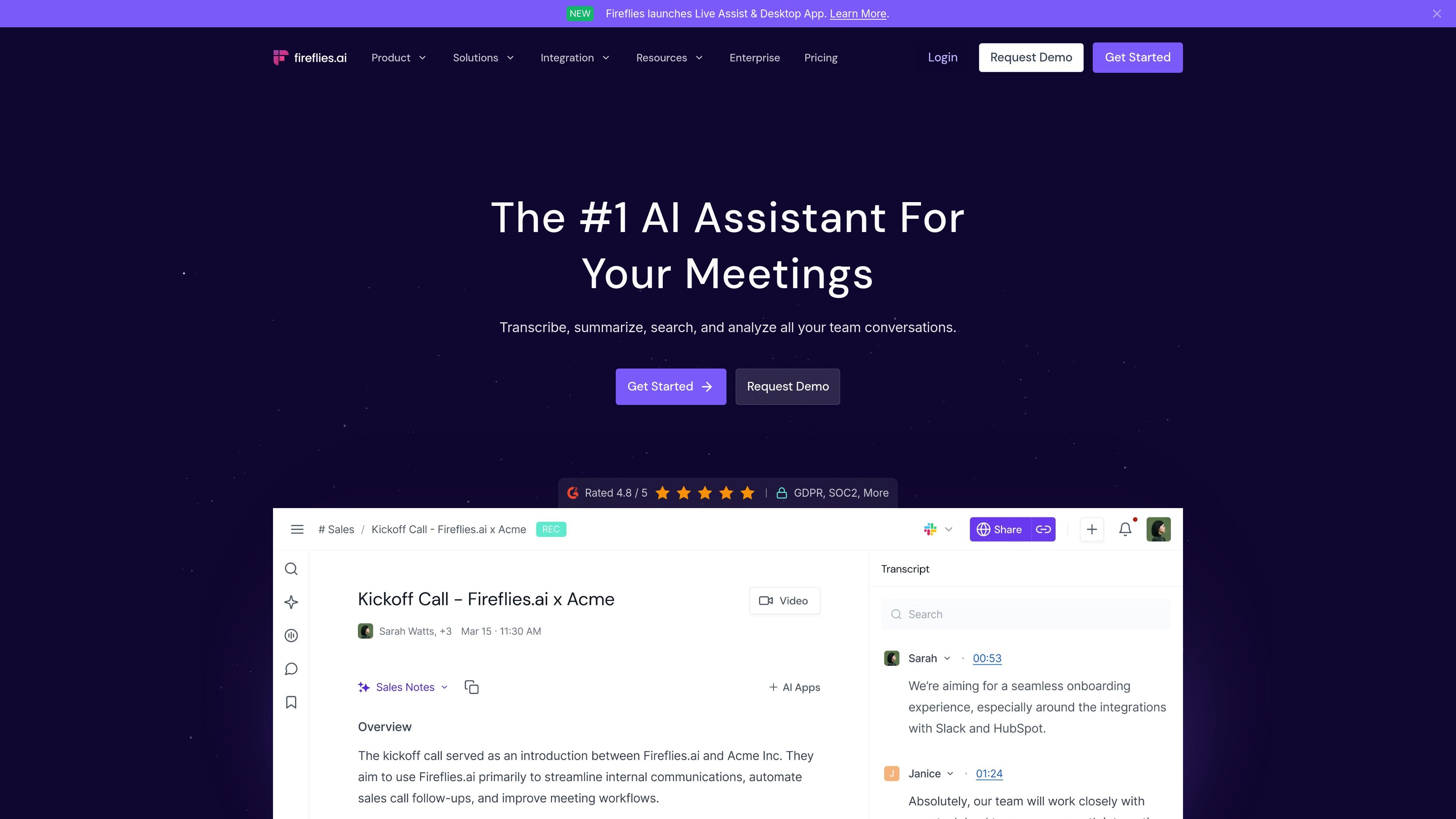
Fireflies.ai is an AI meeting assistant that records conversations, produces transcripts and summaries, and keeps team discussions searchable. It also connects meeting notes to workflows such as tasks, CRM updates, and other work tools.

Fireflies.ai

Overview

Fireflies.ai is an AI assistant for meetings and related work workflows. Across its website, the product is positioned as a tool that records conversations, generates transcripts and summaries, and keeps team discussions searchable in one place.

The platform supports several capture methods, including a meeting bot, Chrome extension, mobile app, desktop app, dialer and API connections, and audio or video file uploads. It also extends beyond note-taking with search, meeting Q&A, task capture, CRM updates, and other workflow automations.

Core features

Multi-source meeting capture

Fireflies records meetings from Google Meet, Microsoft Teams, Zoom, Webex, dialers, and uploaded audio or video files, then turns them into transcripts and meeting notes.

AI meeting summaries

The product provides AI summaries with bullet points, action items, and custom notes so users can review decisions without replaying the full conversation.

Searchable meeting memory

Fireflies indexes conversations so users can search by topic, sentence, or timestamp and review meetings that happened weeks or months earlier.

Meeting Q&A assistant

AskFred and Live Assist let users query meeting content and get answers or suggestions during or after the meeting, based on the source pages.

Conversation analytics

The platform includes conversation intelligence features such as speaker talk-time, sentiment analysis, topic trackers, and question detection for team review.

Workflow integrations

The product connects meeting notes into workflows with CRM auto-fill, task creation, comments, channels, and integrations with work tools and APIs.

Common use cases

  • Meeting note-taking

    Teams can capture recurring meetings and turn them into transcripts, summaries, and action items that are easier to review than raw recordings.

  • CRM and workflow updates

    Sales, customer success, and operations teams can push meeting notes and call logs into CRM and related tools to reduce manual follow-up work.

  • Conversation review and analytics

    Managers and team leads can review speaker talk-time, sentiment, and topic patterns to understand how conversations are unfolding across the team.

  • Capture across devices

    Individual users can use the mobile app, desktop app, or Chrome extension to record in-person conversations or Google Meet sessions and keep them searchable later.

  • Shared team knowledge

    Enterprise teams can use admin controls, security features, and team organization options to manage shared meeting knowledge at scale.

Pros and Cons

Pros

  • Covers several meeting capture methods, including bot-based, browser, desktop, mobile, dialer, API, and file upload workflows.
  • Produces transcripts, summaries, action items, and searchable meeting notes from the same conversation.
  • Includes search and Q&A tools for finding past details quickly instead of replaying recordings.
  • Adds team workflow features such as CRM auto-fill, task creation, channels, comments, and bookmarks.
  • Offers free and paid plans, with an annual enterprise option for larger organizations.

Cons

  • Some capabilities appear to depend on higher-tier plans, including advanced analytics, admin controls, and enterprise security features.
  • The source material does not provide full details for every integration or every workflow beyond the examples listed on the site.

FAQ

What does Fireflies.ai do?

Fireflies works as an AI assistant for meetings. The source pages describe it as a tool that can join or capture meetings, transcribe them, generate summaries, and make the notes searchable afterward.

How can I capture meetings with Fireflies?

The product pages show multiple capture options: an AI notetaker bot for live meetings, a Chrome extension for Google Meet, a mobile app for in-person conversations, a desktop app, and support for uploading audio and video files.

What outputs does Fireflies provide after a meeting?

Fireflies is described as producing transcripts, AI summaries, action items, customized notes, searchable meeting records, and AskFred-style Q&A over meeting content.

Is Fireflies suitable for teams?

The site says Fireflies is built for individual users, small teams, growing businesses, and enterprises, with paid plans offering more storage, analytics, integrations, and admin controls.

Does Fireflies offer different plans?

The pricing page and product pages indicate a free tier and paid plans, with an enterprise plan that is annual-only and includes sales contact. The exact limits and pricing vary by plan.

Quick Facts

Category
AI meeting assistant
Platform support
Web, Chrome extension, desktop app, mobile app, API, and meeting integrations
Primary use
Transcribe, summarize, search, and analyze meetings
Website
fireflies.ai
Pricing
Free tier plus paid plans; enterprise is contact sales/annual-only

Fireflies.ai 대안

Read AI icon

Read AI

Read AI is an AI meeting assistant and enterprise search product that turns meetings, emails, and messages into summaries, transcripts, and searchable knowledge. It helps individuals and teams capture conversations, find answers, and share meeting outputs across supported tools.

Notta icon

Notta

Notta is an AI note taker that transcribes meetings, interviews, lectures, and recordings, then helps summarize and organize the results. It also supports scheduling, screen recording, and structured outputs like presentations and infographics.

Bluedot icon

Bluedot

Bluedot is a bot-free AI note taker for online, phone, and in-person meetings. It generates transcripts, notes, and action items and can sync output to tools such as CRM, ATS, Slack, Notion, and Google Drive.

dumppp icon

dumppp

dumppp is a mobile capture app for Notion that focuses on rapid note entry, context switching, offline capture, and lightweight property updates. It helps Notion users record thoughts quickly on phone without the usual navigation and loading friction.

Google NotebookLM icon

Google NotebookLM

Google NotebookLM is an AI research tool that helps people summarize their own sources, ask grounded questions, and turn material into cited answers or Audio Overviews. It is positioned for study, research, brainstorming, and presentation prep.

Otter icon

Otter

Otter is an AI meeting agent that transcribes calls, creates searchable notes, and generates summaries and action items. It is designed for individuals, teams, and enterprises that want meeting knowledge they can search, share, and reuse.