
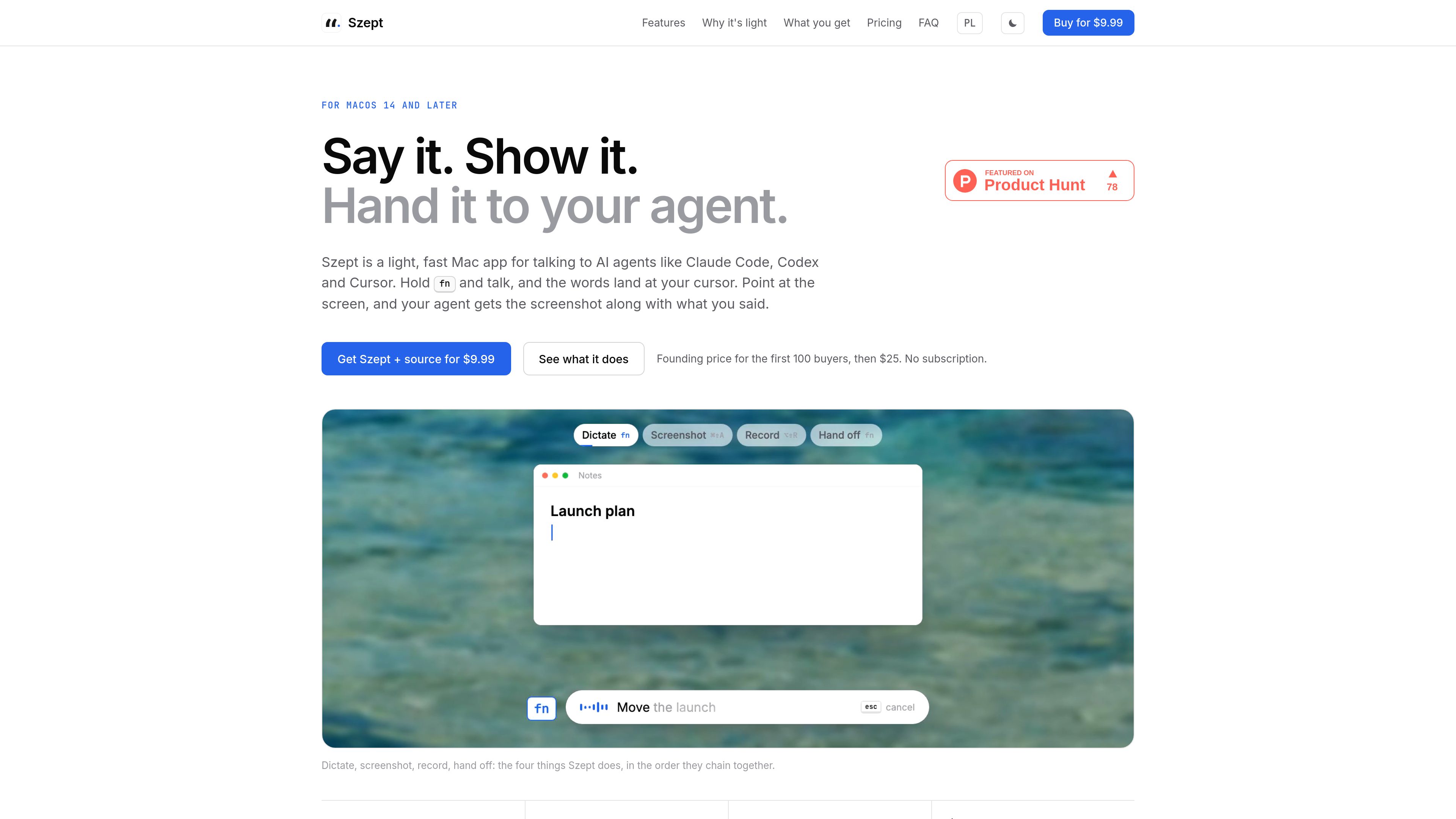
Dictation at the cursor
Hold fn and speak, then release it to type the recognized text in the active application. Press Esc to discard a dictation.

Szept is a lightweight macOS app for dictation, AI-assisted text cleanup, screenshots, and screen recording in workflows with AI agents such as Claude Code, Codex, and Cursor. It sends spoken instructions and captured media to the app currently in use.
Szept is a lightweight macOS app for dictation, AI text cleanup, screenshots, and screen recording, designed for sending richer instructions to AI agents. Hold fn to place spoken text at the cursor in any app, or capture a screen region and pair it with a spoken instruction before pasting the result into an app such as Claude Code, Cursor, Codex, or a chat.
Its workflow combines four steps: dictate, clean up the wording when needed, capture or record visual context, and hand off the text or media. Szept also keeps dictation, screenshots, and recordings in a local searchable history. It supports 60+ languages and mixed-language speech, while speech recognition is performed through the user’s Soniox key rather than a model stored on the Mac.
Hold fn and speak, then release it to type the recognized text in the active application. Press Esc to discard a dictation.
A Command-Shift-Fn shortcut removes filler, repetitions, and false starts, and adjusts punctuation while preserving the speaker’s wording. Formatting can adapt to the destination, such as paragraphs for email, one-line text for Slack, or literal commands for a terminal.
Use Command-Shift-A to freeze the screen, select a window or region, and annotate, blur, pin, extract text, read QR codes, translate, or create a scroll capture.
Use Option-Shift-R to record a region or the full screen with system audio and microphone input. Recordings can include a camera bubble and click effects, be trimmed, and be saved as MP4 or GIF.
With a screenshot or recording available, hold fn and describe the requested change. Szept pastes the spoken instruction and file into the originating app; the user presses Return to submit it.
Dictations are kept on the Mac and searchable across languages, including searches that omit diacritics. Screenshots and recordings appear in a shared timeline, and users can add names or jargon to a dictionary.
Capture the affected window or region, then dictate a precise explanation. Szept places the image and instruction into a coding tool such as Claude Code or Cursor so the user can review and submit the request.
Dictate a message once and use AI cleanup when appropriate. The site demonstrates destination-aware formatting for email, Slack, and terminal input rather than applying one format everywhere.
Record a screen region or full display with system audio and microphone input, optionally adding a camera bubble and click effects, then save the result as MP4 or GIF.
Search local dictation history in the language used, select an earlier entry, and copy it back into the current application. Media remains available in the same timeline and a separate Media view.
The site lists macOS 14 and later. No Windows or Linux version is identified in the available product information.
Speech recognition runs in the cloud on the user’s Soniox key. Szept does not include Whisper or another speech model on the Mac, and the site states that it adds no charge on top of the speech API cost.
The site names Claude Code, Codex, and Cursor, and also describes handing text or media to a chat. It does not publish a complete compatibility list.
Yes. Screenshots can be selected, annotated, blurred, pinned, converted to text, scanned for QR codes, translated, or scrolled. Screen recordings can include system audio, microphone input, a camera bubble, click effects, and trimming before saving as MP4 or GIF.
The site says a purchase includes a signed and notarized DMG, the complete Swift project in a private GitHub repository, tests and build scripts, an agent-oriented context kit, and releases for twelve months. The stated price is a founding price for the first 100 buyers, followed by a higher one-time price; the available pricing page itself is not a working pricing page.

dicta.to
Offline dictation for Mac that turns speech into formatted text at your cursor.
www.voiskey.ai
Voiskey is an AI voice-typing tool that turns natural speech into polished text for messages, emails, notes, documents, and AI prompts. It is available on macOS, Windows, iOS, and Android for people who want to draft by speaking instead of typing.

myhandler.ai
Ghostwriter is a Windows desktop drafting tool that reads the context around your cursor and proposes what to write next in your voice. It helps professionals compose replies, continuations, form answers, and other text without writing a prompt.