
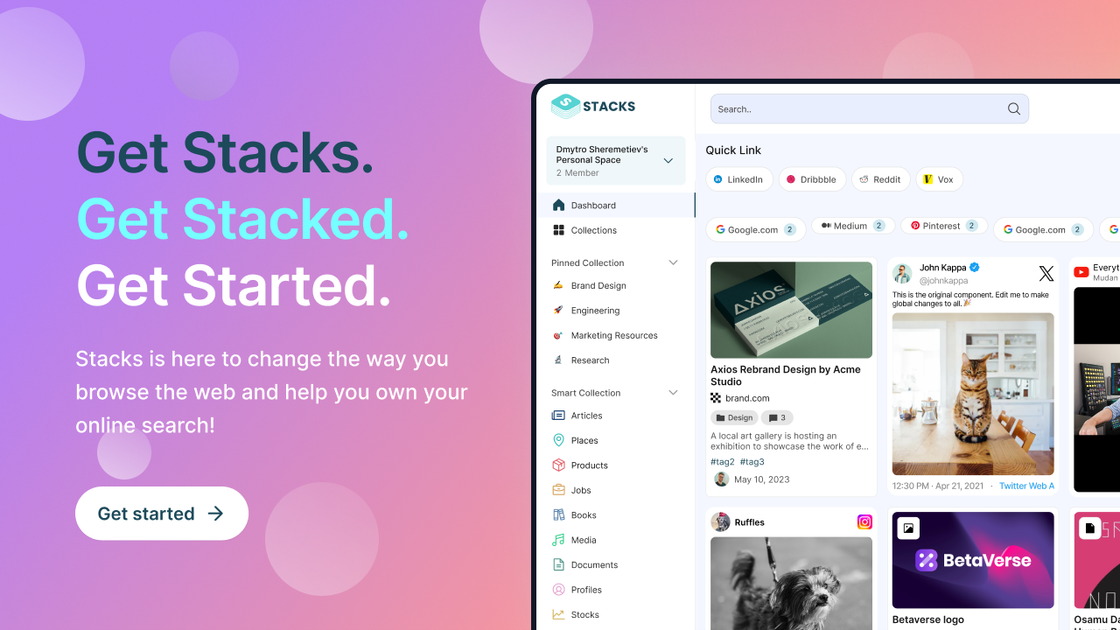
Content capture and organization
Save links, notes, bookmarks, and files in workspaces with collections and tags. Add context to explain why a resource matters, rather than keeping only its URL.

An AI workspace for individuals and teams to save, search, and share digital knowledge.
Stacks is a knowledge and content workspace that brings saved bookmarks, notes, links, and files into one place. AI search helps retrieve material using everyday questions, while a browser copilot summarizes pages and connects new material with saved resources and prior interactions.
Individuals can maintain personal workspaces, teams can use shared spaces, and creators can publish curated collections. Choose public or private collection visibility and review workspace access before sharing. Search works across the material you save and the shared resources available to you.
Save links, notes, bookmarks, and files in workspaces with collections and tags. Add context to explain why a resource matters, rather than keeping only its URL.
Search saved bookmarks, notes, files, and resources available to you using everyday questions. Search examines document content as well as titles and metadata and can surface related saved items.
Ask questions about supported webpages, request explanations, and generate summaries of articles, papers, or documents in the browser. Check important answers against the original material.
Use saved content and previous copilot interactions to connect material across websites. Review what content and context you want to retain rather than assuming every page or file should become part of a shared knowledge base.
Collaborate in shared workspaces and share pages with annotations and highlights. The Collaborative plan includes roles and permissions for managing access.
Share curated collections with an audience. The Creative plan includes unlimited public collections, premium collections, a branded search experience, and performance analytics.
Summarize papers, clarify unfamiliar concepts, and generate study questions while connecting readings to saved research. Return to the original paper to verify key findings and citations.
Extract specifications and recurring issues from customer reviews, then save candidate products with notes for comparison across several websites.
Collect competitor research, industry articles, and working documents in shared workspaces so colleagues can find reference material and discuss it in context.
Gather resources around a specialist topic and publish selected collections for an audience, using the Creative plan's branding and analytics tools.
Use the web workspace and its browser extension, which has a Chrome installation option. Begin with saving and searching your own material, then choose the appropriate plan for personal, shared, or published collections.
Published options are Be Productive at $9 per month or $89 per year, Be Collaborative at $29 per month or $199 per year, and Be Creative at $39 per month or $349 per year. Compare a monthly price with the listed total annual price when choosing a billing option.
Be Productive includes 50GB of storage and personal workspaces. Be Collaborative and Be Creative each list 500GB and shared workspaces. The collaborative offering includes roles and permissions; the creative offering adds collection-publishing and branding features.
Choose public or private collection visibility and review roles and permissions in shared workspaces. Before sharing with a team, check who has access and decide which material you are comfortable saving or using as AI context.
トラフィックデータは参考情報としてご利用ください。

iki.ai
An AI-powered knowledge workspace for professionals and teams to collect, search, and work with research.

notion.com
An AI workspace for organizing knowledge, managing projects, and automating team work.

helpjuice.com
Build a searchable knowledge base for customer support, SOPs and employee onboarding. Helpjuice combines article editing, access controls and analytics, with AI writing, search and chat included in its AI-Knowledge Base plans.

document360.com
Document360 helps teams draft, review and publish knowledge-base articles, with file/video AI drafts, approval workflows and cited answer search.

useopyt.com
Opyt turns the bookmarks, follows, likes, and subscriptions you already make into a growing knowledge base for your AI client. It serves that source material through MCP so clients such as Claude, Cursor, Codex, and Windsurf can search, read, and analyze it.