
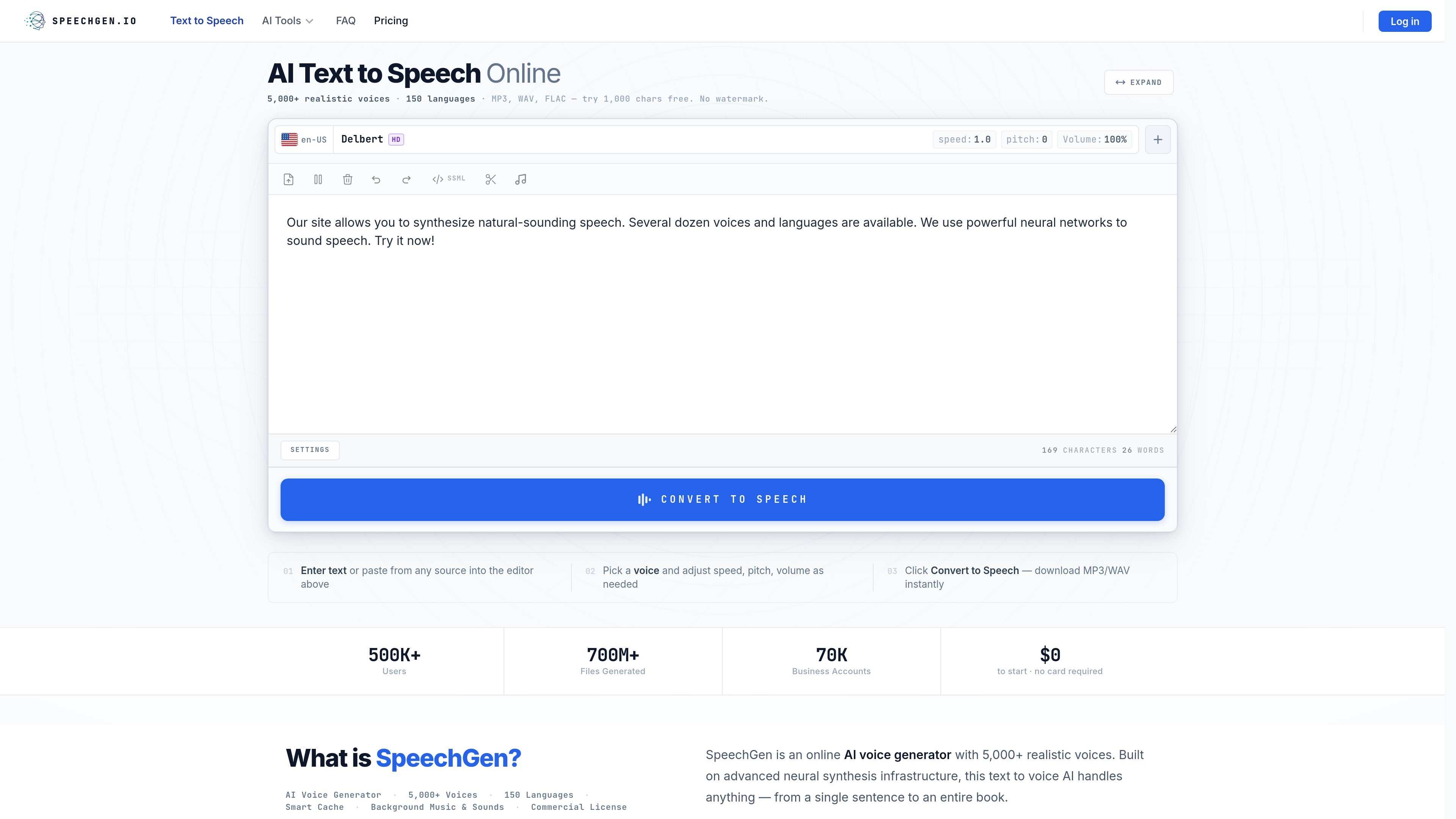
Voice and language selection
Choose from more than 5,000 voices across 150 languages, with Standard, HD, and PRO quality tiers and regional variants.

Browser-based text-to-speech and transcription for creators, educators, and teams.
SpeechGen is a browser-based AI text-to-speech service for turning typed or uploaded text into downloadable audio. Users choose among voices and languages, adjust delivery settings, and export a finished narration. The editor supports long scripts as well as short passages, with controls for speech timing, pronunciation, and mixing background audio. It also includes audio-to-text transcription, so the same credit balance can be used for speech generation or transcription.
Choose from more than 5,000 voices across 150 languages, with Standard, HD, and PRO quality tiers and regional variants.
Adjust speed, pitch, volume, pauses, emphasis, and pronunciation. Download audio in formats including MP3, WAV, OGG, and FLAC.
Paste scripts up to 1,000,000 characters or upload DOCX, PDF, and SRT files. Text-based PDFs can be converted; scanned documents need OCR first.
Assign different voices to paragraphs using speaker tags, or insert <cut> on its own line to export separate audio segments.
Add background music from the built-in library or upload a track, then mix it with narration in the editor.
Use credits for audio-to-text transcription, with speaker diarization, word-level timestamps, subtitle export, bulk export, and API access listed among included capabilities.
Create voiceover audio for explainers, product launches, and other video scripts, with control over voice and pace.
Produce narrated lessons or language drills, including scripts that switch between speakers or languages.
Generate recorded business prompts and update them as service information changes.
Convert text-based PDFs or long scripts into audio for listening away from a screen; segmented output can separate chapters or sections.
Create spoken versions in multiple languages and use transcription tools to generate timed subtitles from audio.
The home page offers the first 1,000 characters without an account. The PDF conversion page lists 3,000 characters for its no-sign-up allowance.
The site lists MP3, WAV, OGG, and FLAC among its audio exports. The editor also offers additional formats, including OPUS, M4A, and WebM OPUS.
PDF conversion supports text-based PDFs. Scanned files need to be processed with OCR before upload.
Credits are charged by character, with different rates by voice tier: Standard uses one credit per two characters, PRO one per character, and HD two per character. Purchased credits are valid for up to one year; topping up resets the expiry period.
Yes. The pricing page describes one shared credit balance for text-to-speech and audio-to-text transcription.
トラフィックデータは参考情報としてご利用ください。

cloudtts.com
Free browser based text to speech with natural voices, 140 languages, and spoken word highlighting.

text-speech.net
Text-speech.netは、入力または貼り付けたテキストを音声に変換する無料のブラウザ音声合成ツールです。速度・言語・声の性別を調整でき、登録不要で使えます。

speechki.org
AI text-to-speech software for creating realistic voiceovers and audio content in 80+ languages.

audio-bot.com
Spanish-focused AI text-to-speech with regional voices and MP3 downloads.

generadordevoz.com
Choose a language and voice, turn short text into speech, and download an MP3.