

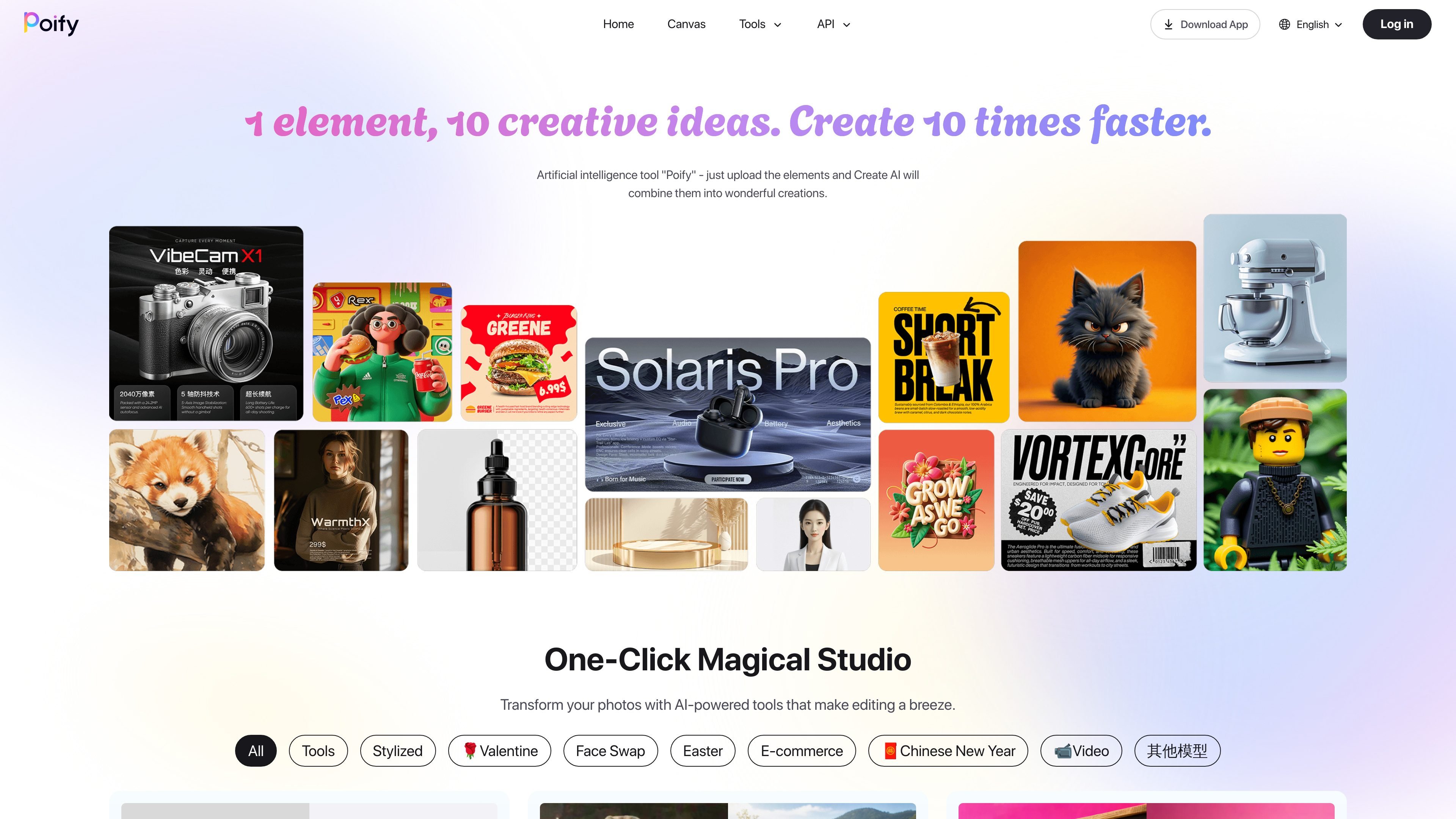
One input, multiple creative outputs
The homepage positions Poify as a one-click studio where users upload an element and the system combines it into multiple creative outputs. This supports fast variation generation from a single source asset.
Poify is an AI-powered creative studio for generating and editing visuals from a single uploaded element. The site tagline says, “1 element, 10 creative ideas. Create 10 times faster,” and the homepage describes it as an artificial intelligence tool that combines uploaded elements into multiple creative outputs.
The product centers on quick image transformation and content generation. The collected pages show tools for background removal, portrait retouching, face swap, style transfer, text-to-image generation, image-to-video conversion, and e-commerce image workflows such as product background changes and virtual try-on.
In practice, Poify appears designed for users who want fast visual variations without building a manual editing workflow from scratch. The homepage and playground pages present the tools as ready-made actions: upload an image, choose a mode, and generate a result.
The available evidence also suggests a broad gallery of use cases, from stylized portraits and seasonal avatars to product imagery and fashion try-on. However, the collected sources do not confirm pricing, integrations, or detailed account-plan structure because the pricing page is unavailable.
The homepage positions Poify as a one-click studio where users upload an element and the system combines it into multiple creative outputs. This supports fast variation generation from a single source asset.
The site lists dedicated tools for background removal, portrait retouching, hair color changes, and high-definition enlargement. These tools focus on common image-editing tasks rather than a single generic generator.
Playground pages show image-generation and image-to-image models, including Chinese-language image generation and FLUX-based image workflows. That indicates the product supports both text-driven and image-driven creation paths.
The tool gallery includes style presets such as Pixar style, Ghibli style, watercolor, retro comic, pixel style, and New Year avatars. These presets are aimed at fast stylistic transformation of existing photos.
E-commerce-oriented tools include product background change, studio-style product shooting, virtual garment fitting, and virtual shoe try-on. These tools point to product presentation and try-on use cases for commerce content.
The site navigation includes Home, Canvas, Tools, API, Download App, and Playground. This suggests the product is organized as a browser-based suite with a separate app and a developer-facing entry point, though the sources do not document those areas in detail.
Use Poify to create several visual concepts from one source image, especially when you want quick variation rather than a manual edit-by-edit workflow.
Use the photo-editing tools to remove backgrounds, retouch portraits, enlarge images, or change hair color in a few steps.
Use the style presets to transform portraits or photos into formats such as Pixar-style artwork, Ghibli-style visuals, watercolor, retro comic, or pixel art.
Use the e-commerce tools to prepare product imagery, switch backgrounds, or explore virtual garment and shoe try-on workflows.
Use the playground tools to experiment with image generation, image-to-image, or image-to-video outputs for creative testing.
Poify presents itself as a one-click creative studio for uploading an element and generating multiple AI-driven visual variations. The homepage highlights image editing, style transfer, background changes, retouching, face swap, and video-related workflows.
The homepage and playground pages show browser-based tools such as background removal, AI virtual shoe try-on, and image-to-video workflows. A separate app download link is listed in the site navigation, but the collected sources do not provide deeper installation details.
The site surfaces many individual tools in a gallery and playground format, including background remover, product background change, portrait retouching, face swap, and several stylized generators. That suggests users can start from a tool, upload an input, and generate a result without building a workflow from scratch.
The collected pricing page is unavailable and returns a page-not-found error, so no plan names, limits, or price points can be confirmed from the provided evidence.
The sources do not describe API documentation, third-party integrations, or enterprise deployment options. The navigation includes an API link, but the collected text does not show supported integrations or endpoints.
トラフィックデータは参考情報としてご利用ください。

pixmagic.app
ブラウザで使えるAIスタジオ。画像生成・編集・高解像度化・背景除去・画像から動画・音声合成に対応し、都度購入クレジットと10クレジットの試用枠を提供。

blackforestlabs.ai
APIアクセスとオープンウェイトライセンスを備えたFLUX画像生成モデルで、制御可能な作成・編集・セルフホスティングを実現。

jimeng.jianying.com
即梦AIは、テキスト・画像生成やインテリジェントキャンバスに対応し、視覚コンテンツの制作を支援するオールインワンAI創作プラットフォームです。

deepdreamgenerator.com
テキストプロンプトからの画像生成や写真の編集・アート変換、画像を使った動画生成に対応。多彩なモデルで作品を作り、公開ギャラリーから他のクリエイターの設定も参考にできます。

deepai.org
DeepAIは、画像作成、写真編集、チャット、動画・音楽生成、画像APIに対応するブラウザベースのAIプラットフォームです。無料で試せるほか、有料のProプランと、一般的な画像ワークフロー向けの開発者用エンドポイントを提供しています。

dreamega.ai
Dreamegaは、画像・動画・音楽の生成と変換を一つの画面で行えるオンラインAIクリエーションプラットフォームです。テキストや画像、動画を使った多様な制作ワークフローに対応しています。