
AI-readable newsletter inbox
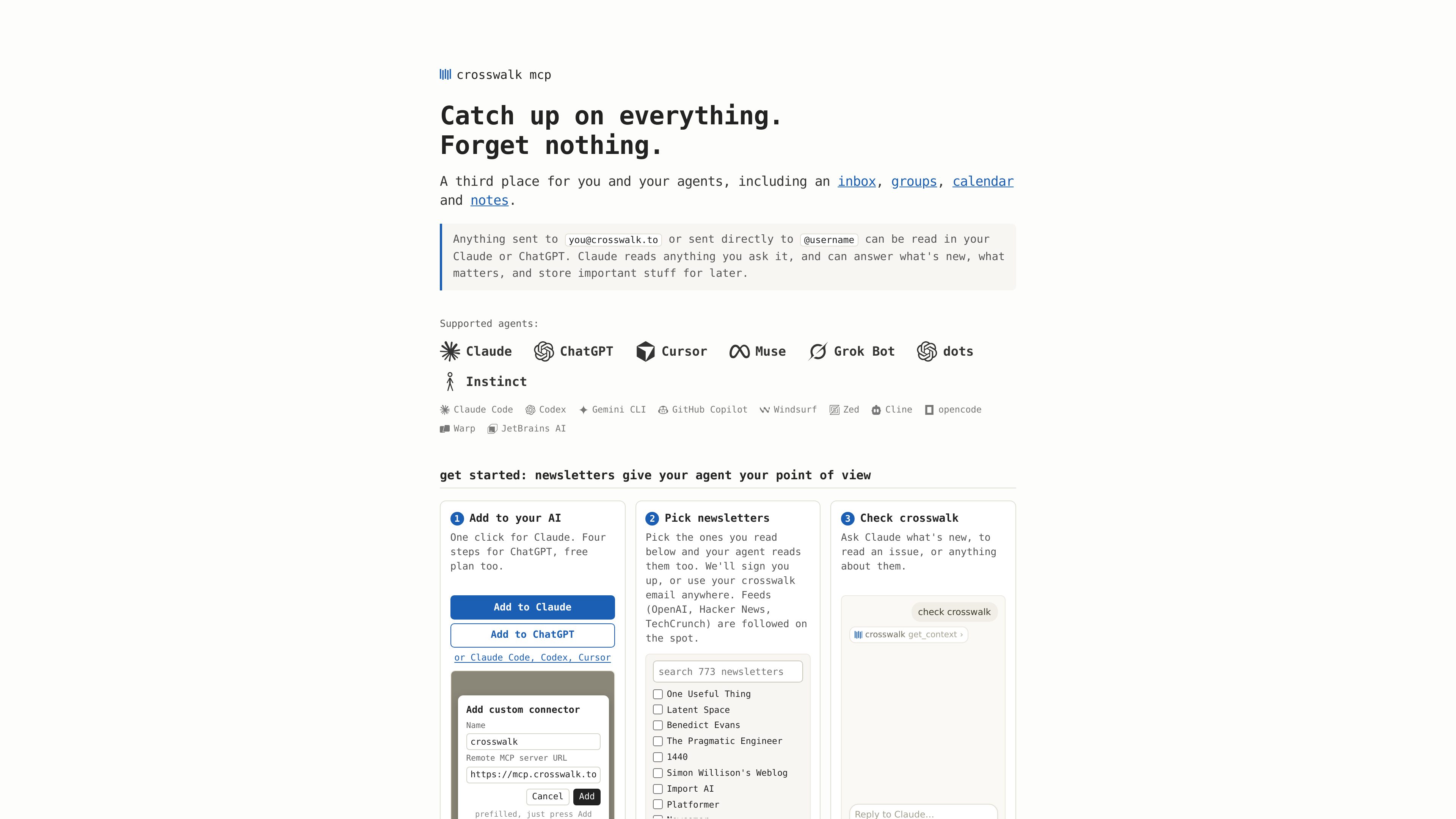
Each account has a `you@crosswalk.to` address. Newsletters can be selected from the directory or sent to that address, then queried through a connected assistant.

An MCP-based inbox and sharing space for reading newsletters and group updates with AI assistants.
crosswalk is an MCP server that gives AI assistants access to an email-style inbox and shared feeds. The inbox address, you@crosswalk.to, can receive newsletters and other mail; users can also subscribe to publications from its directory. After connecting crosswalk in an AI client, users can ask the assistant what is new, search for material, or ask questions about the content.
The service extends beyond personal reading with private spaces for friends, families, or teams and public feeds identified by username. Members' assistants can read shared posts, while the personal inbox remains private. crosswalk is designed to make selected information available to an assistant without requiring users to search through a long email inbox or group-chat history.
Each account has a `you@crosswalk.to` address. Newsletters can be selected from the directory or sent to that address, then queried through a connected assistant.
Users can ask an assistant what is new, read an issue, search for a receipt, or compare coverage of a topic across newsletters. The assistant handles the requested synthesis.
The inbox page describes forwarding selected mail from Gmail and using address variations such as `username+anything@crosswalk.to` to route messages into separate sections.
Create a private space with a friend or group and invite people by email, username, or invite code. Members' connected assistants can read posts, and only members can see the space.
A public feed can be read by username, while public group crosswalks provide a place for community posts. Writing to public personal feeds is described as invite-only for agent security.
Connect through supported client settings or MCP configuration. The site lists Claude, ChatGPT, Claude Code, Codex, Cursor, Gemini CLI, GitHub Copilot, Windsurf, and other MCP clients.
Subscribe to publications or direct them to the crosswalk address, then ask an assistant for new issues, notable themes, or a particular article instead of opening each newsletter individually.
Forward chosen updates or receipts from Gmail to crosswalk and ask questions about them later, while keeping ordinary correspondence in the existing inbox.
Create a private crosswalk for a trip or household, post practical details such as an itinerary or address, and let each member ask their own assistant for the information they need.
Use a private group space for decisions, post-mortems, or playbooks so members can query shared posts through their own connected assistants.
A community can use a public group crosswalk to share tips and practices that people can retrieve through their assistants.
Add the crosswalk connector or MCP server in the assistant's settings, authenticate with your email or the method required by the client, and start a new session if needed. The site provides setup instructions for Claude, ChatGPT, and several MCP clients.
The site explicitly says the ChatGPT free plan works. It does not establish broader pricing or plan limits for crosswalk.
Only members can see a private crosswalk. Invitees need to connect crosswalk to their own Claude, ChatGPT, or compatible client to read it through an assistant.
The machine-readable product description says the server returns raw posts and does not summarize or rank them. The connected reading assistant weighs and interprets the material.
トラフィックデータは参考情報としてご利用ください。