

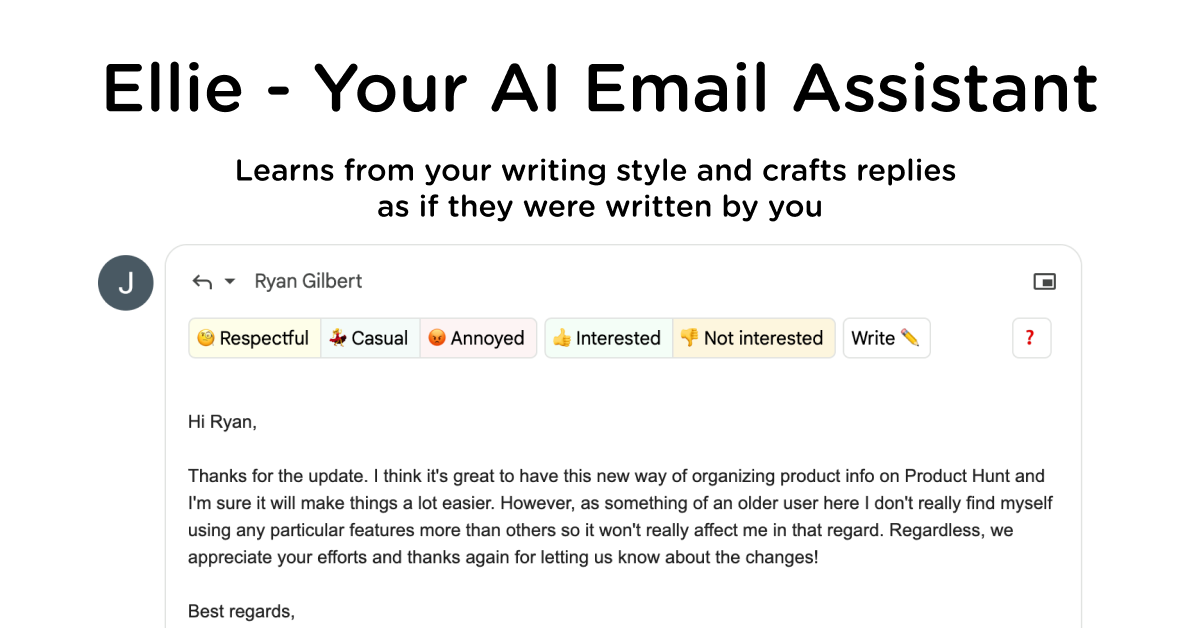
Automatic email drafts
Connect a Gmail, Google Workspace, Outlook, or Microsoft 365 mailbox and Ellie can draft replies in the background for messages that need a response.
Ellie is an AI email assistant for Gmail and Outlook. It reads relevant email threads and drafts replies in the connected inbox, using patterns from your sent mail to match your tone, sign-offs, and writing habits. Business and Professional plans can create drafts in the background, while the browser extension and native Outlook desktop add-in support on-demand replies. Ellie leaves messages for review in the existing Drafts folder, so you retain control over what is sent.
Connect a Gmail, Google Workspace, Outlook, or Microsoft 365 mailbox and Ellie can draft replies in the background for messages that need a response.
Ellie analyzes sent mail to reflect your tone, openings, sign-offs, and other writing patterns rather than applying a fixed template.
Use the browser extension in Gmail, Outlook on the web, or Fastmail to generate a reply when you choose, or use the native Outlook desktop add-in.
Define email categories in plain language to control which messages receive drafts, become tasks, or are left alone. Categories can use different roles and tones.
Add custom information through supported documents or a website URL. Business and Professional plans provide more extensive customization for team knowledge and reply rules.
Ellie places generated responses in the relevant draft thread and does not send an email without the user checking it first.
Professionals can connect a supported mailbox and start the day with replies already drafted for threads that need attention, then review and send them from the normal inbox.
Use a dedicated category and role for warm sales enquiries, partnership conversations, or other relationship-driven messages so drafts follow the intended voice.
Teams can provide help documentation and assign a support-oriented role so Ellie can use approved product information when preparing customer replies.
Route billing, renewal, or payment-related messages to a category with a concise finance voice; action categories can also create inbox tasks.
No. Ellie creates drafts, and you review each response before sending it.
Ellie supports Gmail or Google Workspace and Outlook or Microsoft 365. Its on-demand browser extension also works with Fastmail, and a native Outlook desktop add-in is available.
No. Ellie is designed to write replies to existing emails, not unsolicited cold emails.
Business and Professional plans support background auto-drafts in the Drafts folder. Casual is manual mode, using the browser extension to generate replies on demand.
Yes. Roles can define separate personas, knowledge bases, and tones for different kinds of email. Business and Professional plans support advanced knowledge base training using documents or a website URL.
トラフィックデータは参考情報としてご利用ください。

upstream.do
An AI-powered Gmail inbox for organizing email, drafting replies, and coordinating team workflows.

mailmeteor.com
Mailmeteor is an email outreach and campaign platform for sending personalized messages from Gmail, Outlook, Google Sheets, Excel, or Google Docs. It also provides tracking, follow-ups, automation, and inbox assistance for supported workflows.

fyxer.ai
Fyxerは、受信トレイの整理、あなたらしい返信の下書き、会議メモの記録ができるメールアシスタントです。GmailとOutlookに対応し、7日間の無料トライアルを提供します。

serif.ai
SerifはGmailとOutlook向けのAIメールアシスタントです。返信作成や受信メールの振り分け、日常的な受信トレイ業務を自動化し、チームや個人のメール管理を効率化します。

enginemail.io
Engine Mailは、複数の受信トレイを統合し、AIによる文章作成支援、トラッカーのブロック、フィッシング検出、受信トレイの自動化を提供するmacOSネイティブのメールアプリです。Gmail、Outlook、iCloud Mail、Yahoo Mail、Zoho、Exchange、IMAP/SMTPアカウントに対応します。

usechalked.com
Chalked is a Mac reply assistant that reads the conversation you are in and prepares context-grounded responses for Gmail, LinkedIn, and, on macOS 26, Messages. It uses calendar and working context when relevant, while leaving review, editing, and sending to you.