
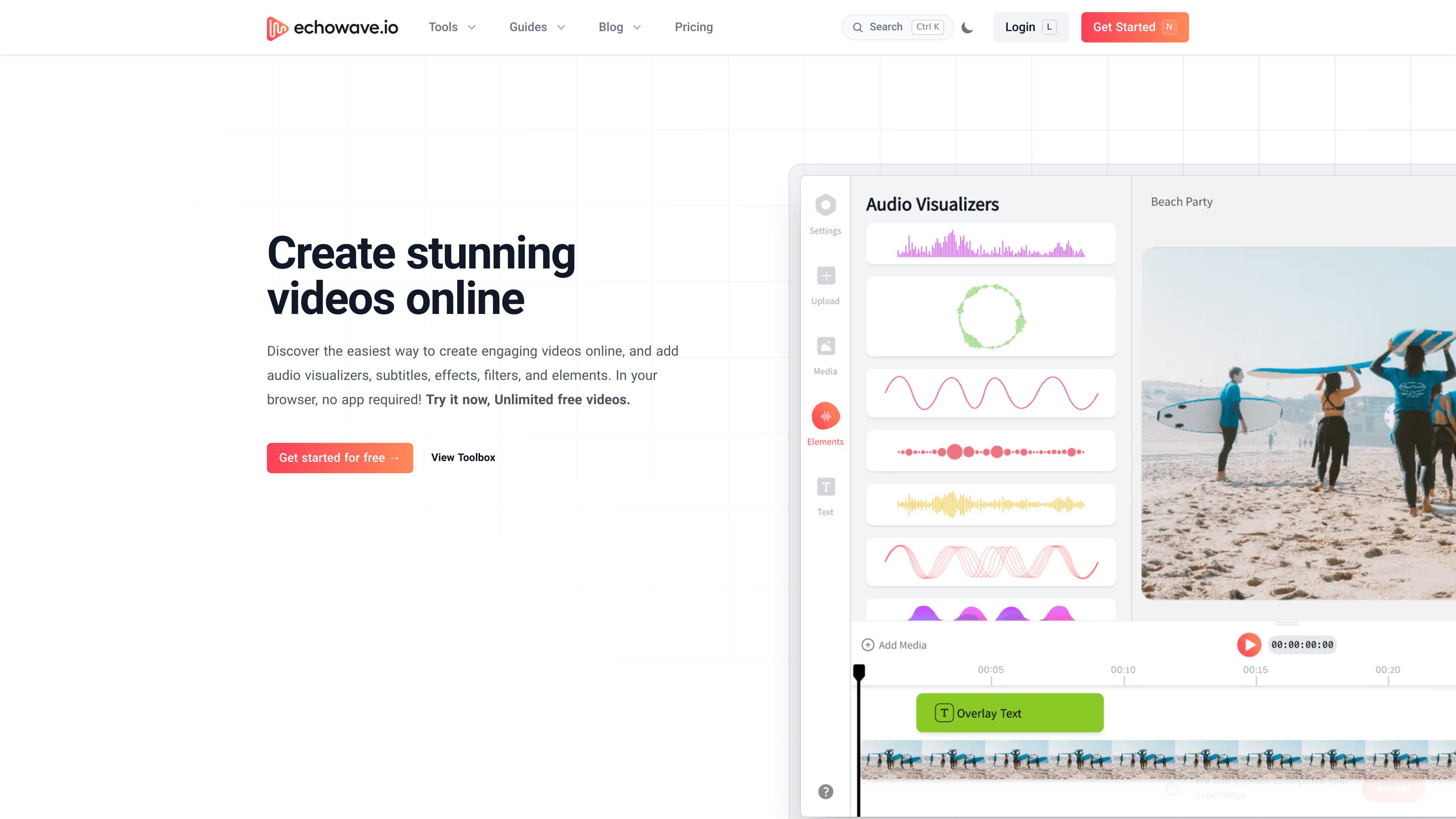
Multitrack editing and motion controls
Arrange media on a timeline, apply transitions and effects, and use keyframes for animation. Shapes, blend modes, and alpha and luma masks provide additional compositing controls.

A browser-based video and audio editor for creators making captioned clips, visualizers, and social videos.
EchoWave is a browser-based video and audio editor for building projects on a multitrack timeline. Combine uploaded media, stock assets, clipboard content, or recordings with styled captions, AI voiceovers, audio visualizers, and motion controls. Separate standalone tools handle quick edits and conversions; their export conditions can differ from the full editor.
Open the browser editor to start without installing software or creating an account. Finished projects render on EchoWave’s cloud servers, so browser editing does not mean local-only processing. The free plan provides a useful editor with limited export resolution and a badge; paid tiers add export power, AI and team entitlements. Review generated captions, translations, and voice permissions before publishing.
Arrange media on a timeline, apply transitions and effects, and use keyframes for animation. Shapes, blend modes, and alpha and luma masks provide additional compositing controls.
Generate and edit a transcript, apply caption styles and animations, and translate subtitles into supported languages. Pro includes AI subtitles in 86 languages, with Business inheriting Pro; review transcription and translation before relying on them.
Turn a script into voice clips on the timeline, using the available voice selection or voice cloning. Pro and Business include AI voiceovers and cloning. Use voices, recordings, and media for which you have the required permissions.
Pair audio with reactive visualizers, progress bars, shapes, or animations. Adjust motion with keyframes and inspect the live preview while building the project.
Record screen, camera, or microphone input into a project, or add uploaded and stock media. Export formats include MP4, WebM, MOV, GIF, and audio formats; resolution and frame-rate limits depend on the plan.
Import an episode, select short segments, add captions or a waveform visualizer, and export clips for channels where audio alone is less suited.
Pair a track with reactive visualizers, cover imagery, or lyrics to create a shareable visual version of an audio release.
Transcribe a video, edit its caption text and timing, and translate it for supported audiences. Download SRT or VTT, or bake captions into the video. Review names, terminology, and timing; generated captions alone do not establish accessibility compliance.
Reuse a template with text and media placeholders, then generate variations with CSV batch rendering or supported REST API and MCP workflows. Confirm setup, plan limits, and fair-use conditions before automating high-volume publishing.
Yes. The browser editor can be opened without installation or an account to begin editing. Native Mac and Windows apps are also offered. Projects render in the cloud when you export, rather than entirely on your local device.
The free editor exports up to 720p with a small EchoWave badge and permits videos up to 60 minutes. Most standalone free tools export clean files. Download completed work promptly: the free plan lists 24-hour generated-video storage; this is not a long-term archive.
Pro includes AI subtitles in 86 languages, AI voiceovers, and voice cloning; Business includes Pro’s features. Check the selected plan and current usage conditions before choosing an AI workflow. Features and rendering are subject to fair use, so unlimited marketing does not mean unrestricted automation.
Yes. Modern smartphones and tablets support viewing, sharing, and basic editing. Desktop use provides the complete toolkit; choose it for work that needs the full controls rather than assuming identical mobile features.
No. The pricing table distinguishes monthly billing from lower monthly-equivalent prices billed annually. Plans are priced per editor seat, and inviting editors can affect billing. Review the selected checkout’s billing period and seat count rather than treating the annual equivalent as a monthly subscription.
トラフィックデータは参考情報としてご利用ください。

audioaidynamics.com
Browser-based music analysis and audio tools for musicians, producers, DJs, and researchers.

www.flexchords.com
AI-assisted guitar chord, key, and tempo detection for YouTube videos and audio tracks.

chordidentifier.com
Browser-based chord recognition for guitarists, pianists, and learners working from audio.