
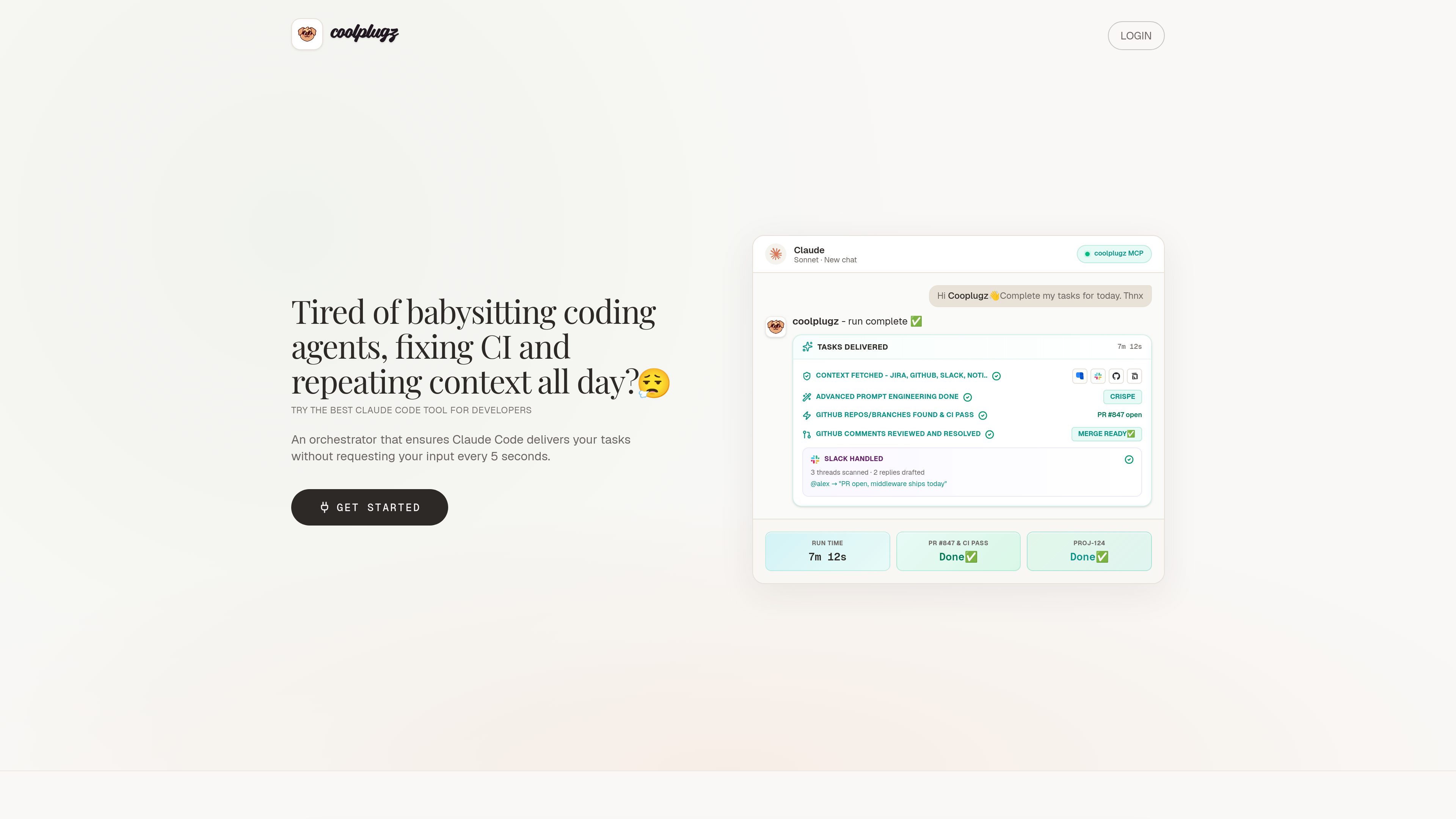
Context gathering from work tools
CoolPlugz pulls context from Jira, GitHub, Slack, and Notion so Claude Code can work with project details already in view.

CoolPlugzはClaude Code向けのオーケストレーションレイヤーです。コンテキストを集約し、構造化されたワークフローを実行して、継続的な監督を減らしながらコーディングタスクの遂行を支援します。Jira、GitHub、Slack、Notion、CI間のコンテキスト切り替えを減らしたい開発者に適しています。
CoolPlugz is an orchestration layer built to guide Claude Code through coding tasks with less manual supervision. Its core job is to gather project context, structure the work, and keep execution tied to source systems such as Jira, GitHub, Slack, Notion, and CI.
The product is framed around reducing context switching and AI fatigue for developers. Rather than acting as a generic chat interface, it organizes a task loop that can fetch context, drive implementation, verify results, and present completed work for approval or redo.
CoolPlugz pulls context from Jira, GitHub, Slack, and Notion so Claude Code can work with project details already in view.
The product guides work through an agentic loop of gathering context, taking action, and verifying output instead of leaving each step to manual prompting.
The site shows workflows that include branch finding, CI fixes, review comments, and a ready-to-merge handoff.
Deliverables are presented in Claude for actions such as Approve & submit or Reject & redo, so the user can review work before it is posted or merged.
The Pro plan describes persistent orchestration across tasks and projects, along with the ability to customize the orchestrator with your own instructions.
The troubleshooting guide documents alternatives for Slack API blocks and GitHub SSO or PAT issues, including a browser-based workflow when Slack access is restricted.
Use CoolPlugz when you want Claude Code to keep moving through a task without constant back-and-forth prompts.
It is positioned for branch discovery, CI troubleshooting, and resolving review comments before a pull request is ready to merge.
The product gathers context from multiple systems so developers do not have to move between chat, issue trackers, code review, and CI logs themselves.
The site includes Slack-related workflows and guidance for drafting replies, which fits teams that need asynchronous coordination around development work.
The guides cover Slack API blocks and GitHub SSO/PAT access, which makes the product relevant to teams with stricter company permissions.
It orchestrates Claude Code around coding tasks by gathering context, structuring the workflow, and helping verify work before submission.
The site names Jira, GitHub, Slack, and Notion, along with CI-related workflows.
Yes. The pricing page lists a 7-day free trial with no card required.
The pricing page shows Free Trial, Pro, and Enterprise options, with Enterprise handled through sales contact.
The troubleshooting guide describes fallback approaches for Slack API blocks and GitHub SSO or PAT requirements, including a browser-based Slack workflow and PAT-based GitHub access when needed.
トラフィックデータは参考情報としてご利用ください。

oomol.com
OOMOLはGmail、GitHub、NotionをAIエージェントに接続し、Codex、Claude Code、Cursorで認証済みツールを再利用できます。無料・有料・従量課金に対応。

www.agentconnect.md
AgentConnectを使えば、Claude Code、Codex、Gemini CLIなどのACPエージェントをSlack、Telegram、Discord、GitHubに連携し、チームが普段から協業に使うチャンネルで仕事を任せられます。オープンソースでセルフホストに対応し、エージェントのワークフロー向けにロール、ツール、メモリ、設定可能なトリガーを備えています。

trytrellis.app
TrellisはClaude CodeとCursor向けのAIフレームワーク兼ツールキット。ドキュメントとGitHubも提供。

conductor.build
Conductorは、Claude Code、Codex、Cursorエージェントを分離されたワークスペースで並列実行できるMacアプリです。タスクの委任、差分の確認、ローカルでのマージを効率化します。

happycapy.ai
ブラウザ上でClaude Codeの実行、スキル管理、タスク委任ができる安全なエージェント基盤。

supalaunch.com
Claude Code向けの本番対応セットアップ。再利用可能な指示、MCP設定、フック、ワークフローテンプレートをCLI、VS Code、JetBrainsで利用できます。