Suno icon

Suno

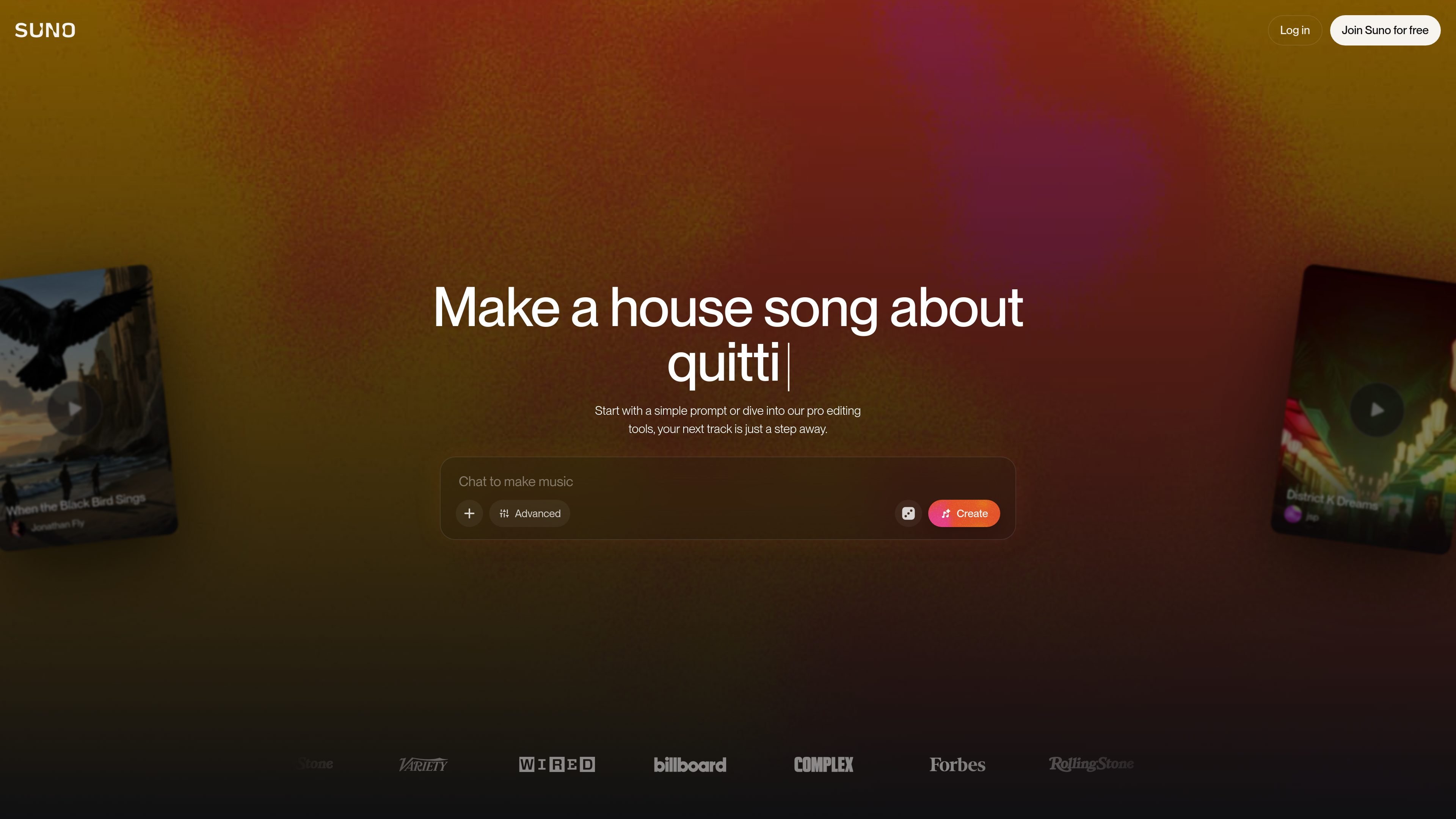
Suno is an AI music generator for creating original songs in the browser from prompts, lyrics, or uploaded audio. Free and paid plans add different creation, editing, and commercial-use capabilities.

Suno

Overview

Suno is an AI music generator and browser-based music creation platform. It lets users create original songs from a prompt, or work from their own lyrics and audio, then refine the result with editing tools.

The site presents Suno as a tool for both first-time creators and experienced musicians. Free users can make songs each day, while paid plans add commercial rights, higher monthly limits, advanced editing, stem separation, and Suno Studio for a deeper production workflow.

Features

Text-to-song generation

Generate complete songs from a text prompt, including vocals, lyrics, instrumentation, and production. The site positions Suno as a tool for creating full tracks rather than short loops.

Post-generation editing

Refine tracks after generation by regenerating, extending, or editing them. The product pages mention a Song Editor, basic editing, and advanced editing options such as replacing or adding sections.

Granular creation controls

Control the output with voices, inspiration prompts, exclusions, vocal gender, weirdness, and style sliders. The pricing page also lists personas and advanced editing on paid plans.

Audio upload and voice input

Upload or record your own audio and add new vocals or instrumentals to existing songs. Paid plans also support longer uploads, up to 30 minutes on Pro and Premier.

Stem separation and export

Separate tracks into stems and export them for use in a DAW. The site mentions stem separation, Advanced Split stem separation, and export of up to 12 time-aligned WAV stems.

Studio workflow

Use Suno Studio, the browser-based generative audio workstation, for multitrack editing and a more traditional production workflow. The Premier plan also adds MIDI export and persona voices.

Use Cases

  • Quick song ideation

    Start with a text prompt, a genre, a mood, or a few lyrics and generate a complete song quickly. This fits people who want to turn an idea into a finished track without opening a traditional DAW first.

  • Track development and remixing

    Upload or record your own audio, then rewrite lyrics, reorder sections, add vocals or instrumentals, and remix the result. This is useful when you already have a sketch and want to shape it into a fuller arrangement.

  • DAW-based production

    Export stems and move the output into Ableton, Logic, or another DAW for mixing and finishing. The site specifically positions Suno for workflows that continue outside the browser.

  • Casual creation and experimentation

    Use the free plan for up to 10 songs per day to experiment with ideas, share tracks, and explore different styles without committing to a subscription.

  • Commercial and pro workflows

    Upgrade to a paid plan when you need commercial use rights, higher monthly creation limits, longer uploads, or Suno Studio for more advanced production work.

Pros and Cons

Pros

  • Creates complete songs, including vocals and production, from a simple prompt.
  • Offers both quick generation and more detailed editing controls for refinement.
  • Includes a free plan with daily song creation.
  • Supports audio uploads, stem separation, and export for DAW-based workflows.
  • Paid plans add commercial rights for songs made under the subscription.

Cons

  • The free plan does not include commercial use rights.
  • Higher-tier features such as Suno Studio, MIDI export, and some editing tools are reserved for paid plans.
  • Audio upload limits differ by plan, and the free plan is limited to shorter uploads.

FAQ

How do you make a song in Suno?

Suno lets you create songs from a text prompt, or by starting from your own lyrics and audio. The site says you can describe the genre, mood, theme, or a song idea, then regenerate, extend, or refine the result.

Is Suno free to use?

Yes. The pricing page shows a free plan with 10 songs per day and no commercial use. Paid plans add commercial rights and more creation and editing features.

Do I need music experience to use Suno?

The site says Suno can be used by people with no music experience as well as experienced creators. It presents the product as a way to make complete songs in a browser without needing to know production tools first.

Can I use Suno songs commercially?

Yes, but only on paid plans. The pricing page says Pro and Premier include commercial use rights for new songs made, while the free plan does not.

What is Suno Studio?

The pricing page shows Suno Studio on the Premier plan, along with a multitrack editor, MIDI export, persona voices, and early access to new features. The home page also describes Suno Studio as a web-based generative audio workstation.

Quick Facts

Category
AI Music Generator
Platform
Web app
Also available on
iPhone and Android
Primary users
First-time creators, songwriters, producers, and content creators
Domain
suno.com
Pricing
Free plan plus paid Pro and Premier plans

Sunoの代替品

FreeMusic AI icon

FreeMusic AI

FreeMusic AI is a web-based AI music generator that creates royalty-free songs from prompts, lyrics, and text-to-music inputs. It also includes vocal removal, stem splitting, mastering, and music video tools for creators who need original audio for content, games, podcasts, and branded projects.

SongMuse icon

SongMuse

SongMuse is a browser-based AI music generator that turns short prompts into songs or instrumental tracks for royalty-free use under plan terms. It supports lyrics, vocals, production controls, and MP3 downloads for creators working on social content, demos, podcasts, games, and personal projects.

MakeSong icon

MakeSong

MakeSong is a web-based AI song generator that turns text prompts or lyrics into music and offers related audio and video tools. It targets creators who want quick song drafts, lyric-to-music generation, and exportable tracks for sharing or commercial use.

CAVN AI icon

CAVN AI

CAVN AIは、楽曲生成、音声クローン、音声編集、ミュージックビデオ制作を1つで行えるWebベースのAI音楽制作プラットフォーム。無料プランと商用利用対応の有料プラン、高い利用上限も用意。

Udio icon

Udio

Udioは、テキスト入力から曲を生成できるWebベースのAI音楽生成サービスです。共有や発見機能に加え、無料プランとStandard、Proの有料編集ツールを用意しています。

Magnific icon

Magnific

Magnific is an AI creative platform for generating images, video, and audio, with stock content, editing tools, and shared workflow features. Its plans range from individual use to team and enterprise subscriptions with commercial licensing, API access, and admin controls.