
Context-aware email drafts
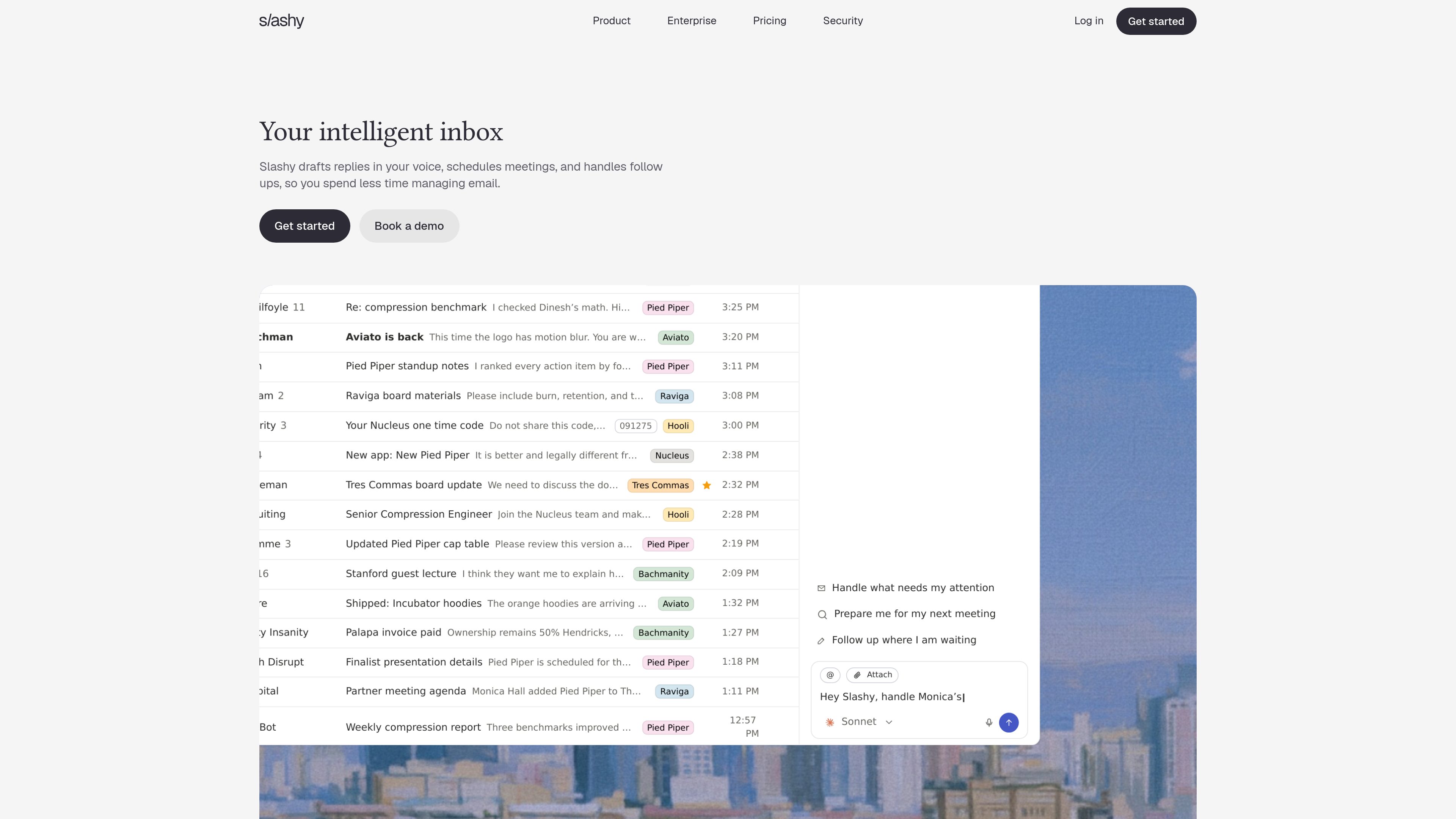
Slashy reads the full conversation and prepares a reply using the writing style it learns from the user’s email, leaving the draft ready for review.

Slashy is an intelligent inbox for drafting email replies, finding conversation context, scheduling meetings, and managing follow-ups. It is designed for individuals and teams that want to handle email work from Mac, iPhone, web, iMessage, or Slack.
Slashy is an intelligent inbox for handling email, calendar, and follow-up work through plain-language instructions. It drafts replies in the user’s voice, finds relevant threads and attachments, summarizes conversations, prepares meetings, schedules events, and keeps track of unanswered messages.
The product combines an inbox interface with an AI assistant that can act across related tasks. For example, a user can ask it to reply to a contact, confirm a meeting time, attach a file, and create a calendar hold in one request. Slashy is available on Mac, iPhone, and the web, with access through iMessage and Slack also listed on the product site.
Slashy reads the full conversation and prepares a reply using the writing style it learns from the user’s email, leaving the draft ready for review.
Users can ask for a thread, fact, or attachment without remembering the exact wording, and can summarize long conversations to surface decisions and next steps.
The inline assistant can rewrite selected text, shorten it, or change its tone. Users can also speak their thoughts into a polished draft and save frequently used replies as reusable snippets.
Slashy identifies stalled conversations, sets reminders, and prepares the next nudge. Automations can run when email arrives, before a meeting, or at a chosen time.
The assistant can create, move, or decline meetings, find times across calendars and time zones, and prepare relevant people, conversation history, and open questions before a call.
Team features include unlimited inboxes, private thread comments, SSO and SCIM on Enterprise, security review materials, guided onboarding, a dedicated account manager, and custom security and data controls.
Review complete conversation context and approve drafts instead of composing routine responses from scratch. Inline rewrites and snippets help adapt messages to the situation.
Ask Slashy to confirm a time, create or move a calendar event, and prepare the related reply in one instruction, reducing manual switching between inbox and calendar.
Use reminders and follow-up workflows to find unanswered threads, receive prompts when they go quiet, and prepare the next message when it is due.
Ask for the relevant people, prior history, decisions, and open questions before a meeting so the user can review the context without searching across multiple threads.
Organizations can use Enterprise features such as identity-provider provisioning, SSO and SCIM, security review documentation, guided onboarding, and a named account team for deployment.
Slashy provides Mac, iPhone, and web apps. The Mac app requires macOS 12 or later, and the iPhone app requires iOS 16 or later. Windows and Android are listed as coming soon, with the web app available in the meantime.
The site lists iMessage and Slack access, allowing users to ask Slashy to search, summarize, or draft from those apps. It also lists an MCP connection for Claude, Cursor, Codex, and other AI tools.
Professional is listed at $25 per user per month with annual billing or $30 per user per month with monthly billing. The plan includes seven days of full access, and a credit card is required. Enterprise pricing is custom.
Enterprise includes the Professional capabilities plus SSO and SCIM, a dedicated account manager, guided team onboarding, security review materials, and custom security and data controls. The Enterprise page also states that customer email is not used to train Slashy or third-party AI models.
トラフィックデータは参考情報としてご利用ください。

hoppycopy.co
ブランドに合わせたニュースレターやシーケンス、キャンペーンメールを作成するAIメールマーケティングプラットフォーム

humanic.ai
プロンプトで作成・最適化するAIネイティブなメールマーケティング

hirekai.ai
カレンダー、受信トレイ、会議、タスク遂行を支援するAIエグゼクティブアシスタント

slashy.com
Slashyは返信作成、受信トレイ、カレンダー、フォローアップに対応するAIメールクライアントです。

town.com
メール、カレンダー、定型作業を管理する個人向けAIアシスタント。無料・有料プランを提供。

shortwave.com
個人とチームの受信トレイ業務をAIで整理・作成・検索・予約・自動化