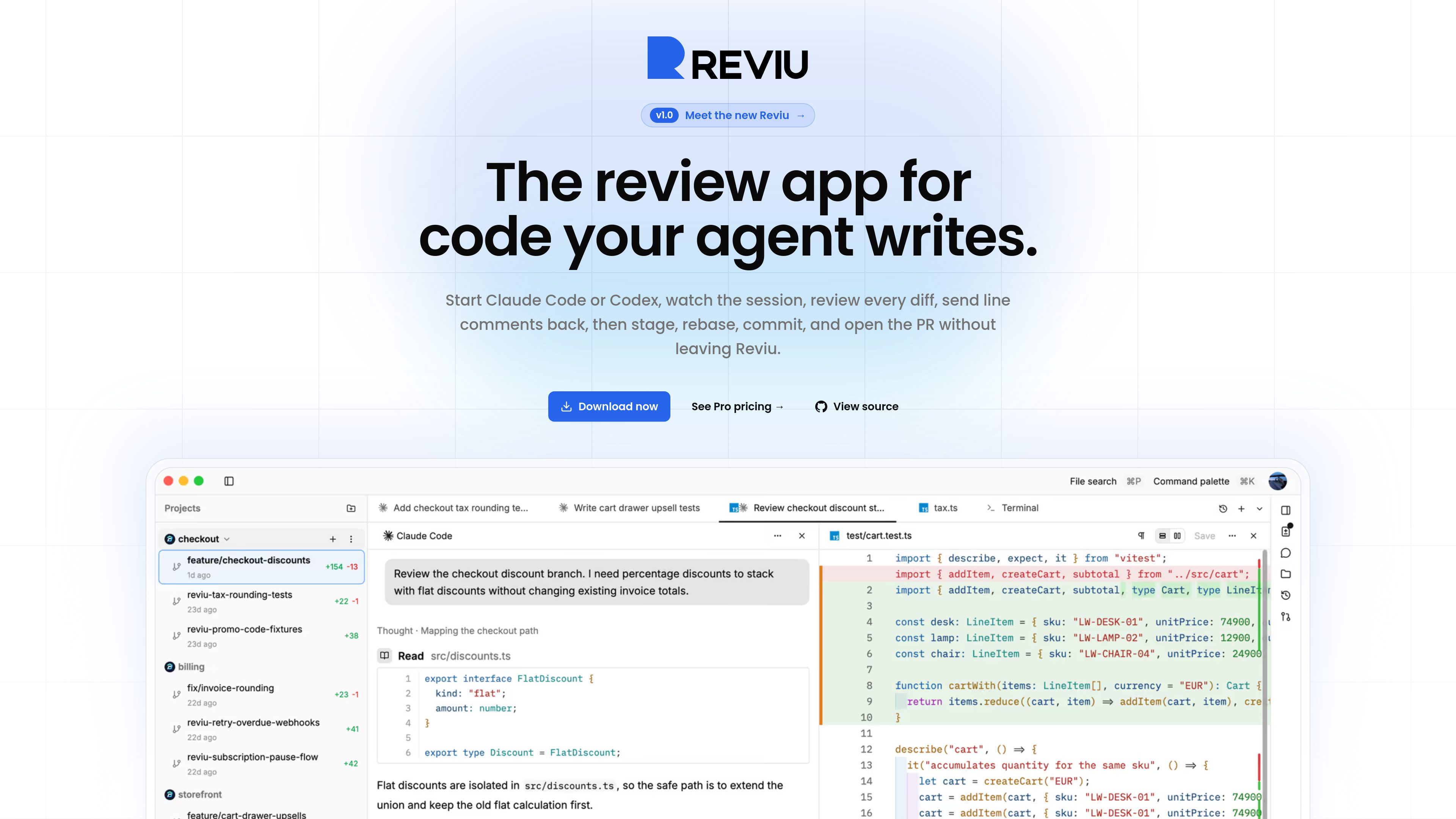
Reviu is a native desktop workspace for reviewing code changes produced by coding agents. It keeps agent sessions, local diffs, files, terminals, and Git operations together around a repository task. Developers can inspect changes before committing, attach comments to specific lines, send those comments back to the agent, and use local Git tools to prepare the branch. GitHub pull-request workflows are an optional Pro layer; the local review and Git workflow is available for free.
Reviuでできること
01
Agent sessions and activity
Run supported agent CLIs, including Claude Code and Codex, in durable task sessions. Reviu groups commands, file edits, permissions, and failures as reviewable activity and shows whether work is running, waiting, failed, or ready for review.
02
Line-level feedback to agents
Review local diffs and attach comments to specific lines. Comments retain file and line context and can be sent together as a prompt for the agent to address.
03
Isolated parallel work
Run parallel agent tasks in separate Git worktrees so changes from one task do not affect another checkout. Sessions can be switched without stopping agents that are still running.
04
Local Git controls
Stage or unstage individual hunks, restore changes, and manage commits. The app also provides rebase, conflict recovery, stash, cherry-pick, push, and other Git actions.
05
GitHub pull-request workflow
The Pro tier adds an in-app pull-request dock for reviews, comments, checks, notifications, and merge actions. A browser extension can open a GitHub pull request's branch in Reviu for local review.
06
Workspace with files and terminals
Work with conversations, files, diffs, and terminals in tabs and split panes associated with a checkout. Review agent work alongside the repository context and run commands in the app.
利用シーン
“Review an agent's changes before committing”
Inspect a local diff, select the hunks to keep, and return line-specific corrections to the agent before creating a commit.
“Work on several agent tasks at once”
Give independent tasks separate worktrees and sessions, then move between them while keeping their file changes isolated.
“Prepare a branch for handoff”
Use local staging, commit editing, rebase, and conflict tools to produce a branch ready to push or open as a pull request.
“Review and merge a GitHub pull request”
For GitHub-based work, use the Pro workflow to inspect pull-request changes, leave or reply to review comments, see checks, and merge in the app.
よくある質問
Which coding agents can Reviu work with?
The site names Claude Code and Codex and describes support for ACP registry agents. It also refers to Gemini in its introductory workflow; consult Reviu's current product documentation for the precise supported-agent list.
Does using Reviu require a separate agent subscription?
Reviu says it launches the CLI you already use, keeps the agent process and code on your machine, and does not meter agent usage. Local sessions do not require a Reviu account; sign-in is used for the Pro GitHub workflow.
What is included in the free and Pro offerings?
The site describes local agent sessions, diff review, and local Git as free. Pro adds GitHub pull-request workflows, including reviews, checks, merge, and notifications. No additional pricing details are included here.
Which operating systems are listed?
The download section lists native builds for macOS (Apple Silicon and Intel) and Windows (ARM64 and x64), plus a terminal-based installation method for Linux.
Can Reviu connect to a remote server over SSH?
Remote-over-SSH workflows are marked as planned, not currently available. Mobile access is also listed as planned.
クイック情報
Product type
Native desktop app for coding-agent review and local Git workflows
Platforms listed
macOS, Windows, and Linux
Agent workflow
Local sessions, diff review, line comments, and isolated Git worktrees
GitHub workflow
Pull-request review, checks, merge, and notifications are described as Pro features
Website
reviu.dev
Reviu のトラフィック分析
トラフィックデータは参考情報としてご利用ください。
ドメイン評価
5
Reviuの代替品
G
GitWarren
gitwarren.com
GitWarren is a local code-review tool for inspecting and commenting on the staged, unstaged, and untracked changes in an agent’s Git worktree before they are committed or pushed. It runs on the machine containing the repository and can be used through a desktop app, a browser, or an MCP server connected to coding agents.
C
CodeCrab
www.codecrab.ai
A local-first desktop app for AI-assisted GitHub pull request reviews.
O
Orca
onorca.dev
A desktop environment for developers to run and review multiple coding agents in parallel.