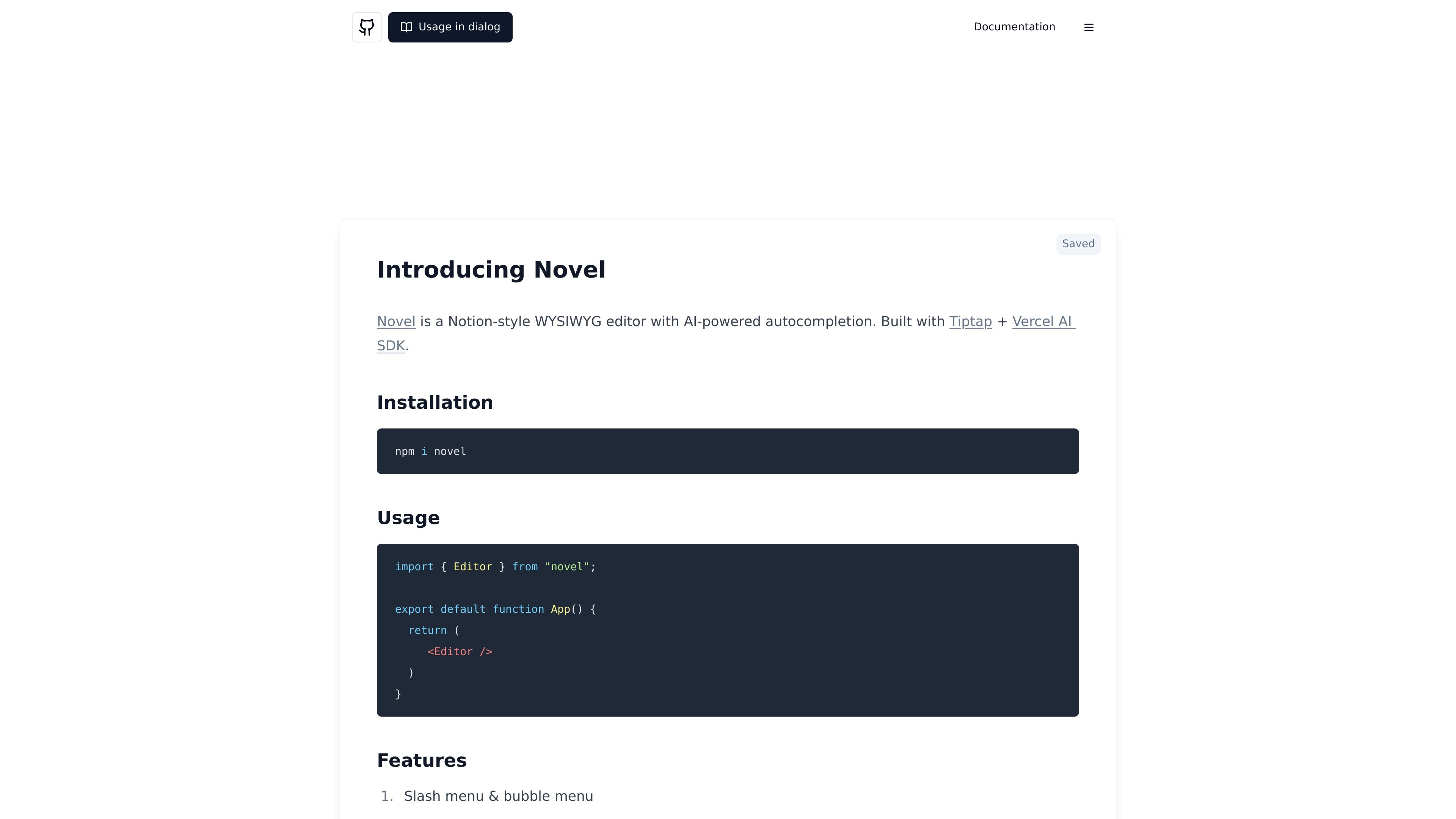
Novel is a headless, Notion-style WYSIWYG editor with AI-powered autocompletions. It is designed for developers who want to embed rich text editing, slash-menu blocks, and AI-assisted writing into an app.

Novel preview

Overview

Novel is a headless, Notion-style WYSIWYG editor for developers. The homepage describes it as an editor with AI-powered autocompletions, while the docs present it as a component you can install and use in an application.

It is built with Tiptap and the Vercel AI SDK, and the docs list a stack that also includes TypeScript, Radix UI, and Cmdk. The public pages focus on embedding the editor into a product rather than using it as a standalone writing app.

Features

Slash and bubble menus

Provides a Notion-style editing surface with a slash menu and a bubble menu for inserting and formatting content.

AI autocompletion

Offers AI autocomplete that can be activated by typing `++` or chosen from the slash menu.

Image upload handling

Supports image uploads through drag and drop, copy and paste, or the slash menu.

Tweet embeds

Can insert tweets from the command menu and surface embedded tweet content when available.

LaTeX support

Supports LaTeX expressions for mathematical notation and display equations.

Developer-oriented stack

Built on Tiptap, TypeScript, Radix UI, Cmdk, OpenAI, and the Vercel AI SDK, according to the site and docs.

Use Cases

  • Embed an in-app editor

    Add a rich text editor to a product where users need formatting, embeds, and structured content without building those pieces from scratch.

  • Structured content drafting

    Draft documentation, notes, or knowledge-base content with slash commands, block insertion, and AI autocomplete inside the editor.

  • Technical writing with equations

    Write technical or educational material that uses LaTeX notation alongside text and other embedded content.

  • Mixed media composition

    Collect user-generated content that includes pasted images or embedded tweets, then keep those items inside the document flow.

Pros and Cons

Pros

  • Combines a WYSIWYG editor with AI autocomplete in the same interface.
  • Supports several practical content blocks, including images, tweets, and LaTeX.
  • Can be installed as a package and used as a component in an app.
  • Uses a developer-friendly open-source stack built around Tiptap and TypeScript.

Cons

  • The public docs page shows a TODO for features, so the documentation is still sparse in places.
  • Pricing information is not available on the pricing URL provided, which returned a 404 on the collected source.

FAQ

How do you install and use Novel?

Novel is set up as a React component. The homepage shows an `Editor` import from the `novel` package and a simple `npm i novel` installation step.

What kind of product is Novel?

The source describes Novel as a Notion-style or headless Notion-style WYSIWYG editor. It is aimed at developers who want to embed an editor rather than use a standalone writing app.

What workflows does Novel support?

Novel includes AI autocomplete, a slash menu, a bubble menu, image uploads, tweet embeds, and LaTeX support, so it fits editing workflows that need structured formatting and richer content blocks.

What information is not shown on the public site?

The public docs show the core editor and a short features list, but they do not provide detailed team features, pricing, or plan information on the available pages.

Quick Facts

Category
Developer Tool
Product type
Headless WYSIWYG editor
Primary users
Developers building in-app editors
Source domain
novel.sh
Core workflow
Install the package, render the editor component, and use AI autocomplete plus slash-menu content blocks
Pricing
Not shown on the available pages
