
MyDetector icon

MyDetector

MyDetector is a web-based AI detector and writing assistant for checking whether text appears human-written or AI-generated. It also includes an AI Humanizer and essay-focused review workflow for users working with essays, reports, and other content.

MyDetector

Overview

MyDetector is a web-based AI detector and writing assistant that checks whether text appears human-written or AI-generated. The site also offers an AI Humanizer and an AI Essay Checker, extending the product beyond simple classification into review and rewriting workflows.

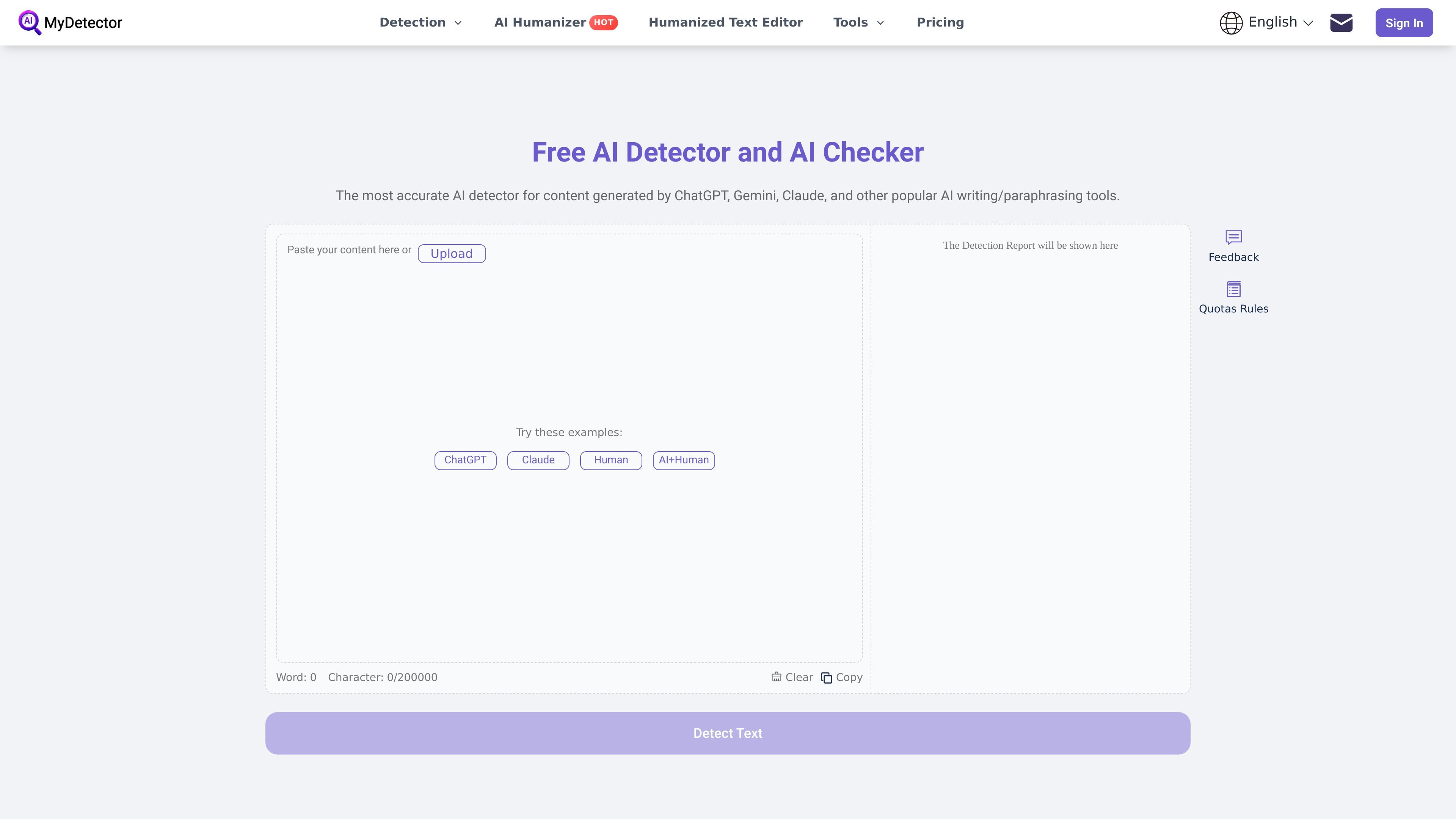
Users can paste text or upload documents, then review a detection report that highlights AI-written passages and shows content-level signals. The service is aimed at people who need to verify essays, articles, reports, and other text before publishing, submitting, or sharing it.

Features

AI text detection

Check text for AI-generated patterns and see a detection report immediately after submitting content.

Text and file input

Paste text directly or upload files for review, with support shown for PDF, Word, PPT, and TXT on the home page.

Sentence-level highlighting

The home page says the report highlights AI-written sentences and shows their AI percentage to make review easier.

AI humanization

MyDetector presents a content humanization workflow that can rewrite AI text into a more natural style.

Essay review workflow

The essay checker page focuses on language, structure, repetition, fluency, formatting, and AI-generated text detection for longer writing.

Quota-based access

The pricing page includes free access plus paid plans with higher quotas for heavier use.

Use Cases

  • Academic writing review

    Check essays, coursework, and thesis drafts for AI-generated passages before submission, then use the report to revise weak sections.

  • Content publishing checks

    Review blog posts, articles, and newsletters to see whether the text reads naturally and whether parts may have been written by AI.

  • Business document review

    Scan reports, drafts, and internal documents for AI-generated content or repetitive language before circulation.

  • Text rewriting and cleanup

    Use the humanizer to reshape AI-generated copy into a smoother, more natural-sounding draft after detection.

  • Fast text screening

    Upload longer documents or paste shorter samples when you need a quick authenticity check without a manual line-by-line review.

Pros and Cons

Pros

  • Supports both AI detection and AI humanization in one product.
  • Accepts pasted text and uploaded files, including common document formats shown on the home page.
  • Provides a visual detection report with highlighted sentences and AI-percentage signals.
  • Offers a free entry point, with paid plans for larger quota needs.

Cons

  • The source does not show integrations, API access, or workflow connections to other tools.
  • Usage is quota-based, and the pricing page says unused plan quotas expire at the end of the billing period.

FAQ

How does the quota system work?

Guest users can try the service once, and registered users receive quota-based access that is deducted by input word count. The pricing page says AI Detector and AI Humanizer consume quotas.

What does MyDetector do?

The site describes two main tools: AI Detector for checking whether text appears human- or AI-generated, and AI Humanizer for rewriting text into a more natural flow.

What kinds of content can I check?

The source says you can paste text or upload files, with support shown for PDF, Word, PPT, and TXT on the home page.

Can I cancel a subscription?

Yes. The pricing page states subscriptions auto-renew by default and can be canceled from the My Account area.

Does MyDetector offer refunds?

The pricing page says refunds are available within 14 days of the initial purchase or a renewal date, and requests are processed without requiring a reason.

Quick Facts

Category
AI detector
Platform
Web app
Core tools
AI Detector, AI Humanizer, AI Essay Checker
Input methods
Paste text, upload files
Source domain
mydetector.ai
Pricing model
Free tier plus paid plans

MyDetectorの代替品

ZeroGPT icon

ZeroGPT

ZeroGPT is a web-based AI content detector and writing toolkit for identifying likely AI-generated text, reviewing highlighted passages, and supporting editing workflows. It also offers related tools such as a plagiarism checker, paraphraser, humanizer, summarizer, translator, and API access.

Sightengine icon

Sightengine

Sightengineは、画像・動画・テキスト・音声をモデレートし分析するAPIプラットフォームです。安全でない、合成、ポリシー制限対象のコンテンツを検出し、結果に基づく処理を自動化できます。

Quillbot icon

Quillbot

Quillbotは、言い換え、文法チェック、要約、引用生成、独自性チェック、コンテンツ作成まで支援するAIライティングアシスタント。ブラウザ拡張や各種アプリでWeb、デスクトップ、モバイル、Wordに対応。

Wordvice AI icon

Wordvice AI

Wordvice AI is a web-based AI writing assistant and text editor for proofreading, paraphrasing, translation, summarization, plagiarism checking, and AI detection. It also includes a document editor, ChatPDF, and team plan options.

GPTZero icon

GPTZero

GPTZeroは、教育者、チーム、開発者向けのAIコンテンツ検出と文章検証ツールです。AI生成、混在執筆、引用の問題をチェックし、教室・業務フロー・API連携に対応します。

Turnitin AI Detector icon

Turnitin AI Detector

Turnitin AI Detector is a web-based AI text detection tool that lets users paste text, scan for AI-generated content, and review sentence-level rewrite suggestions in AI Spotter. It is positioned for students, educators, writers, and editors who need a quick no-signup check.