

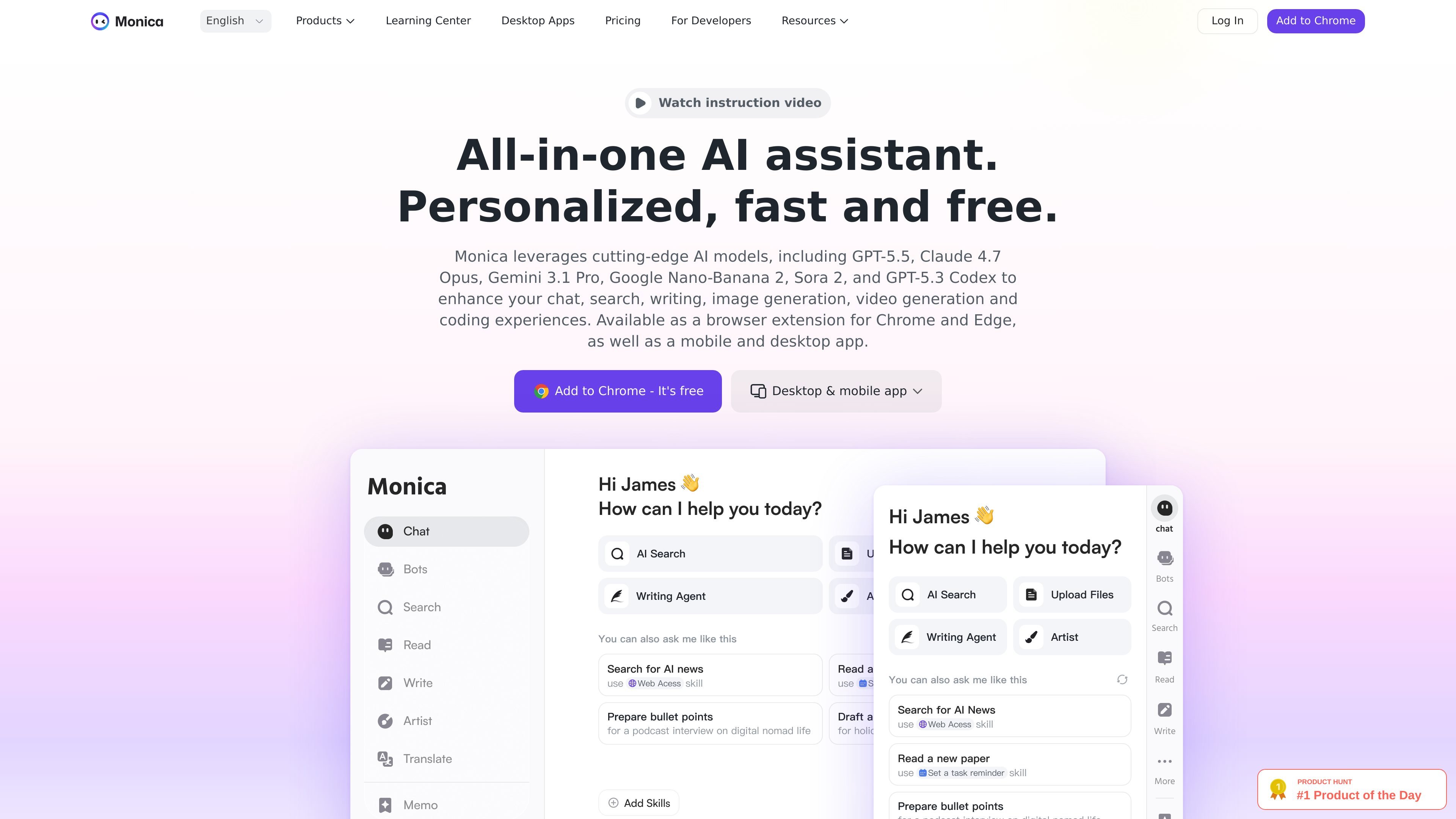
Multi-model AI chat
Chat with multiple AI models in one place, including GPT-5.5, Claude 4.7 Opus, Gemini 3.1 Pro, GPT Image 2, and Sora 2, depending on the page and product area.
Monica is an all-in-one AI assistant for web browsing, writing, research, media generation, and coding. The site presents it as a browser extension, desktop app, and mobile app that brings chat, search, translation, summarization, and content-generation tools into the places where people already work.
The product is designed to help users act on content inside webpages rather than switching between separate apps. It can explain or rewrite selected text, summarize pages and videos, draft replies, generate writing from templates, and connect those workflows to image, video, and code generation features. Monica Code extends the product into VSCode and JetBrains for code completion, editing, codebase chat, and multi-file composition.
The source also shows pricing plans and a free starting tier with usage limits, along with platform support for Chrome, Edge, macOS, Windows, iOS, iPadOS, and Android. That makes Monica a broad productivity tool aimed at individual users who want general AI help across browsing, content work, and development tasks.
Chat with multiple AI models in one place, including GPT-5.5, Claude 4.7 Opus, Gemini 3.1 Pro, GPT Image 2, and Sora 2, depending on the page and product area.
Summarize web pages, videos, PDFs, and other content so users can extract key points quickly and work from condensed material.
Translate text or whole pages, and rewrite or explain selected content directly inside the browser.
Draft, improve, or insert writing on any webpage, with templates and writing-assistant workflows for copy and content creation.
Create and edit images and videos with AI tools such as image generation, image-to-image, animation, and text-to-video flows.
Use Monica Code in VSCode or JetBrains to generate code, edit existing code, chat with an indexed codebase, and create multi-file changes.
Use Monica to summarize articles, webpages, and videos, then pull out key points before moving on to deeper research or writing.
Draft, rewrite, translate, or refine content inside the browser without copying text into a separate editor.
Generate replies, analyze emails, and extract important details from contracts, reports, and other documents.
Use Monica Code to autocomplete code, edit selected code, chat with an indexed codebase, and create multi-file changes in VSCode or JetBrains.
Create images, animations, and videos from text prompts or source images when you need visual content inside the same assistant.
Monica is a browser-based AI assistant that can also be used through desktop and mobile apps. The site says it works on web pages for chat, writing, translation, summarization, and code-related help, with separate Monaco Code support for VSCode and JetBrains.
The site says you can start for free, but free users have a daily usage limit. The pricing page also shows paid plans named Pro, Pro plus, and Unlimited, so advanced use appears to require an upgrade.
Monica is available as a browser extension for Chrome and Edge, and also as desktop and mobile apps. The download page says it supports macOS, Windows, iOS, iPadOS, Android, and browser extension use.
Monica Code is the code-focused product for VSCode and JetBrains. It supports code completion, code editing, multimodal chat with your codebase, and an integrated composer for creating or modifying multiple files.
The source says Monica can explain, translate, summarize, rewrite, and help generate content directly on web pages, but it does not provide a full integration list or detailed connector coverage on the pages reviewed.
トラフィックデータは参考情報としてご利用ください。

glarity.app
GlarityはChatGPT型AIでオンラインコンテンツを要約・翻訳します。

justrecap.it
JustRecapは動画やポッドキャストを章立て、要点、キーフレーム、翻訳付きの構造化要約に変換します。
justsyft.com
Syftは、パーソナライズされたトピックチャンネルの作成、多言語要約の閲覧、信頼できる情報源の報道の一元フォローに対応するAIニュースアプリです。iOSとAndroidで利用でき、無料プランでは最大10件のトピックをフォローできます。

follow.is
Foloは情報源を集中して追えるAI RSSリーダーです。

speakapp.com
音声メモ、会議、講義を文字起こしし、要約・書き換え・翻訳・ファイル出力にも対応。

ai.wps.cn
WPS内で文章作成・読解・プレゼン・表計算を支援するAIアシスタント