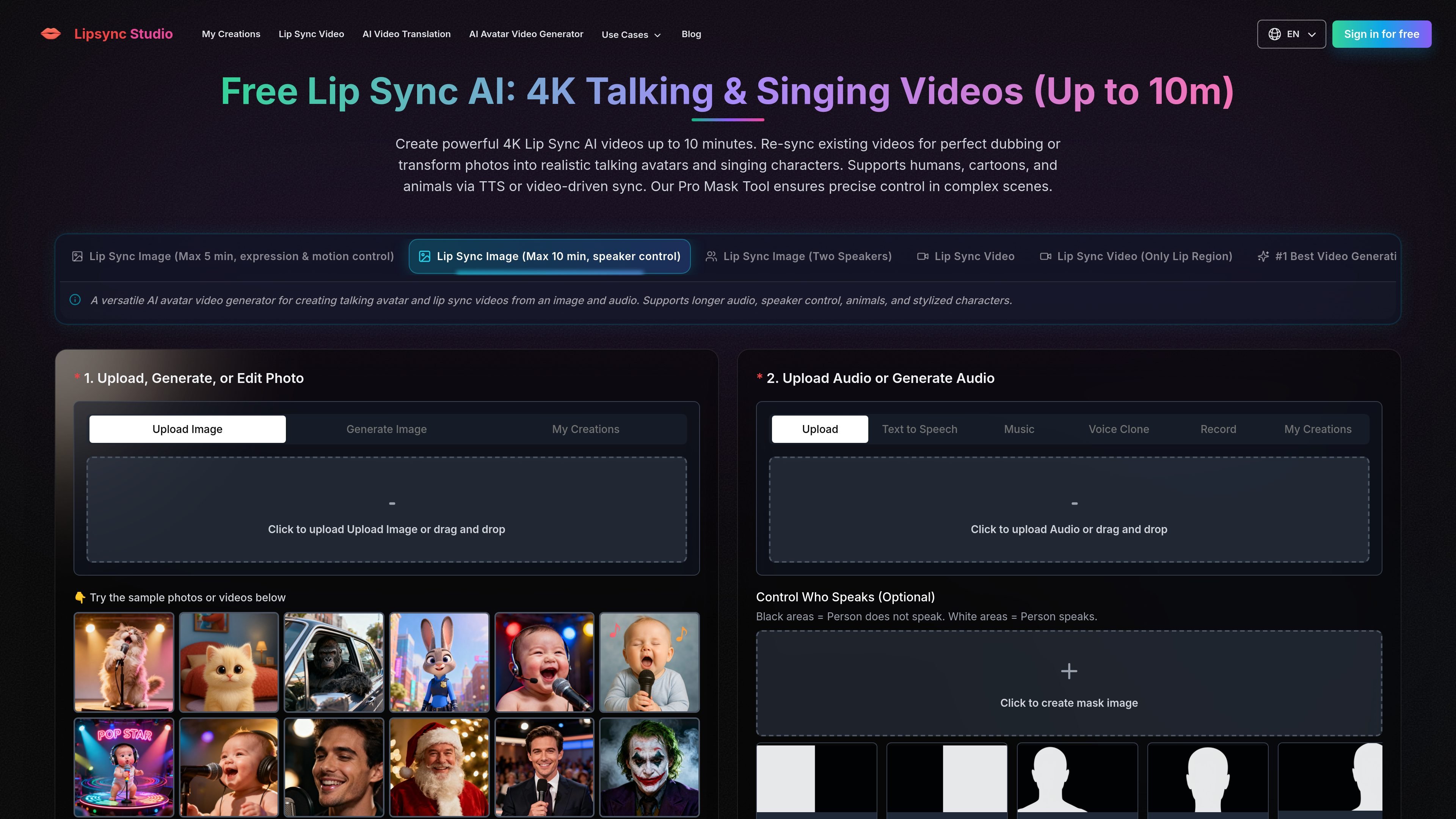
Lip Sync Studio creates AI lip-synced talking and singing videos from images, video, and audio, with speaker control, dubbing, translation, and up to 4K output.
The product is built around several creation paths rather than one fixed editor: image-to-lip-sync, two-speaker scenes, multi-person speaker control, video lip sync, and video translation. The site says it supports humans, cartoons, and animals, and it offers output settings up to 4K for selected workflows.
Lip Sync Studioでできること
01
Image-to-video lip sync
Generate lip-synced videos from a single image and audio, including speech, narration, and singing. The homepage highlights two image workflows: one focused on expression and motion control, and another that supports longer audio with speaker control.
02
Two-speaker scene handling
Create two-person dialogue scenes or one-speaker, one-listener videos from a two-person image. The workflow supports separate audio tracks for each speaker and can also be used when only one speaker should talk.
03
Control who speaks
Use the speaker control mask to choose which character speaks in images or videos with multiple people. The site explains that white mask areas indicate the speaking subject, with black areas excluded from speech control.
04
Video-based sync and translation
Apply lip sync to existing video, not only still images. The homepage lists a video workflow and an AI video translation workflow that translates speech and syncs the speaker's lips.
05
Output and generation controls
Generate videos at multiple resolutions, with controls shown for 360p through 4K. The interface also presents prompt, image, and audio inputs for more directed generation.
利用シーン
“Talking avatars from photos”
Turn a portrait into a talking avatar or singing character using a single image and audio track. This fits presentation clips, social posts, lectures, and music-driven portraits.
“Two-person dialogue content”
Create two-person dialogue videos or podcast-style scenes with separate audio tracks for each speaker. The workflow is aimed at interviews, conversations, and listener-style scenes.
“Video dubbing and translation”
Re-sync an existing video for dubbing or localization with translated speech and matching lip movement. The site describes this workflow for courses, product demos, ads, tutorials, and social media localization.
“Multi-person speaker control”
Control which person speaks in a crowded image or video by masking the intended speaker. This is useful when only one subject should appear to talk in a multi-person scene.
“Prompt-driven character scenes”
Create stylized talking scenes from prompts when you need camera movement, scene direction, or a specific visual setup beyond simple lip sync.
よくある質問
What does Lip Sync Studio do?
It creates AI lip sync videos from uploaded images, videos, and audio. The source content shows workflows for single-image talking videos, two-speaker scenes, speaker-controlled multi-person scenes, video translation, and prompt-based generation.
What output quality and length does it support?
The site shows output options up to 4K, with selectable resolutions including 360p, 480p, 720p, 1080p, 2K, and 4K. The homepage also describes workflows that can run for up to 10 minutes for certain image-based lip sync models.
Does it use subscriptions or credits?
The pricing page shows Basic, Starter, and Pro subscription plans, plus one-time credit purchases. The page says annual credits are issued in full upon purchase and refreshed annually, and that one-time credits never expire.
What kinds of projects is it designed for?
The homepage describes separate workflows for human, cartoon, and animal content, plus singing, speech, dubbing, and photo-to-video style generation. It also shows a Pro Mask Tool for controlling which speaker moves in multi-person scenes.
Are integrations or an API documented?
The source text does not mention an API, third-party integrations, or docs pages. Based on the available pages, it is presented as a web-based creation tool rather than an integration platform.