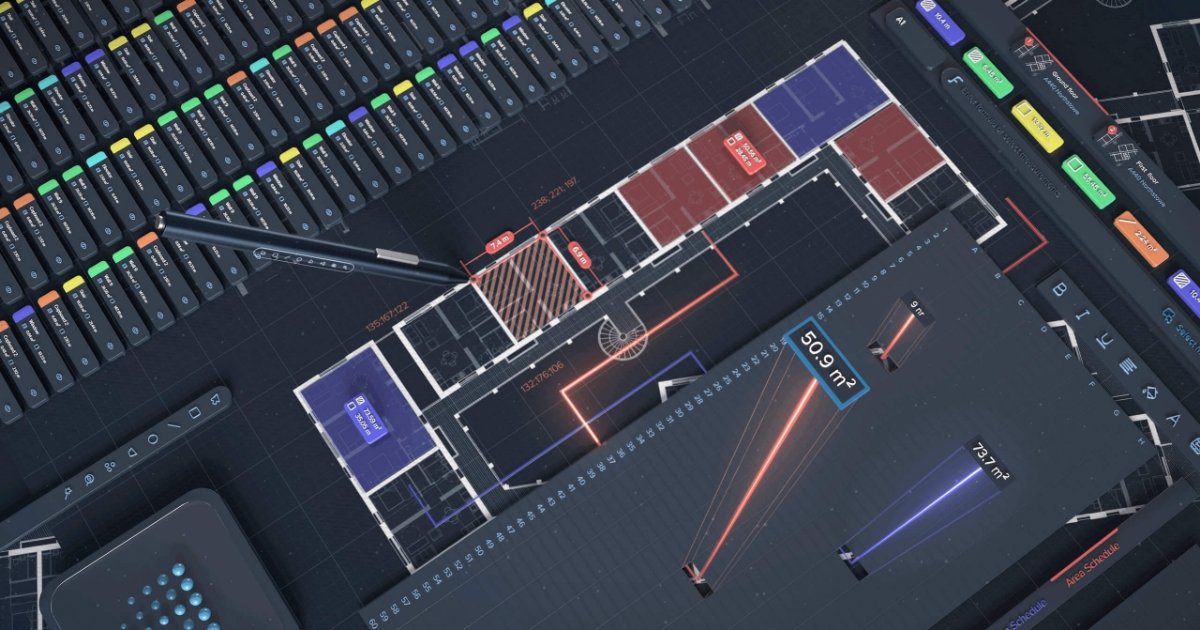
Kreo is cloud-based construction takeoff and estimating software for teams working from PDF, CAD, and image drawings. It combines AI measurement, reporting, and collaboration tools to help estimators move from drawings to quantities and bids.

Kreo preview

Overview

Kreo is cloud-based AI takeoff and estimating software for construction teams. It is built around digital drawings and supports PDF, CAD, and image formats, with tools for measurement, reporting, collaboration, and estimate preparation.

The product centers on Caddie, an AI agent inside Kreo that can read drawings, run Auto Measure, search for elements, generate BOQs and reports, place annotations, and export files. The site positions this as a way to move routine takeoff work into a guided workflow while keeping the user in control of each step.

Kreo also includes drawing-management and review tools such as scale detection, plan overlay, 3D view, text search, drawing comparison, and PDF export. Collaboration features like comments, callouts, and team permissions support shared review and coordination.

The pricing page shows tiered annual plans for Lite, Plus, Pro, and Enterprise, with AI takeoff capabilities concentrated in the higher tiers and a trial or demo path available for evaluation. Enterprise messaging adds custom API and workflow automation options.

Core features

Agentic takeoff workflow

Caddie is described as an autonomous agent inside Kreo that reads drawings, runs measurements, searches for elements, builds reports, generates BOQs, places annotations, and exports files under user control.

Auto Measure and Auto Count

AI tools can automatically detect and measure rooms, walls, doors, windows, custom areas, and matching objects across drawings, reducing manual measurement work.

Single-click area capture

The platform supports one-click area measurement and AI-based classification, naming, and grouping of detected elements by type and size.

Drawing intelligence and cross-reference

Kreo can read drawings across sheets, surface related specifications and schedules, and support questions through voice interaction and context-aware answers.

Collaboration and markup tools

Projects can include comments, leader-line callouts, sticky notes, dimension lines, and access controls so review work stays attached to the drawing.

Live reporting and exports

Reports stay linked to live takeoff data and can be viewed, grouped, pivoted, exported, or structured into templates as project information changes.

Common use cases

  • Quantity takeoff on drawings

    Use Kreo to automate routine measurement work on construction drawings, including rooms, walls, doors, windows, and custom areas, when speed and consistency matter.

  • Estimate preparation and reporting

    Use the platform to turn measurement data into structured reports and BOQs, then export files for estimating and downstream review.

  • Drawing review and coordination

    Use comments, callouts, sticky notes, and access controls when a team needs to review drawings, request clarifications, and keep coordination tied to the sheet.

  • Plan checking and revision control

    Use drawing comparison, search, scale detection, and 3D view to validate revisions and understand relationships across complex drawing sets.

  • Repeatable workflow automation

    Use Caddie’s guided workflow when a team wants an AI agent to execute repeatable takeoff steps instead of manually repeating the same actions across projects.

Pros and Cons

Pros

  • Combines AI takeoff, estimating, reporting, and drawing review in one cloud platform.
  • Supports PDF, CAD, and image-based drawings.
  • Provides agentic workflows through Caddie with visible, step-by-step execution.
  • Includes collaboration tools for comments, callouts, markup, and access control.
  • Offers live reports that stay connected to project measurements and assemblies.

Cons

  • AI takeoff features are concentrated in the higher-priced plans, while lower tiers focus more on drawing collaboration and measurement workflows.
  • The public source material does not provide a complete list of third-party integrations or platform compatibility beyond supported file formats and API mentions.
  • Some advanced automation and custom API capabilities are described at the Enterprise or sales-contact level rather than with fixed self-serve details.

FAQ

What does Kreo do?

Kreo is a cloud-based construction takeoff and estimating platform. It is designed to help estimators and project teams measure drawings, generate quantities, and turn takeoff work into cost estimates and reports.

How is Kreo sold?

The pricing page shows tiered annual plans, including Lite, Plus, Pro, and Enterprise, with a separate trial flow for Pro and a contact-sales path for Enterprise. The site also offers a request-a-demo flow.

What kinds of drawings and workflows does it support?

Kreo supports PDF, CAD, and image drawings, and the pricing page indicates that some plans include drawing search, plan overlay, PDF export, and 3D view. Higher tiers add AI takeoff tools such as Auto Measure, One-Click Area, and Auto Count.

Can teams collaborate in Kreo?

Kreo includes collaboration tools such as comments, markups, team and access management, and contextual notes tied to drawings. The site also describes Caddie as an agent that can show its plan, announce each step, and keep the user in control while it works.

Does Kreo offer integrations or API access?

The source material does not list a complete integration catalog. It does mention an API on the pricing page and describes custom API requests and workflow automation for Enterprise users.

Quick Facts

Category
Construction takeoff and estimating software
Platform
Cloud-based
Primary users
Construction estimators and AEC teams
Supported inputs
PDF, CAD, and image drawings
Source domain
kreo.net
Pricing
Tiered annual plans with trial and demo options