
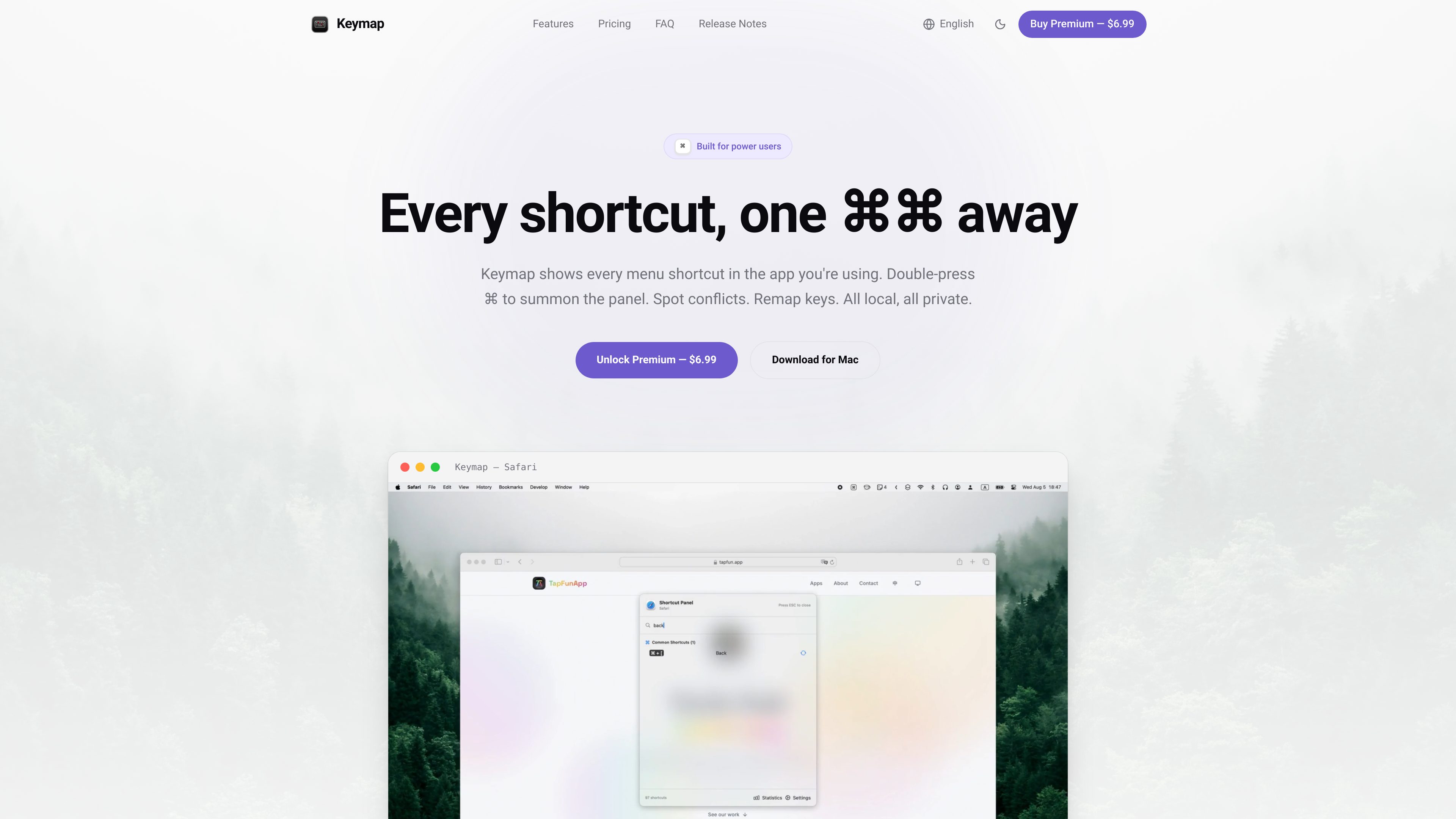
System-wide shortcut panel
Double-press Command, Option, or Control to open a searchable panel for the current app without switching away from the active workflow.

Keymap is a macOS menubar app that displays the keyboard shortcuts available in the current app. It helps users search menu shortcuts, identify conflicts, and— with Premium—track shortcut usage and remap keys.
Keymap is a macOS menubar app for discovering and managing keyboard shortcuts in the application currently in use. Double-press the Command key—or the Option or Control key—to open a searchable panel without leaving the current workflow. Keymap reads shortcuts from an app’s menu bar, so there is no manual shortcut catalog to maintain.
The app is designed for users who want to inspect shortcuts in context, find collisions, and optionally customize key combinations. It stores data locally on the Mac and requires Accessibility access to read menus and detect keys.
Double-press Command, Option, or Control to open a searchable panel for the current app without switching away from the active workflow.
Reads shortcuts from an application’s menu bar instead of requiring users to enter or maintain shortcut lists manually.
Flags collisions among shortcuts visible in app menus and Keymap remapping rules, with severity information and suggested fixes.
Premium provides shortcut usage views and conflict-free-rate tracking over time.
Premium lets users assign a shortcut to a different key combination either for a specific app or globally. Remapping protects loops and system-reserved shortcuts such as Command-Q.
Keymap stores its data locally on the Mac and does not require an account, cloud storage, or telemetry.
Open the panel while working in Safari, VS Code, Figma, or another application with a standard menu bar to search the shortcuts available in context.
Review flagged conflicts when menu shortcuts or personal remapping rules overlap, then use the reported severity and suggestions to decide what to change.
Use Premium remapping to assign a preferred key combination per app or across the system, while keeping protected system shortcuts out of unsafe remapping loops.
Use Premium statistics to examine which shortcuts you use and follow conflict-free-rate changes over time.
Keymap requires Accessibility access to read application menus and detect keys. The permission can be revoked at any time in macOS System Settings.
Keymap works with apps that expose standard macOS menus, including examples such as Safari, VS Code, Figma, Slack, and Discord. Apps with fully custom menus, including some games and Java applications, may not be readable because macOS cannot expose those menus normally.
Conflict detection covers shortcuts visible in application menus and the remapping rules created in Keymap. It does not include global hotkeys or input-method shortcuts because macOS does not expose a registry for those bindings.
No. The site states that Keymap stores everything locally on the Mac and operates without an account, cloud storage, or telemetry.
Keymap requires macOS 14.0 Sonoma or later. It is available in English, Simplified Chinese, Traditional Chinese, Japanese, Korean, German, French, Spanish, Italian, and Russian.
トラフィックデータは参考情報としてご利用ください。
