
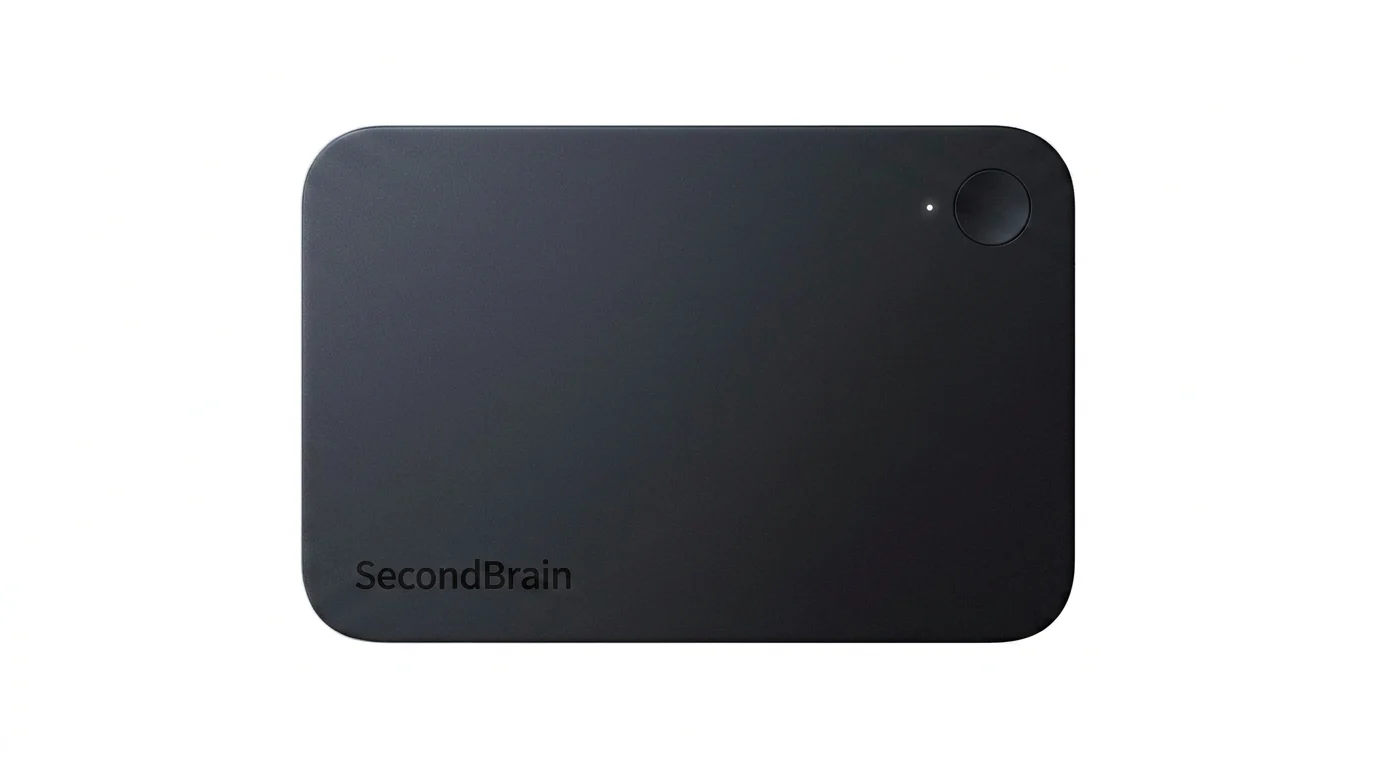
Two-second recording start
Press and hold the recording button for two seconds to begin. Vibration feedback and an indicator light confirm the recording state, and a tap can mark a key moment.

Genspark SecondBrain Note is a card-sized AI voice recorder for capturing meetings, calls, consultations, and other conversations. It records offline, transfers audio through the Genspark App, and turns recordings into transcripts, summaries, key points, and action items.
Genspark SecondBrain Note is a card-sized AI voice recorder for capturing conversations and turning them into organized notes. It is designed for meetings, calls, consultations, interviews, conferences, and other situations where people need to remain engaged while preserving a record of what was said.
Recording begins after pressing and holding the button for two seconds. The device supports offline recording, vibration feedback, an indicator light, and tap-to-mark moments. Audio can later be transferred through Bluetooth, while Wi-Fi supports faster file transfer. AI transcription, summarization, and note-taking are handled through the Genspark App.
The recorder has a 2.95 mm aluminum body, weighs 26 grams, includes 64GB of storage and four microphones, and is rated for up to 35 hours of continuous recording. The associated Genspark software can organize captured information with categorization, semantic search, and linked memory. The product site also presents a workflow from captured conversation to Workspace deliverables such as documents, slides, and sheets.
Press and hold the recording button for two seconds to begin. Vibration feedback and an indicator light confirm the recording state, and a tap can mark a key moment.
The device can record audio without an active network connection. Recordings can be transferred through Bluetooth, with Wi-Fi available for faster file transfer.
The Genspark App processes recordings into transcripts and organized notes, including concise summaries and action items.
The aluminum device measures 85.6 × 54.1 × 2.95 mm and weighs 26 grams, making it suitable for carrying in a wallet or magnetic card holder.
A 500mAh battery is rated for up to 35 hours of continuous recording, and the device has 64GB of storage.
Captured material can feed into Genspark’s broader software workflow, which includes auto-categorization, semantic search, linked memory, and Workspace outputs such as AI documents, slides, and sheets.
Capture discussion details while staying focused on the client. Afterward, the recording can provide a transcript, summary, commitments, risks, and open issues for follow-up work.
Preserve customer requirements, blockers, questions, and timeline details across discovery and technical conversations, then use the material as a source for account notes or a proposal draft.
Record campaign retrospectives and customer interviews so teams can review the source conversation when preparing planning materials, presentations, or creative concepts.
Use the portable recorder to keep a record of presentations, discussions, or other important conversations that would be difficult to document manually in real time.
Press and hold the recording button for two seconds. The device provides vibration feedback and an indicator light during recording; a tap can mark a key moment.
No. The microphone activates only after the recording button has been pressed and held for two seconds. The product page says the indicator light can also be turned off by pressing and holding for five seconds.
The device supports offline recording. The Genspark App is required to download and sync recording files, and some app functions require a network connection.
The listed accessories include a magnetic card holder, which can hold multiple bank cards and work as a phone stand, and a Type-C magnetic charging cable.
The product page says no subscription is required and that purchase includes 300 minutes of AI transcription and summarization per month. It also says Genspark members can use transcription without that stated monthly limit, up to 24 hours per day.
トラフィックデータは参考情報としてご利用ください。

basedhardware.com
Omiは、音声や画面上のアクティビティ、会話を検索可能なメモ、タスク、リマインダー、記憶、アドバイスに変換するAIノート・録音ツールです。既存のデバイスで、仕事にもプライベートにもデバイスをまたいで利用できます。
voicecap.ai
VoiceCap is an AI meeting notetaker for in-person and online meetings. It records or imports meetings, produces speaker-separated transcripts, summaries, decisions, and action items, and makes the resulting archive searchable for teams and connected AI assistants.

hynote.ai
HyNote is a local-first note-taking app for Mac that records system audio and microphone input, transcribes conversations, identifies speakers, and creates notes on supported devices. It is designed for meetings, lectures, interviews, voice memos, and document-based work without requiring a meeting bot.

fireflies.ai
会話を記録し、検索可能な文字起こし・要約・業務連携を提供するAI会議アシスタント

biji.com
得到大脑は、音声・録音・テキスト・画像・リンクを記録し、検索やさらなる創作に使える形へ自動整理するAIノート・個人知識管理ツールです。

speechtonote.com
Web、Mac、iOS、Android対応のAI音声文字起こしノート