
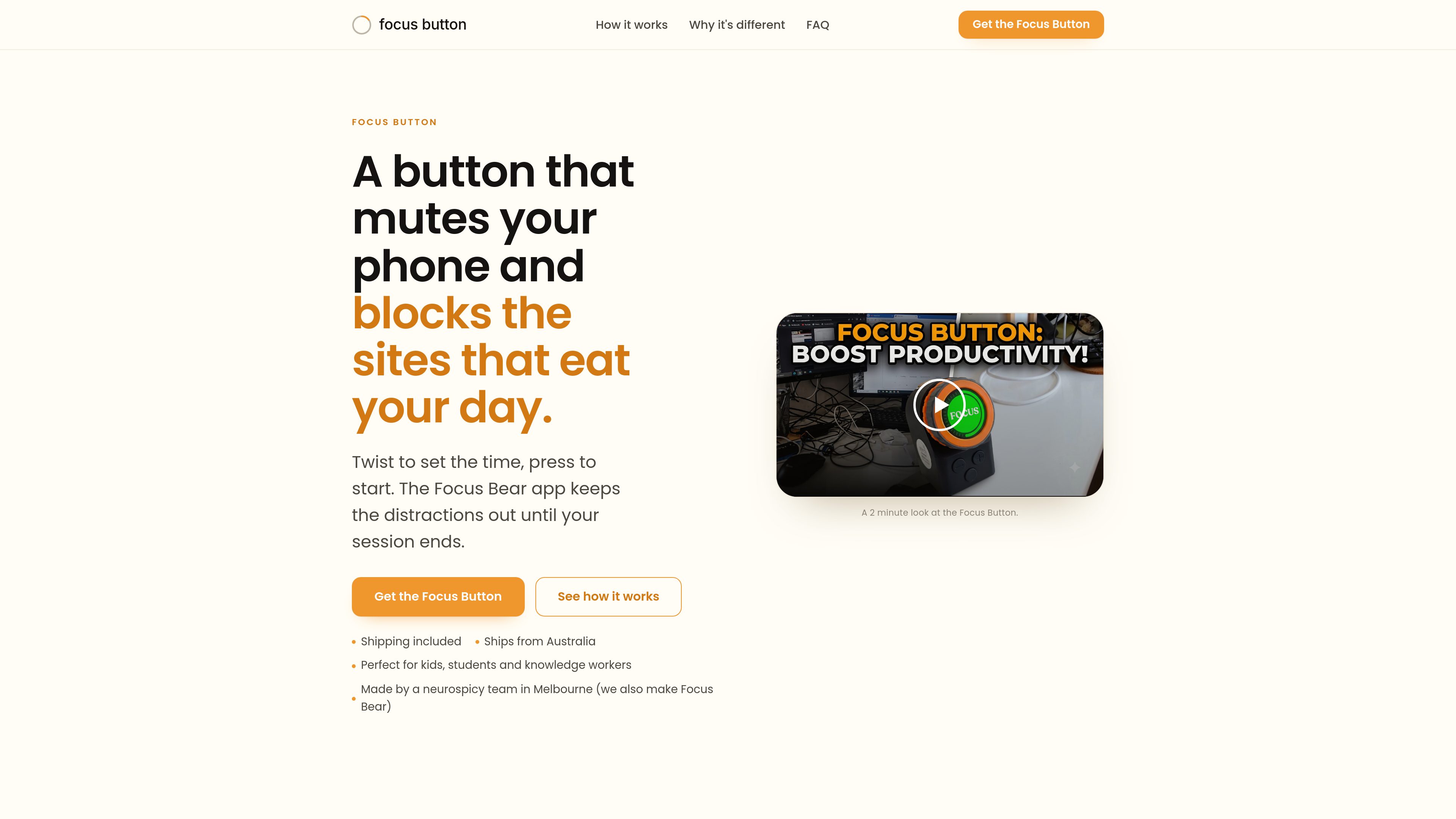
Physical session control
Twist the outer ring to set the duration and press once to start, without navigating phone menus or typing.

Focus Button is a physical timer that starts a distraction-blocking session through the Focus Bear app. It is designed for students, knowledge workers, and anyone who benefits from a tactile way to begin focused work.
Focus Button is a physical focus timer and trigger for the Focus Bear app. Turn its outer ring to choose a session length, then press the button to start. The connected Focus Bear app silences notifications, blocks distracting sites, and enables Focus mode across supported Mac, iPhone, and Windows devices until the timer ends. The hardware provides a screen-free starting point, while the app performs the notification silencing and blocking.
The button is intended for study sessions, deep-work blocks, and other periods when phone alerts and distracting websites make it difficult to begin or continue. It can also serve as a simple timer for younger children who may not have a phone or computer. Focus Button is sold as hardware; the Focus Bear app is separate.
Twist the outer ring to set the duration and press once to start, without navigating phone menus or typing.
The Focus Bear app silences notifications, banners, and badges for the duration of the session.
Sites identified as distracting remain blocked until the timer runs out.
At launch, the button works with the Focus Bear app on Mac and Windows over USB; the product description also states that Focus mode can cover Mac, iPhone, and Windows.
Users can say what the session is for out loud, and the button remembers that intention.
High-school and university students can start a defined study block themselves, reducing the need for reminders or externally enforced phone rules.
Knowledge workers can use a physical trigger to begin a focused work period while notifications and distracting sites are suppressed.
A teenager can initiate their own session rather than relying on a parent app, password, or direct screen monitoring.
Primary-school children can use the button as a straightforward timer when they do not yet have a phone or laptop.
The purchase includes one Focus Button and a USB cable. The Focus Bear app is not included and is obtained separately.
Turn the outer ring to choose a time, then press the button. The Focus Bear app starts the blocking session, and notifications and distracting sites return to normal when the timer ends.
Yes. The site states that it works with Mac and Windows over USB at launch, with the Focus Bear app running on the computer. The product description also refers to Focus mode across Mac, iPhone, and Windows.
No. Focus Button is a separate, one-off hardware purchase, while the Focus Bear app normally uses a subscription. The site states that the app is free until December 2026 for people with disabilities, including autism and ADHD, through an NDIA grant.
トラフィックデータは参考情報としてご利用ください。
ceritmustafa.github.io
ScreenMark is a macOS menu bar app for live screen annotation, zoom, whiteboard overlays, freeze frames, and recording. It is designed for presenters, teachers, workshop facilitators, and anyone who needs to explain on-screen content without leaving their workflow.

apra-labs.github.io
apra-fleet runs a fleet of AI agents across multiple machines and provider CLIs. It provides a common execution model for combining Claude, Codex, Copilot, Antigravity, and local models.

local-music-organizer-site.pages.dev
A macOS toolkit for organizing local Music.app libraries, investigating audio and metadata problems, comparing recording versions, and working with standalone audio files. It is designed for offline collections and keeps changes under explicit user control.

www.mondaymerch.com
Design Studio is Monday Merch’s browser-based tool for placing a brand, artwork, or text on customizable merchandise. Users can start from a template or a blank design, preview multiple product sides, and move toward ordering without design software.

www.solouno.io
SoloUno is a self-help app for people working to reduce or manage body-focused repetitive behaviors (BFRBs) such as nail biting, skin picking, and hair pulling. It combines habit tracking, trigger awareness, habit-free challenges, urge sessions, and daily reflection.

deepaksinghcs14.github.io
deadeye is a plugin for coding agents that selects a suitable model and effort level for each task, while trimming verbose command output before it enters context. It is built for Claude Code and also supports Codex CLI, Gemini CLI, Cursor, and Windsurf on an experimental basis.