
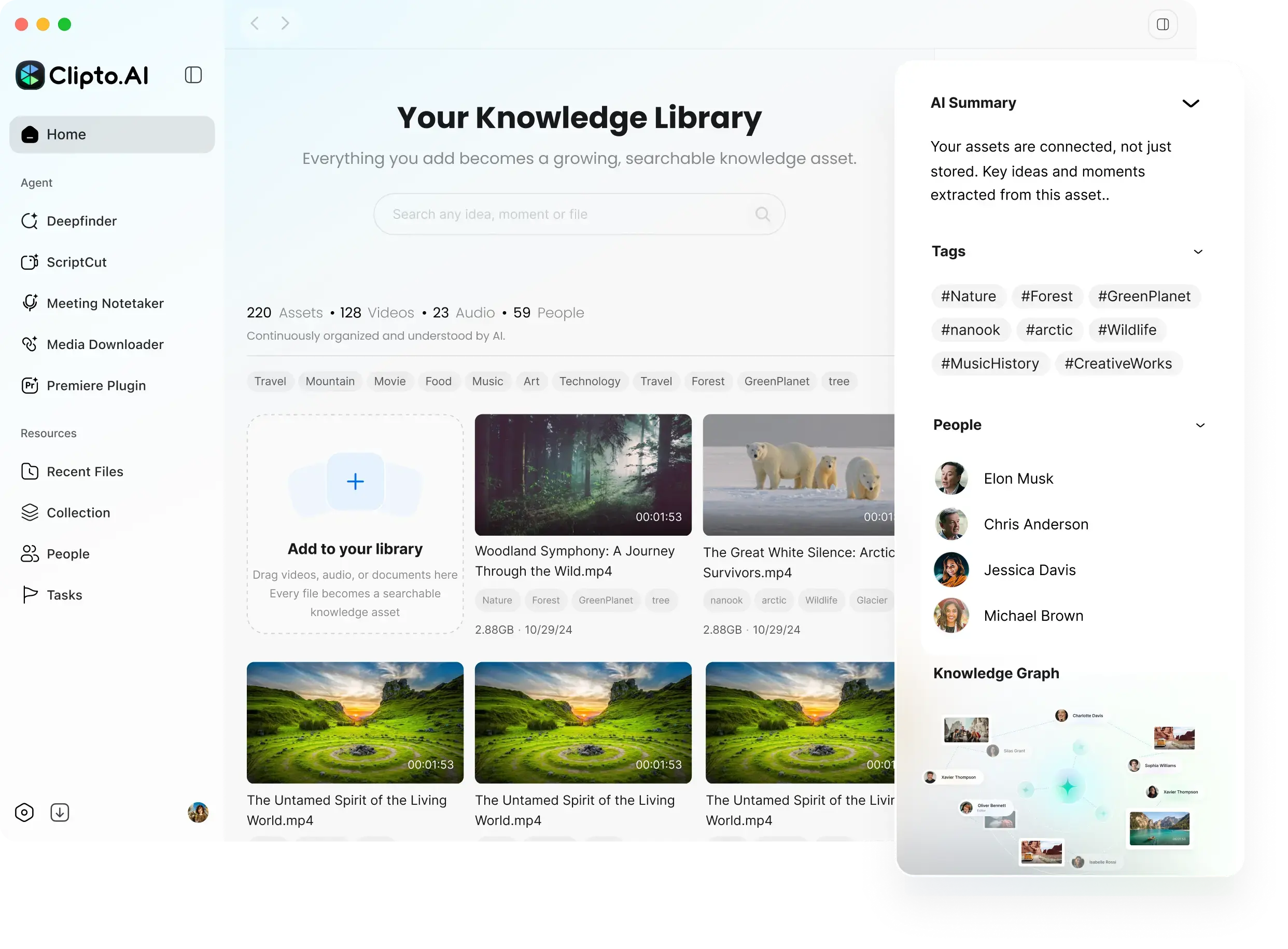
Local media indexing and search
Clipto indexes media on the device and lets connected AI tools search approved folders for relevant moments and context.

Clipto MCPを使うと、AIツールでローカルにインデックス化されたメディアを検索し、タイムスタンプ付きで関連箇所を見つけ、Bロールの候補、ポッドキャストの編集、映像素材ログなど、ソースに裏付けられた成果物をまとめられます。接続されたAIエージェントを通じて、ローカルの動画、音声、写真、ドキュメントを扱いたいユーザー向けに設計されています。
Clipto MCP connects AI tools to a local media index in the Clipto desktop app, so agents can search approved folders and retrieve specific moments, context, and source-backed references. It is built for working with large libraries of video, audio, images, meetings, conversations, documents, and related files on Mac and Windows.
The product is designed around practical media workflows rather than open-ended file access. Users can ask for clips, quotes, screenshots, matched footage, or logs, then use the results in creative planning, rough cuts, podcast cleanup, and other production tasks.
Clipto indexes media on the device and lets connected AI tools search approved folders for relevant moments and context.
The MCP tool is built into the Clipto desktop app, and the site says it can connect to MCP-compatible agents such as ChatGPT, Claude, Cursor, and others.
Returned results include evidence, timestamps, and an Open in Clipto link back to the original media, which makes the output easier to check and reuse.
Prompts shown on the site support tasks such as matching B-roll to a script, turning text into a video, editing a podcast, and building a footage log.
Users choose which folders Clipto can search, and connected AI tools only receive structured results rather than unrestricted access to the Mac.
Clipto provides a demo library of varied sample footage for exploring search and media workflows before using a personal library.
A creator can ask Clipto to match footage to a script, then use the returned timestamps and source links to assemble a first pass more quickly.
Users can ask an AI tool to remove false starts, pauses, repetition, interruptions, and off-topic sections while preserving the meaning and pacing of the recording.
Editors can generate an Excel log of usable moments with in/out timecodes, descriptions, spoken topics or quotes, quality notes, and Clipto links.
Teams with many hours of media can query approved folders for quotes, screenshots, scenes, or other moments without manually scrubbing every file.
New users can use the demo footage packs to try search, matching, and source review before connecting their own library.
Yes. The site says Clipto MCP uses the Clipto Mac app as the local media memory engine, and the app is also described as available for Mac and Windows.
No. AI tools can only request results from folders you approve in Clipto, rather than getting open-ended access to your device.
No. The product is described as local-first, with source files staying on your device unless you choose another workflow.
The page shows workflows for matched B-roll, podcast edits, rough-cut briefs, highlight reels, and footage logs, and it also mentions moments, context, quotes, screenshots, and source-backed answers.
The site instructs users to download the Clipto app, open the MCP tab, connect to an MCP-compatible agent, and then issue requests in the agent or in natural language.
トラフィックデータは参考情報としてご利用ください。

yapdaily.com
Yap is a voice journal for iPhone that turns a spoken account of your day into a tidy daily page. It is designed for people who want to capture and revisit memories without typing.

nevercap.ai
NeverCapは音声・動画を編集可能なテキストに変換するAI文字起こしツール。話者ラベル、タイムスタンプ、100以上の言語、複数ファイルの一括アップロードに対応し、月間分数制限もありません。

www.theloqua.ai
Loqua is a voice-first desktop productivity app for macOS and Windows that turns natural speech into polished text, edits selected content, translates dictation, and answers questions about user-selected screen content. It is designed for hands-free writing and supported voice workflows across desktop apps.

myminutes.ai
会議・講義・録音に対応するAI議事録・文字起こしアプリ

ideashell.ai
闪念贝壳は、音声でアイデアを素早く記録し、AIで整理・要約・発展させて他のツールへ書き出せるアプリです。

transkrip.xyz
インドネシア語と長時間の音声・動画に対応するWebベースAI文字起こし