

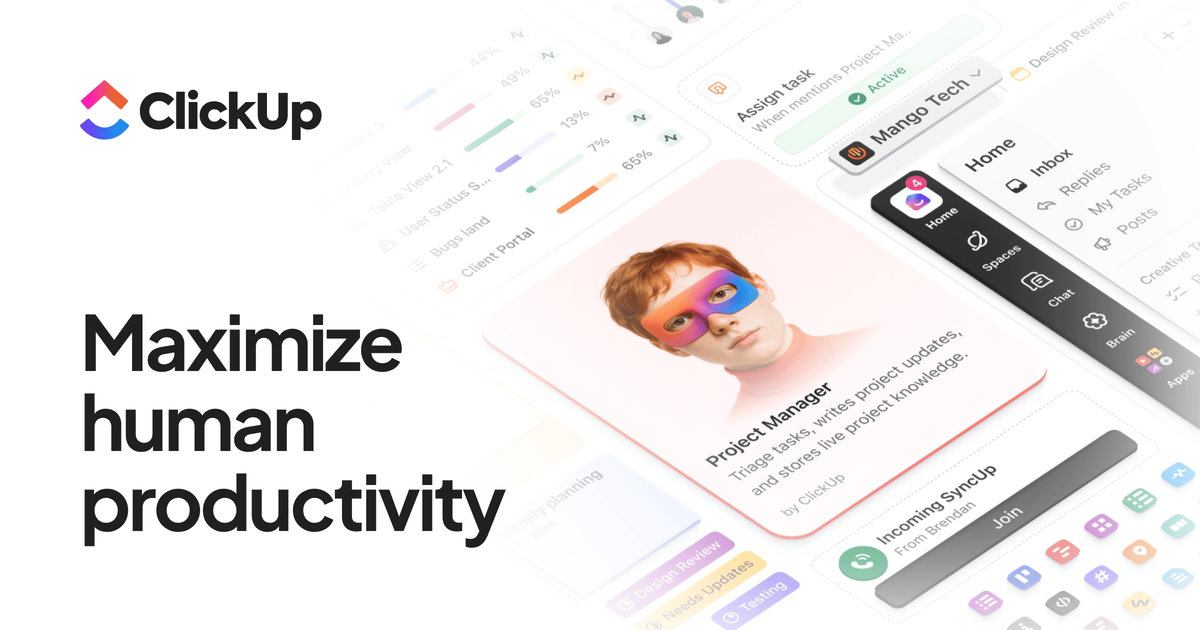
All-in-one work hub
Use tasks, docs, goals, and chat together so work stays in one workspace instead of being split across separate tools.
ClickUp is a productivity platform for managing work in one place. The source describes it as the “everything app for work,” combining tasks, docs, goals, chat, automation, and AI features into a single workspace.
It is built for teams that need to plan projects, coordinate communication, and keep work context together. The product page highlights project management, knowledge management, reporting, time tracking, and AI-driven assistance across multiple connected workflows.
Use tasks, docs, goals, and chat together so work stays in one workspace instead of being split across separate tools.
Automate work with ClickUp Brain, AI Notetaker, AI Fields, AI Cards, and Super Agents for summaries, action items, searches, and workflow execution.
Track project work with tasks, subtasks, nested subtasks, sprints, milestones, priorities, relationships, templates, and multiple assignees.
View work in layouts such as List, Board, Gantt, Calendar, Table, Whiteboards, Mind Maps, Portfolios, and Workload views.
Collaborate through chat, inbox, comments, clips, sync ups, forms, docs, wikis, and real-time collaboration indicators.
Plan, track, and report with dashboards, time tracking, time estimates, timesheets, scheduling, approvals, and custom fields.
Teams can plan and track projects with tasks, subtasks, milestones, dependencies, sprints, and multiple assignees while keeping status and ownership visible in one workspace.
Marketing, product, engineering, HR, and leadership teams can coordinate work, share context, and use chat, docs, and dashboards to keep priorities aligned.
Users can turn meetings and discussions into action by using AI Notetaker, comments, inboxes, and automations to capture decisions and move work forward.
Managers can monitor progress with dashboards, time tracking, timesheets, workload views, and reporting tools for a broader view of team delivery.
Teams that rely on repeatable processes can use templates, custom statuses, forms, and automations to standardize intake and recurring work.
ClickUp is set up as an all-in-one workspace for tasks, docs, goals, chat, and related work management features. The source highlights free and paid plans, but it does not describe a detailed onboarding flow beyond getting started from the pricing and homepage prompts.
The feature set is designed for team use: tasks, docs, chat, comments, permissions, custom roles, dashboards, and time tracking all support shared work in one workspace. The source does not spell out team-size limits or implementation requirements.
ClickUp is built around coordinating work in one place rather than moving between separate apps. The source shows tasks, docs, goals, chat, whiteboards, automations, and AI features used together to manage projects and related workflows.
The source shows output types such as tasks, docs, dashboards, timesheets, reports, wikis, and AI-generated summaries or action items. It does not provide detailed limitations on export formats or delivery options.
The pricing page states there is a Free Forever plan and paid plans above it. The source does not provide a complete list of plan differences for every feature, so specific limitations should be checked on the pricing page.
トラフィックデータは参考情報としてご利用ください。
15five.com
HRチームとマネージャー向けのAI搭載パフォーマンス管理

skyplanner.ai
製造チーム向けのAI生産計画・スケジューリングソフト。工場業務をERPやMESと連携できます。

daywatch.tech
Daywatch is an AI shift-scheduling platform for managers who need to build rosters around worker availability, labor rules, rest requirements, preferences, and role coverage. It supports healthcare, security, manufacturing, retail, and multi-team organizations.

gradient.ai
HyperagentはGradient.aiのAIエージェントプラットフォームです。簡単な指示からWebサイト、ダッシュボード、ドキュメント、スライド、動画を作成し、最新の成果をSlack、受信トレイ、Telegram、webhooksへ届けます。

dartai.com
Dartは、タスク管理、計画、ドキュメント管理、ワークフロー自動化を1つのワークスペースにまとめた、チーム向けのAIプロジェクト管理プラットフォームです。従来のプロジェクトビューに加え、タスク生成、重複検出、プロパティ入力、レポート作成などのAI機能を備えています。

pidge.in
配送・経路・追跡・ライダー業務を管理するAI物流基盤