
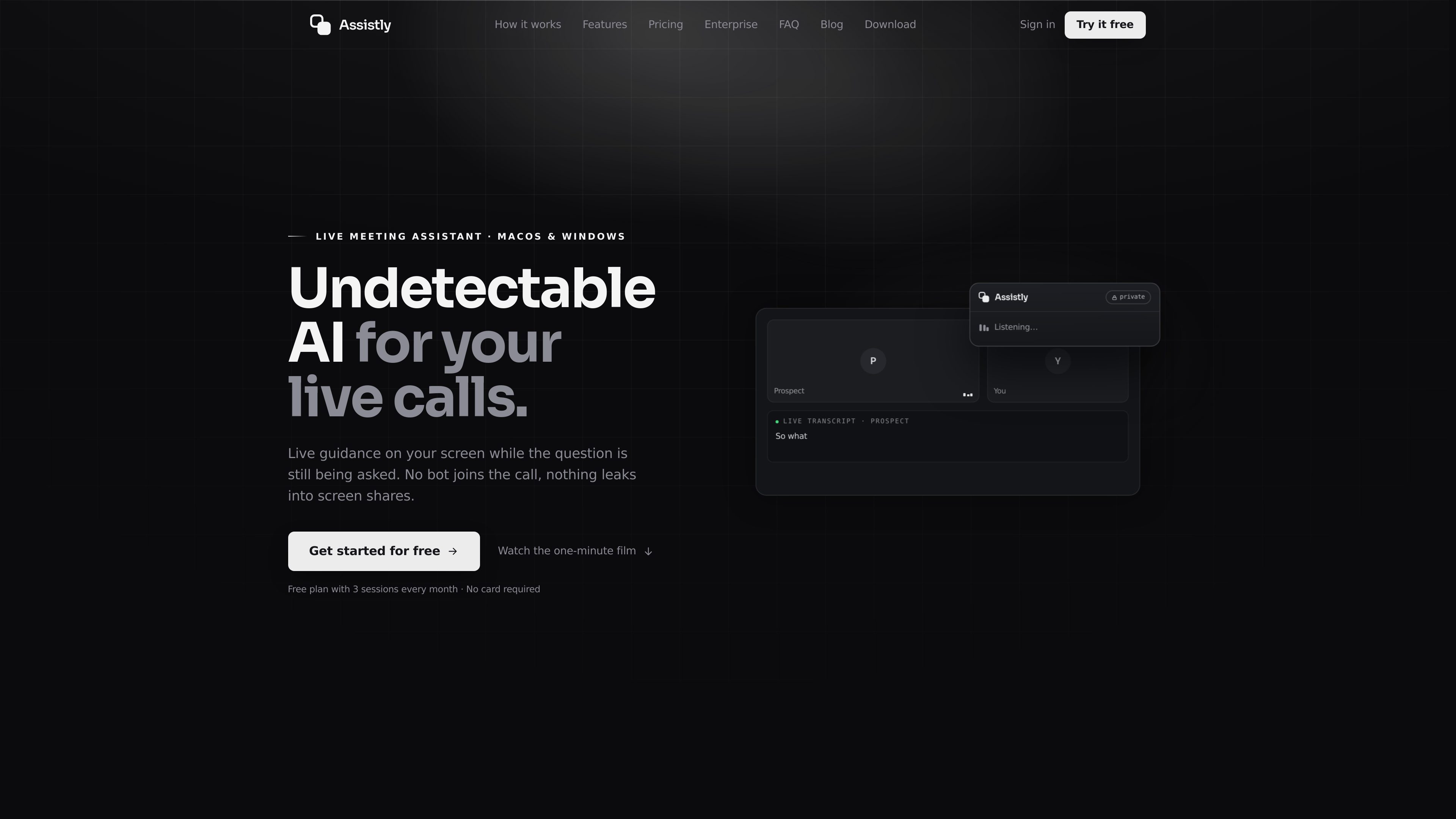
Invisible in-call overlay
During a live call, Assistly surfaces guidance in an overlay that stays on the user’s screen and is not visible to other participants or screen shares.

Assistlyは、macOSとWindowsに対応したライブ会議アシスタントです。通話中にリアルタイムでガイダンスを提供し、終了後に要約を作成します。ボットとして会議に参加するのではなく、コンピューター上で動作し、MCPサーバーを通じて接続アプリに通話履歴を提供します。
Assistly is a live meeting assistant for macOS and Windows that helps during conversations instead of waiting until the meeting ends. It runs from your computer’s audio, shows an on-screen overlay that only you can see, and works without adding a bot to the call.
The product combines live transcription, in-call guidance, and post-call recaps. It is positioned for people who take calls in Zoom, Google Meet, Teams, Webex, Slack huddles, or even regular phone calls, and it can also connect call context to external tools through MCP and supported apps such as Claude, ChatGPT, and Cursor.
During a live call, Assistly surfaces guidance in an overlay that stays on the user’s screen and is not visible to other participants or screen shares.
It transcribes the full call audio in real time, auto-detects dozens of languages, and tracks who said what across multiple speakers.
When a question comes up, Assistly streams talking points and structured responses as the conversation is still happening, so the user can respond without switching context.
At the end of the call, Assistly generates a summary and a list of action items with owners, creating a session record that can be searched later.
Users can organize conversations into projects so calls are filed to the right client, deal, or workstream and answers stay scoped to that history.
Assistly’s MCP server lets connected apps like Claude, ChatGPT, Cursor, and Claude Code read call recaps, transcripts, action items, and related context through a browser-authenticated connection.
A salesperson or account owner can keep talking while Assistly surfaces answers, objections, and follow-up structure in the moment, then leaves behind a recap and action list after the call.
A user can ask about a prior discussion from another app through the MCP server and get cited answers drawn from transcripts and recaps instead of re-reading notes manually.
Teams can file calls into projects so each client, deal, or workstream has its own call history, summary trail, and open items.
When someone new picks up an account, they can review the shared history of calls, decisions, and unresolved follow-ups without relying on a separate handover document.
The site says Assistly can build a persona from your CV, docs, and notes and switch modes for situations such as interviews or client reviews, while still grounding guidance in your own material.
No. The site says Assistly works from your computer’s audio, so nothing joins the participant list and nothing shows up as a bot in the meeting.
The site says Assistly works with Google Meet, Zoom, Teams, Webex, Slack huddles, and ordinary phone calls.
It writes a recap that includes a summary and action items with owners, and it keeps sessions searchable across your notes history.
Yes. Assistly provides an MCP server so connected apps like Claude, ChatGPT, Cursor, and Claude Code can read meeting data from your account.
Yes. The enterprise page describes team workspaces, shared context, single sign-on, retention controls, roles and permissions, and admin-managed access. The site also says setup can happen in days rather than quarters.
トラフィックデータは参考情報としてご利用ください。

parakeet-ai.com
ライブ面接やコーディング面接中にリアルタイムで回答を提示するAI面接アシスタント。ブラウザー、デスクトップ、モバイル向けブラウザーで利用でき、履歴書や資料のアップロード、通話メモにも対応します。

quiethint.com
QuietHintはApple silicon Mac向けのmacOS会議アシスタントです。通話音声をローカルで文字起こしし、自分と相手の発話を区別して、質問が出たときの短い返答を提案します。通話への参加や会議アプリへのインストールは不要です。

huddlemate.ai
面接や営業通話、会議、トリビアに対応するリアルタイムAIアシスタント

ruby.codeongrass.com
Mac向けAI通話アシスタント。適切なタイミングで質問やリマインダーを提示

trysayble.com
Saybleは、営業電話、会議、交渉など、さまざまなビジネス会話をリアルタイムで支援するAIコパイロットです。通話中の双方の発言を文字起こしし、次に話す内容を提案。終了後には要約やフォローアップ文の下書きを作成します。

poised.com
会議やプレゼンを明確にするAIコミュニケーションコーチ