
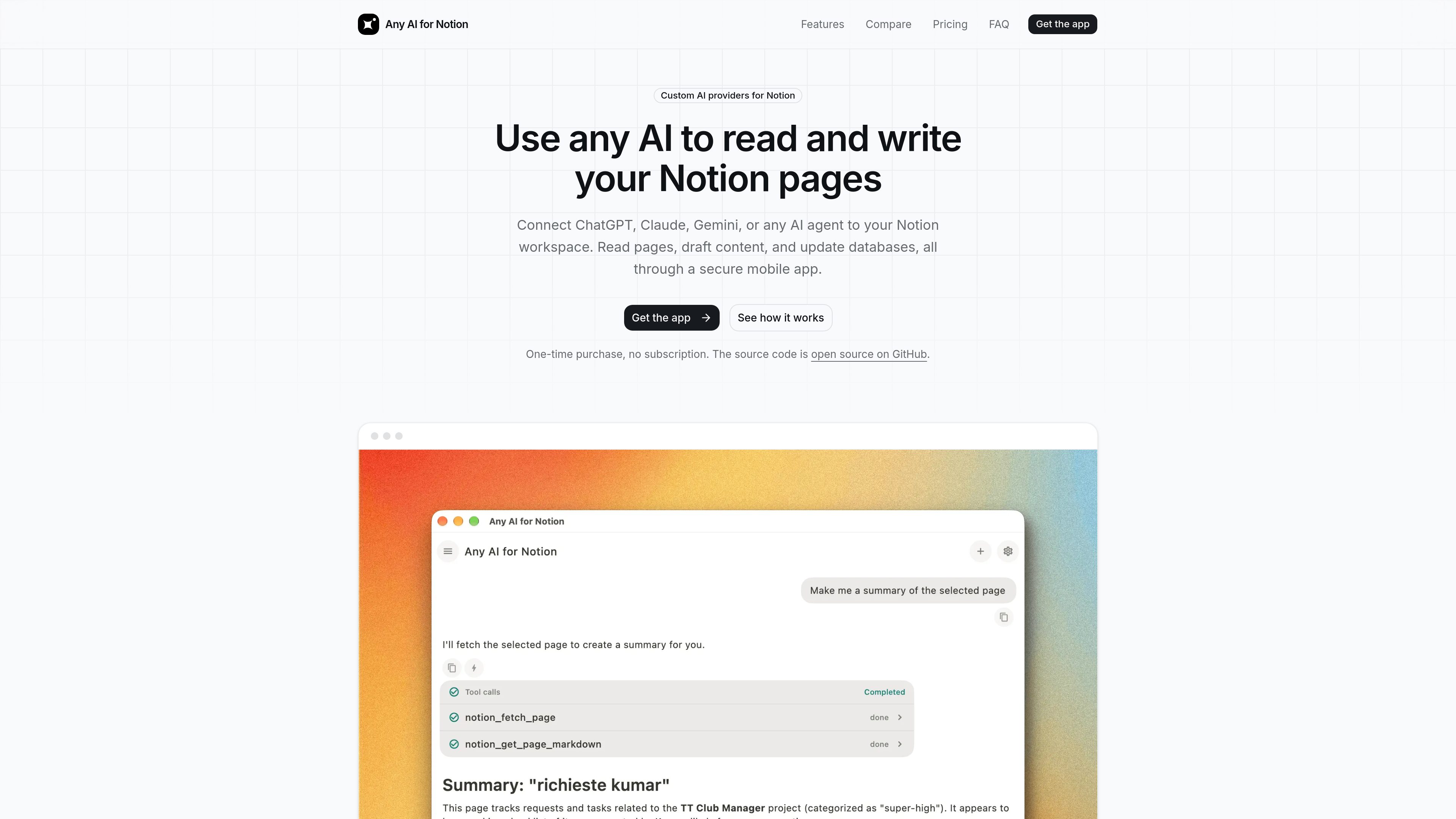
AI model flexibility
Connect ChatGPT, Claude, Gemini, or another AI agent that can call an HTTP endpoint instead of being limited to one built-in model.

Any AI for Notion connects ChatGPT, Claude, Gemini, and other AI agents to a Notion workspace. It lets users search, read, create, and update Notion pages and databases from mobile or desktop using their own AI credentials.
Any AI for Notion is a paid, open-source app that connects external AI models and agents to a Notion workspace. Using Notion’s official OAuth and REST API, it gives an AI assistant tools to search, read, create, and update pages and databases.
The app is intended for users who want to bring their preferred model—such as ChatGPT, Claude, or Gemini—to their existing Notion content. After connecting selected pages and supplying an API key or compatible endpoint, users can ask the assistant to find information, summarize content, draft new pages, or edit existing material.
It supports an iOS mobile workflow with voice input, deep links, and local reminders, alongside desktop builds from the open-source repository. The product uses a one-time purchase model and publishes its source code on GitHub.
Connect ChatGPT, Claude, Gemini, or another AI agent that can call an HTTP endpoint instead of being limited to one built-in model.
The assistant can search workspace content, read pages, create new pages, and update existing pages and databases through Notion’s official API.
Connect a workspace through Notion’s official OAuth flow and choose which pages the assistant can access. Access can be revoked from Notion settings.
Use an OpenAI API key, OpenRouter key, Anthropic-compatible endpoint, or another supported model credential. The site states that keys remain on the device in platform-native secure storage.
The iOS app includes voice input, deep links that open referenced Notion pages, and local reminders that can trigger even when the app is closed.
The same codebase supports desktop builds for macOS, Windows, and Linux; a Linux build is also available through Snap.
Record a voice note on iOS, have the assistant format it into meeting notes, and append action items to a Notion task or project database.
Ask an AI model to draft or rewrite an article, then save the result as a new page or place it in a content calendar without manually transferring text.
Search project databases to answer questions such as which work is overdue, review a roadmap for missing dependencies, or analyze a sprint backlog.
Summarize, translate, or restructure existing pages and save the edited result back into Notion, including turning meeting notes into decision logs.
Ask what is scheduled or outstanding in a task database and set a local reminder through the mobile assistant while away from a computer.
The site names ChatGPT, Claude, and Gemini, and also describes support for Cursor, Copilot, Codex, Amp, and other AI agents that can call an HTTP endpoint. ChatGPT can be configured with an OpenAI API key or an OpenRouter key; Claude can use OpenRouter or an Anthropic-compatible endpoint.
Install the app, connect the workspace through Notion’s official OAuth flow, select the pages the assistant may access, and add credentials for the AI provider. You can then prompt the assistant to search, read, create, or update Notion content.
It supports both read and write operations, including searching and reading pages, creating new content, and updating existing pages and databases.
Yes. The site describes an iOS app with voice input, local push reminders, deep links to Notion pages, and workspace read/write access. Desktop builds are available from the open-source repository for macOS, Windows, and Linux.
The site states that API keys and Notion tokens stay on the device in platform-native secure storage. Its open-source backend is described as a stateless proxy that forwards requests to Notion’s official API and stores no credentials.
トラフィックデータは参考情報としてご利用ください。

heptabase.com
Heptabaseは、学生・研究者・生涯学習者向けのビジュアル知識ベース。ホワイトボード、連携ノート、資料取り込み、AI Tutorで学習を構造化します。

hoarder.app
AIタグ付け、全文検索、セルフホスティング対応のオープンソースブックマーク管理

scrintal.com
アイデアや資料、文章をつなげて整理できるビジュアルノート・リサーチ環境。
reflect.app
リンクノート、素早い記録、検索、AI支援ライティングに対応したミニマルなノートアプリ。

ozbrain.com
OzBrain is a hosted shared knowledge base that AI agents and authorized teammates can read and write. It gives connected agents a structured source of truth for projects, decisions, research, rules, and other working knowledge.

www.nomic.ai
Nomic is an AI agent platform for architecture, engineering, and construction firms. It grounds search, review, drafting, and compliance workflows in drawings, specifications, project data, and connected systems.