
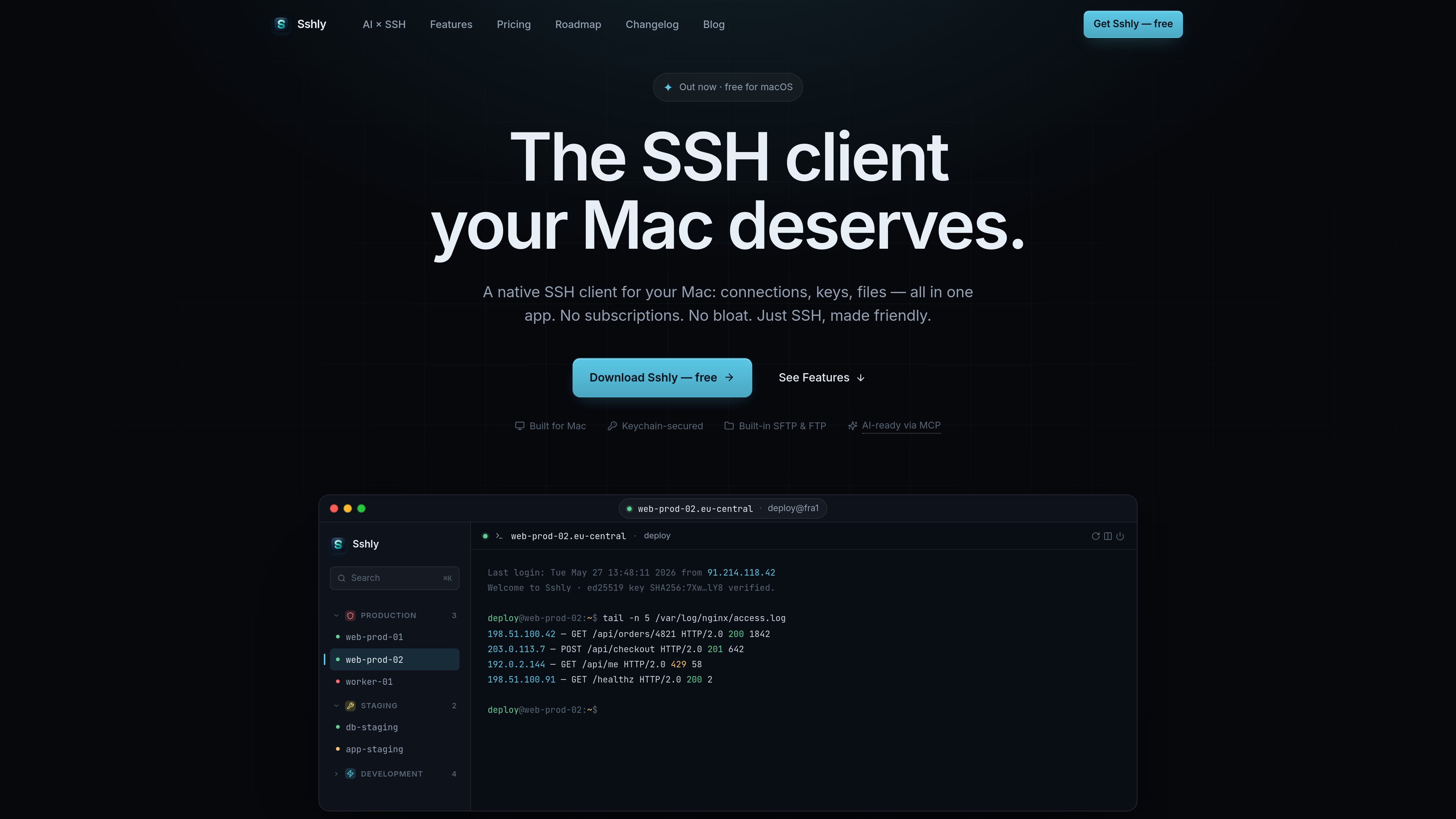
GPU-accelerated terminal
The terminal uses xterm.js with WebGL rendering and is described as capable of smooth scrolling and instant keystrokes.

Sshly è un client SSH nativo per Mac che riunisce connessioni, chiavi SSH, gestione dei file e port forwarding in un’unica app. Offre un flusso di lavoro SSH locale con una licenza a pagamento unico, senza abbonamento.
Sshly is a native SSH client for Mac that combines terminal access, SSH key handling, file transfer, and port forwarding in one application. It is aimed at users who want to work with remote servers from a local desktop app rather than switching between separate tools.
The product is centered on practical server workflows: connecting to hosts, browsing and editing files over SFTP, managing keys in the macOS Keychain, and keeping sessions available from the menu bar. A free tier supports up to 3 connections, and a one-time license unlocks unlimited use according to the site’s shipped roadmap and release notes.
The terminal uses xterm.js with WebGL rendering and is described as capable of smooth scrolling and instant keystrokes.
Browse files over SFTP, drag and drop them, and edit files inline next to the terminal.
Import and manage SSH keys, with passphrases stored in the macOS Keychain for future connections.
Set up local, remote, and dynamic tunnels from a single interface, with auto-start support noted on the roadmap.
Keep Sshly running from the menu bar so sessions stay alive even after the main window is closed.
Let AI tools run commands on your servers through Sshly while credentials stay in the app and each command is approved by the user.
Use Sshly as a daily SSH client for connecting to servers, running commands, and keeping a terminal session open in a native desktop app.
Open remote files over SFTP, make inline changes, and move files with drag and drop instead of using a separate file transfer tool.
Store SSH key passphrases in the macOS Keychain and reuse them for future logins on the same Mac.
Create local, remote, or dynamic tunnels when a server workflow depends on port forwarding rather than only shell access.
Use the MCP bridge when an AI tool needs to run commands on a server, with per-command approval and credentials kept inside Sshly.
Sshly is a native app for Mac. The download page says it requires macOS 12 Monterey or later and supports Apple Silicon.
Download the .dmg, drag Sshly into the Applications folder, and launch it. If you have a license key, paste it in Settings → License after installation.
Yes. The shipped feature set includes an SFTP file manager with browsing, drag-and-drop, and inline editing.
Yes. The site describes an MCP bridge that lets tools such as Claude Code run commands through Sshly, with user approval for each command and credentials kept inside the app.
No. The site indicates a free tier and a one-time license, but the pricing page returned a 404 during collection, so exact pricing details were not available.
I dati sul traffico sono solo a scopo di riferimento.

bulbthings.com
Bulbthings è una piattaforma di gestione degli asset che consente di monitorare attrezzature, inventario, manutenzione e flussi di lavoro correlati in un unico sistema. Offre un piano gratuito per i piccoli team e piani a pagamento e servizi aggiuntivi per esigenze più ampie o specifiche.

projectsky-ten.vercel.app
Project SKY è un assistente AI nativo per Windows 11, sempre sul desktop, che aiuta a interagire con app, contenuti sullo schermo, voce e contesto locale senza cambiare scheda.

costlogic.co
CostLogic è uno strumento di preventivazione edile accessibile dal browser, pensato per ricavare le quantità dai progetti, preparare preventivi ed emettere fatture. Carica planimetrie PDF, misura direttamente sui disegni e passa dal computo alla fatturazione in un unico flusso di lavoro.

antibot.techieslab.app
Antibot è un bot di gestione delle community basato sull’AI per Discord: avvia conversazioni, ricorda gli interessi dei membri e aiuta a mantenere attivi i server. È pensato per chi gestisce server e desidera coinvolgimento, moderazione e riepiloghi assistiti dall’AI senza dipendere dai flussi di lavoro basati sui comandi slash.

invisionapp.com
Miro è una piattaforma di collaborazione visiva basata sull’IA che aiuta i team a trasformare idee e ricerche in piani strutturati e attività esecutive in un unico spazio di lavoro condiviso, con IA collaborativa, canvas multiplayer, formati strutturati e integrazioni.

fx.sh
fx è un agente di coding nativo, leggero e open source, con CLI per lavorare sul codice dal terminale. È progettato per la ricerca, l’integrazione e l’uso come parte di sistemi più grandi, con supporto per l’inferenza locale o nel cloud.