
On-device work memory
Captures text from macOS accessibility data, stores it encrypted on your Mac, and indexes it locally so your work history stays available without a cloud copy by default.

ShogunAI è un assistente di memoria AI privato e orientato all’elaborazione locale per macOS. Acquisisce il contesto di lavoro sul Mac per aiutarti a ricordare informazioni e preparare azioni nei tuoi strumenti.
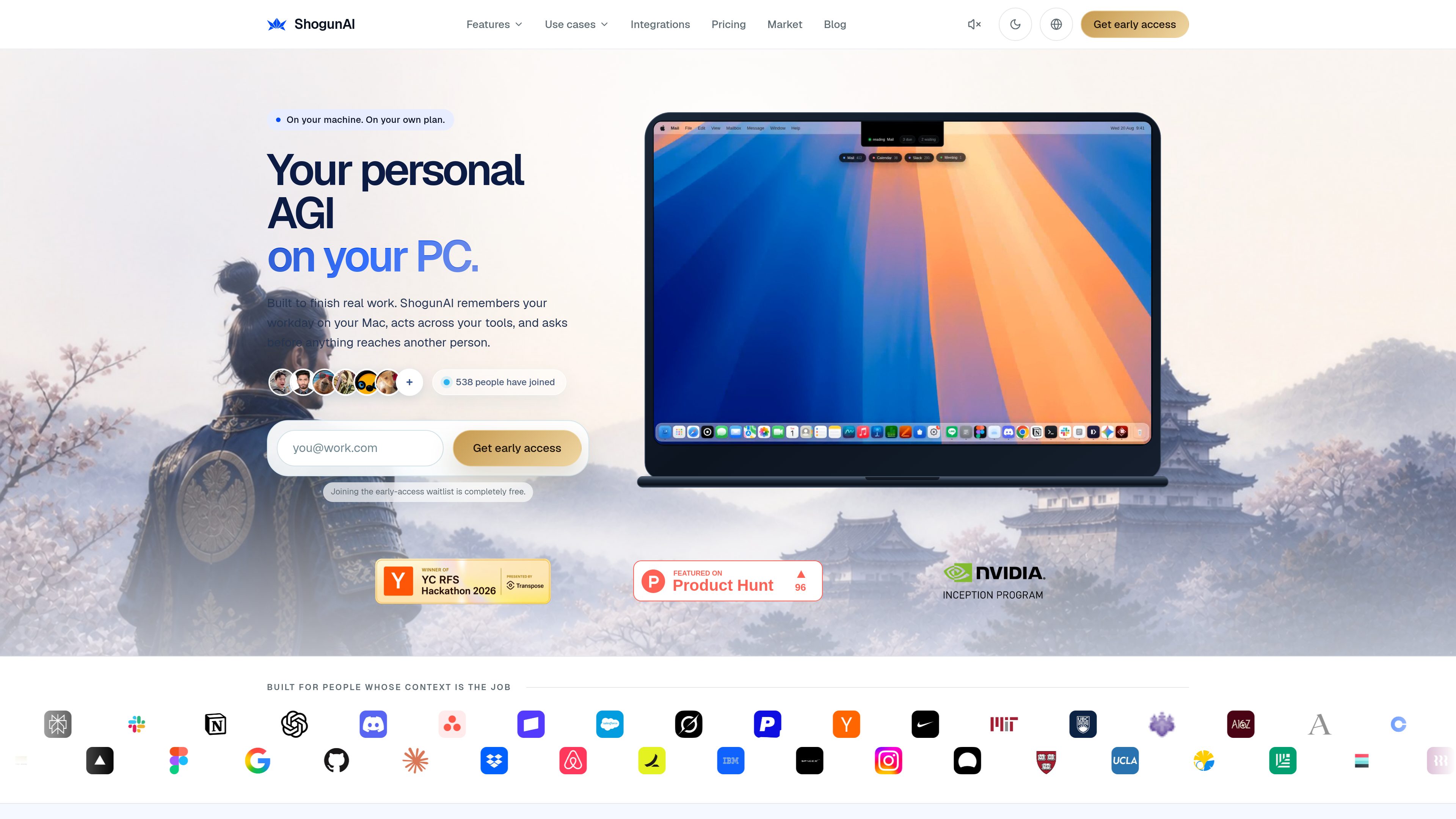
ShogunAI is a local-first AI memory assistant for macOS that records work context on your Mac, lets you ask about it in plain language, and turns selected context into drafts, updates, and other actions inside the tools you already use.
Its core purpose is to reduce the time spent re-explaining context, searching across apps, and copying information between tools. The site describes it as a way to keep one private memory on your Mac and use that memory to finish work rather than only answer questions.
Captures text from macOS accessibility data, stores it encrypted on your Mac, and indexes it locally so your work history stays available without a cloud copy by default.
Searches mail, chat, docs, and calendar from one query and attaches the source and time to each result so answers can be checked against the original evidence.
When text capture does not return enough information, ShogunAI can take a compressed screenshot on your Mac. The site says screenshots stay encrypted locally and are deleted after the retention period you choose.
Can draft replies, updates, and filings inside the app you are already using, with three levels of autonomy that determine when work runs, when drafts wait, and when approval is required before anything reaches another person.
Detects meetings, produces transcripts, and creates minutes with summary, decisions, and commitments heard during the meeting. Audio is not written to disk; only the transcript persists.
Connects to supported work tools and AI providers through optional integrations, with your permissions and provider keys remaining under your control. The site lists connections for communication, documents, product and design tools, and multiple model providers.
Use one search across mail, chat, documents, and calendar to recover the thread, decision, or commitment that a reply depends on, instead of copying the backstory into a prompt.
Press Option in a text field to have ShogunAI write a continuation at the caret in the app you are already using, then review and send it yourself when the draft is ready.
Have meetings transcribed and summarized into minutes, decisions, and proposed next actions so you can file follow-ups without manually reconstructing what happened.
Review what changed overnight, what remains open, and what you promised before starting the day, using the memory layer rather than separate notes in each app.
Use the execution layer to turn remembered context into updates, filings, or other tool-based work, with approval gates for actions that leave your Mac.
No. The site says it can run on the assistant plan you already pay for, within that plan’s limits. You can also bring your own API key and switch providers without losing your memory history.
It captures text, where it came from, and when. If visual recall is enabled, it can also capture compressed screenshots when text capture is not enough. Meeting audio is not written to disk; only the transcript is kept.
Only the specific slice needed for a request, such as the thread to summarize or the context for a draft. The site says each such transfer is recorded in a traceability log and marked when it passes through a third party.
Yes. The site says it is built for macOS, uses native macOS capabilities, and runs on Apple Silicon.
Yes. The integrations page says connections are optional and controlled by you. The local-first memory layer is the foundation, and connecting tools adds richer context and approved actions.
I dati sul traffico sono solo a scopo di riferimento.

littlebird.ai
Assistente AI che apprende il contesto di lavoro per rispondere alle domande, creare contenuti ed eseguire azioni su Mac, Windows, iOS e Android.

projectsky-ten.vercel.app
Project SKY è un assistente AI nativo per Windows 11, sempre sul desktop, che aiuta a interagire con app, contenuti sullo schermo, voce e contesto locale senza cambiare scheda.

www.basecompute.co
Local è un’app per macOS che esegue l’AI sul tuo computer, ottimizzata per il chip e la memoria del Mac, per chat, programmazione, note delle riunioni e flussi di lavoro privati sul dispositivo.
actx0.com
Actx0 è un’infrastruttura di memoria gestita per agenti AI e app. Aiuta i team a salvare i ricordi delle sessioni e le conoscenze dell’area di lavoro, per poi recuperare il contesto pertinente in millisecondi prima della risposta successiva del modello.

sigmabrowser.com
Browser privato con chat IA, agente del browser e IA locale per ricerca e automazione

costlogic.co
CostLogic è uno strumento di preventivazione edile accessibile dal browser, pensato per ricavare le quantità dai progetti, preparare preventivi ed emettere fatture. Carica planimetrie PDF, misura direttamente sui disegni e passa dal computo alla fatturazione in un unico flusso di lavoro.