
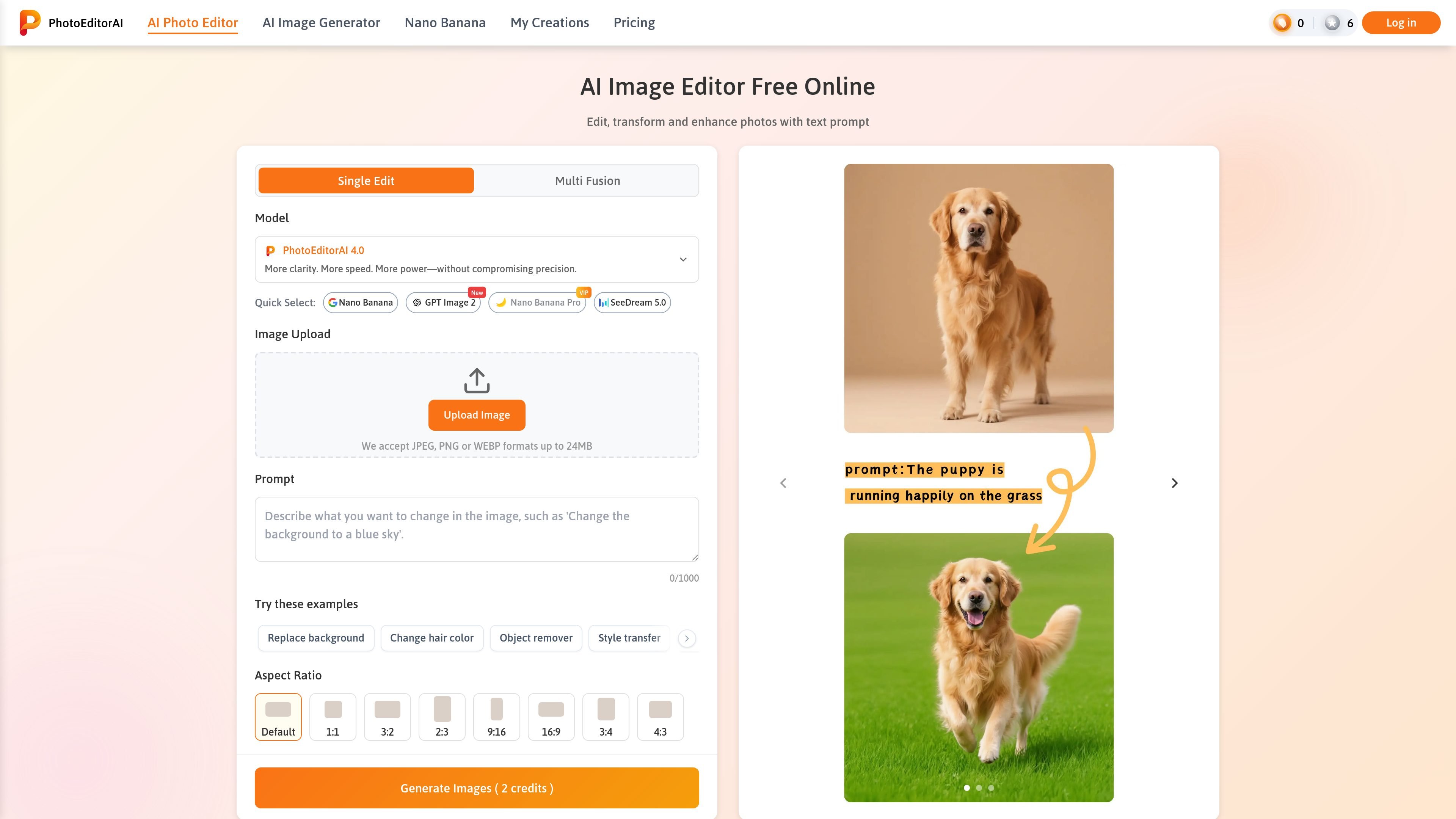
Prompt-based photo editing
Upload a photo, type a prompt, and generate an edited result in the browser. The site positions this as a text-prompt workflow for changing and enhancing images without Photoshop.

Editor di foto AI nel browser per modificare e generare immagini tramite prompt, con piani gratuiti, a crediti ed enterprise.
PhotoEditorAI is a browser-based AI photo editor that lets people upload an image and change it with text prompts. The homepage positions it as a free online editor for transforming and enhancing photos without sign-up or Photoshop.
The site shows a workflow built around prompt-driven editing, model selection, aspect-ratio controls, and resolution choices. It also highlights related tools for AI image generation and a Nano Banana editing page, suggesting the product covers both image editing and prompt-based image creation.
Pricing information shows a free Starter plan with daily credits and paid one-time credit packages, plus an Enterprise option for custom pricing and features. That makes the product suitable for individual creators who want quick edits and for businesses that need higher-volume usage or team-oriented access.
Upload a photo, type a prompt, and generate an edited result in the browser. The site positions this as a text-prompt workflow for changing and enhancing images without Photoshop.
The editor supports common local files and states that JPEG, PNG, and WEBP uploads are accepted up to 24MB.
The page shows preset editing prompts such as replacing backgrounds, changing hair color, removing objects, transferring style, and restoring old photos.
The home page lists multiple models, including PhotoEditorAI 4.0, PhotoEditorAI 3.0, Nano Banana, GPT Image 2, SeeDream, and Qwen, letting users choose different model options for different tasks.
The product surface includes aspect-ratio controls and resolution choices, with options shown for 1K, 2K, and 4K on the home/editor interface.
The pricing page says credits are one-time purchases that never expire, and the Enterprise plan adds API access, custom features, dedicated manager support, and team collaboration.
Use the editor to replace backgrounds, remove clutter, and tighten product images for marketplace listings or storefront pages. The site explicitly references ecommerce workflows and platforms such as Amazon, Shopify, and Etsy.
Apply style transfer, background changes, and other prompt-driven edits to create social-ready visuals from casual photos. The homepage positions the tool for Instagram, TikTok, and YouTube content creation.
Use the image editor to retouch portraits, adjust details, or restore older photos for personal albums and sharing. The homepage mentions lighting fixes, blemish removal, and old photo restoration examples.
Generate ad creatives, banners, and campaign visuals when a team needs fast branded images without moving into more complex software. The pricing page also signals business use with enterprise features and team collaboration.
Use the Nano Banana page for character-consistent image editing, conversational edits, or image-to-image and text-to-image generation. The page highlights workflows such as changing expressions, creating headshots, and converting photos to anime-style art.
Yes. The site presents the editor as free to start, and the home page says no sign-up is needed. The pricing page also shows a Starter free plan with 10 credits per day.
The home page shows a browser-based photo editor that accepts image uploads and a text prompt. The examples on the page include background replacement, hair color changes, object removal, style transfer, and old photo restoration.
The home page accepts JPEG, PNG, and WEBP files up to 24MB. It also offers aspect-ratio choices and image-resolution options, including 1K, 2K, and 4K on the editor surface shown on the site.
The pricing page says credits never expire and can be used anytime. It also shows an Enterprise plan with custom pricing and features, plus API access, custom features, dedicated manager support, and team collaboration.
The site describes multiple models and workflows, including single-image editing and multi-image fusion. The Nano Banana page also highlights character consistency, conversational editing, and image-to-image or text-to-image style workflows.
I dati sul traffico sono solo a scopo di riferimento.
| apr | 1668976 |
|---|---|
| mag | 1653181 |
| giu | 1868946 |

z-image-ai.run
Generatore ed editor di immagini AI online per creare immagini da prompt testuali e ristilizzare foto, con più modelli, crediti gratuiti e uso commerciale senza filigrana.

aiease.ai
AI Ease è una piattaforma di IA basata sul browser per creare immagini e video, migliorare le foto e generare contenuti visivi da testo, immagini o effetti. Offre diverse funzioni gratuite e piani a pagamento con funzionalità aggiuntive.

pixmagic.app
Studio AI nel browser per generare, modificare e ingrandire immagini, rimuovere sfondi, trasformare immagini in video e convertire testo in voce, con ricariche una tantum e 10 crediti di prova.

ai-image-editor.io
Strumento AI nel browser per modificare, generare e variare immagini con prompt

pixlr.com
Editor fotografico e generatore di immagini con IA basato su browser, per foto, video e rimozione dello sfondo.

dzine.ai
Dzine è uno strumento web di AI per immagini e design che consente di generare, modificare ed esportare contenuti visivi e offre anche workflow video con AI. È pensato per chi desidera un controllo più diretto su composizione, stile e modifiche basate su prompt rispetto a quanto consenta di solito la generazione solo testuale.